

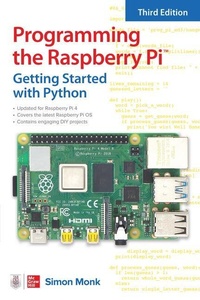
Programming the Raspberry Pi, Third Edition: Getting Started with Python
3rd Edition
Published on 7. July 2021
Book
Paperback/Softback
192 pages
978-1-264-25735-5 (ISBN)
Description
An up-to-date guide to creating your own fun and useful Raspberry Pi (TM) programs
This fully updated guide shows how to create inventive programs and fun games on your powerful Raspberry Pi-with no programming experience required. Programming the Raspberry Pi (TM): Getting Started with Python, Third Edition addresses physical changes and new setup procedures as well as OS updates to the current version 4. You will discover how to configure hardware and software, write Python scripts, create user-friendly GUIs, and control external electronics. Step-by-step projects include a digital clock prototype and a fully functioning Raspberry Pi robot.
Configure your Raspberry Pi and explore its features
Start writing and debugging Python programs
Use strings, lists, functions, and dictionaries
Work with modules, classes, and methods
Apply object-oriented development methods
Create user-friendly games using Pygame
Build intuitive user interfaces with guizero
Interface with hardware using the gpiozero library
Attach external electronics through the GPIO port
Add powerful Web features to your projects
This fully updated guide shows how to create inventive programs and fun games on your powerful Raspberry Pi-with no programming experience required. Programming the Raspberry Pi (TM): Getting Started with Python, Third Edition addresses physical changes and new setup procedures as well as OS updates to the current version 4. You will discover how to configure hardware and software, write Python scripts, create user-friendly GUIs, and control external electronics. Step-by-step projects include a digital clock prototype and a fully functioning Raspberry Pi robot.
Configure your Raspberry Pi and explore its features
Start writing and debugging Python programs
Use strings, lists, functions, and dictionaries
Work with modules, classes, and methods
Apply object-oriented development methods
Create user-friendly games using Pygame
Build intuitive user interfaces with guizero
Interface with hardware using the gpiozero library
Attach external electronics through the GPIO port
Add powerful Web features to your projects
More details
Edition
3rd edition
Language
English
Place of publication
OH
United States
Illustrations
50 Illustrations
Dimensions
Height: 225 mm
Width: 149 mm
Thickness: 10 mm
Weight
238 gr
ISBN-13
978-1-264-25735-5 (9781264257355)
Copyright in bibliographic data and cover images is held by Nielsen Book Services Limited or by the publishers or by their respective licensors: all rights reserved.
Schweitzer Classification
Other editions
Additional editions

E-Book
06/2021
1st Edition
McGraw Hill LLC
€31.99
Available for download
Person
Simon Monk has authored 25 titles on electronics and programming. His books have sold nearly a million copies worldwide and have been translated into nine languages. He also designs products for Monk Makes, the business he runs with his wife.
Content
Preface
Introduction
1 Introduction
What Is the Raspberry Pi?
What Can You Do with a Raspberry Pi?
A Tour of the Raspberry Pi
Setting Up Your Raspberry Pi
Booting Up
Summary
2 Getting Started
Linux
The Desktop
The Command Line
Applications
Internet Resources
Summary
3 Python Basics
Mu
Numbers
Variables
For Loops
Simulating Dice
If
While
The Python Shell from the Terminal
Summary
4 Strings, Lists, and Dictionaries
String Theory
Lists
Functions
Hangman
Dictionaries
Tuples
Exceptions
Summary of Functions
Summary
5 Modules, Classes, and Methods
Modules
Object Orientation
Defining Classes
Inheritance
Summary
6 Files and the Internet
Files
Pickling
JSON
Internet
Summary
7 Graphical User Interfaces
guizero
Hello World
Temperature Converter
Other GUI Widgets
Pop-Ups
Menus
Summary
8 Games Programming
What Is Pygame?
Coordinates
Hello Pygame
A Raspberry Game
Summary
9 Interfacing Hardware
GPIO Pin Connections
Breadboarding with Jumper Wires
Digital Outputs
Analog Outputs
Digital Inputs
Analog Inputs
HATs
Summary
10 LED Fader Project
What You Need
Hardware Assembly
Software
Summary
11 Prototyping Project (Clock)
What You Need
Hardware Assembly
Software
Phase Two
Summary
12 Raspberry Pi Robot
Set Up the Raspberry Pi Zero W
Web-Controlled Rover
Autonomous Rover
Summary
13 What Next
Linux Resources
Python Resources
Raspberry Pi Resources
Programming Languages
Other Languages
Applications and Projects
Summary
Index
Introduction
1 Introduction
What Is the Raspberry Pi?
What Can You Do with a Raspberry Pi?
A Tour of the Raspberry Pi
Setting Up Your Raspberry Pi
Booting Up
Summary
2 Getting Started
Linux
The Desktop
The Command Line
Applications
Internet Resources
Summary
3 Python Basics
Mu
Numbers
Variables
For Loops
Simulating Dice
If
While
The Python Shell from the Terminal
Summary
4 Strings, Lists, and Dictionaries
String Theory
Lists
Functions
Hangman
Dictionaries
Tuples
Exceptions
Summary of Functions
Summary
5 Modules, Classes, and Methods
Modules
Object Orientation
Defining Classes
Inheritance
Summary
6 Files and the Internet
Files
Pickling
JSON
Internet
Summary
7 Graphical User Interfaces
guizero
Hello World
Temperature Converter
Other GUI Widgets
Pop-Ups
Menus
Summary
8 Games Programming
What Is Pygame?
Coordinates
Hello Pygame
A Raspberry Game
Summary
9 Interfacing Hardware
GPIO Pin Connections
Breadboarding with Jumper Wires
Digital Outputs
Analog Outputs
Digital Inputs
Analog Inputs
HATs
Summary
10 LED Fader Project
What You Need
Hardware Assembly
Software
Summary
11 Prototyping Project (Clock)
What You Need
Hardware Assembly
Software
Phase Two
Summary
12 Raspberry Pi Robot
Set Up the Raspberry Pi Zero W
Web-Controlled Rover
Autonomous Rover
Summary
13 What Next
Linux Resources
Python Resources
Raspberry Pi Resources
Programming Languages
Other Languages
Applications and Projects
Summary
Index