

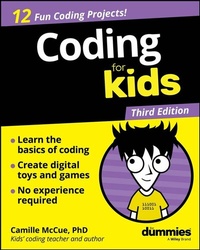
Coding For Kids For Dummies
Description

It's never too early to learn how to code!
Coding For Kids For Dummies helps you learn the basics of coding the fun way. This book walks you through the essentials of coding with 13 exciting projects. You'll learn what coding is, how to make digital toys and games on your computer, and how to start writing your first lines of code! With step-by-step instructions and activities, this book makes it simple to get started. And when you see error messages, don't panic! All new coders make mistakes-this book helps you figure them out and fix them, so your code will be good to go. Along the way, you'll be boosting your creativity, getting better at logical thinking, and learning a skill that will open the door to fun hobbies and careers. So get coding!
- Learn basic coding concepts and skills
- Create your own digital toys and games
- Figure out how to turn your ideas into code
- Get involved in the online coding community
Kids who want to learn how to code (and the parents who want to encourage them) can get off to a great start with Coding For Kids For Dummies.
More details
Other editions
Additional editions
Person
Camile McCue, PhD, is an educator and author who loves teaching kids all things STEM, computer science, and entrepreneurship. Camille has written over a dozen books with Wiley, all aimed at building confidence and capability in using technology.
Content
CHAPTER 1
Seeing the Big Picture in Coding
Your world is full of technology! From smartphones and laptops to streaming video and electric cars, tech is in every part of your life. Physical materials like metal, plastic, and glass can't be turned into technology tools without instructions for "what to do" and "how to do it." Tech uses computers, large or small, that contain instructions called code to do their jobs. Writing that code is called coding.
AI_Solution / Pixabay
What Is Coding?
Coding, also called computer programming, is creating instructions for a computing device to do something. Through coding, you can instruct computers to take in information and do something with that information. Sometimes, you also write code that will communicate information back to the people using the computing device. And sometimes, you write code that lets computers talk to each other.
Why Learn to Code?
You may wonder why you should learn to code. Maybe you love playing video games and you'd like to create your own cool games. Maybe you've heard how artificial intelligence (AI) is improving health by finding the genes that make people sick. Or maybe you're inspired by entrepreneurs who coded navigation for self-driving cars - and you'd like to do that type of work, too! As humans depend more and more on code to run the tech in our lives, the people who know how to code have the skills to get things done. Coding is a valuable skill for now and for your future!
Is It Hard to Code?
It's easy to get started with coding and easy to write real computer programs to perform all sorts of tasks! You can write code by using common words and symbols that you already know. For example, you can tell an app to play a sound three times ("boom boom boom!") with a command such as repeat 3 (play sound boom). The most important thing to know for now is that you can learn to code, and this book can help you find success.
What Can You Make with Code?
In this book, you'll write code to build games, toys, animations, and simulations. You'll take an idea from your head and make it into a real product in the world. Everything you create, you can play with and share with your friends and family. That's incredible! Even better, the skills you learn here will make it easy to take the next step in making the technologies you see in your daily life.
Apps and websites
Smartphones have special programs called apps that help you do different things. You might use apps to draw, take photos, watch videos (like on YouTube), send messages, keep track of homework, listen to music, play games, or even count your steps.
Websites work like apps, but on computers. You and your family might visit websites to look up answers or shop for things. Websites also connect to other websites, making a giant web of information all over the world. (That's where the word "web" comes from!) Both apps and websites are made by coders. Some coders build the parts you see (the front end), while others work on the behind-the-scenes parts that make everything run (the back end).
Robots
Robots aren't just characters in Netflix movies - they're real! NASA has robot rovers that drive around on Mars. Some robots look like dogs or dinosaurs and can even dance, like the ones from the company Boston Dynamics (Figure 1-1). A robot's body, called hardware, needs code (software) to instruct it how to respond to sensory inputs, move, and do its job - and through artificial intelligence - make reasoned choices.
Internet of Things (IoT)
The Internet of Things, or IoT, is a fancy way of saying that lots of devices, not just computers, can connect to the Internet, sense what's around them, and follow commands. Many IoT devices help in smart homes. For example, Ring doorbells include cameras and microphones so you can see and talk to visitors at your front door. Smart thermostats let you change the temperature in your house using your phone. There are even pet gadgets that let you check on your dog, and toss a treat to him when you're not home!
Hyundai Motor Group / Pexels
FIGURE 1-1: Robots use code and AI to do their jobs.
What Languages Will You Use?
Human-friendly coding can be done in what is called a high-level language. High-level languages are easier to read and write than other coding languages (like low-level machine code - which is literally 0s and 1s - and is much harder for humans to understand). This book is filled with great projects you can do in two high-level languages: Scratch and Python. Both languages are free and web-based, so you don't have to install anything on your computer.
In Scratch, you build code with blocks that snap together to make complete programs. Scratch is a learning language created especially for kids and has its own integrated development environment (IDE), which is a place where you write and test code and also add the images and sounds for your projects. Toward the end of the book, you will also add AI power to your Scratch code using Machine Learning for Kids to build machine learning models. That means your Scratch projects can learn and make smart decisions!
Python is a text-based programming language that real coders use to make all sorts of things, from control code for robots to AI tools for recognizing patterns. You will use an IDE called Trinket to code in Python and see your results onscreen.
You can create your code in Scratch and Trinket on any computer or tablet. Just be sure you have a good Internet connection, and you're ready to go! (You can also download an offline version of Scratch.) You learn more about the basics of working with each language and programming environment in Chapter 2.
What's a Program?
A computer program is the entire set of instructions that tells a computer what to do, start to finish. It's like a recipe that gives step-by-step directions, but instead of making a cake, the computer follows the instructions to solve problems, play games, or run apps. Coders, or computer programmers, write these instructions in computer languages. You'll learn more about writing a full computer program in Chapter 2.
What's an Algorithm?
Usually, a computer program is assembled from many smaller parts that do different jobs. One of these parts is called an algorithm - a step-by-step set of instructions for completing a common, repetitive task. For example, when a video streaming app asks you to enter your name and password, then checks them before logging you in - that's an authentication algorithm at work. When the app suggests new videos you might like based on things you've watched and liked before - that's a recommendation algorithm at work. Algorithms are the building blocks of computer programs.
A bike-riding algorithm in picture format
One human algorithm you may perform in your neighborhood is riding your bike around the block. Figure 1-2 illustrates this algorithm, or set of steps, as a picture.
FIGURE 1-2: A visual representation of a common bike-riding algorithm.
A bike-riding algorithm in code
You may be wondering, "So how can I turn this picture algorithm into code?" Here is a simple program in Scratch that shows the bike-riding algorithm. As shown in Figure 1-2, the Scratch stage shows the neighborhood where the bike riding takes place. The bike sprite (object) starts at your house in the upper-left corner of the stage and moves to the right. At each corner house it reaches, the bike turns right. On the fourth turn, you are back at your house.
The code that shows the moves and turns you make is shown in Figure 1-3. Notice that the repeat command saves us from writing the same move-and-turn code four times! In later chapters, you'll work more on translating algorithms into code.
FIGURE 1-3: The bike-riding algorithm in Scratch code.
Show Your Algorithm, Unplugged
Developing one or more algorithms is important in creating a program that can run on a computer. As you work out the steps of an algorithm, you need to have some organized way of writing it down. You can represent an algorithm in many different ways before you translate it into code for use on a computer.
Acting it out
Getting up on your feet and acting out an algorithm as you plan it is a fun, physical way to work through each step. Algorithms related to motion lend themselves well to being acted out. For example, you can plan a maze game by pretending you're a mouse and then working through your options of moving forward, turning when you bump into a wall, and always heading toward the cheese.
Drawing pictures
Drawing pictures is a visual method for working through the steps of an algorithm. A single picture showing a rollercoaster path or...
