

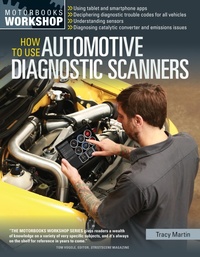
How To Use Automotive Diagnostic Scanners
Published on 1. August 2015
200 pages
978-1-62788-648-2 (ISBN)
Description

From hand-held, dedicated units to software that turns PCs and Palm Pilots into powerful diagnostic scanners, auto enthusiasts today have a variety of methods available to make use of on-board diagnostic systems. And not only can they be used to diagnose operational faults, they can be used as low-budget data acquistion systems and dynamometers, so you can maximize your vehicle's performance.
Beginning with why scanners are needed to work effectively on modern cars, this book teaches you how to choose the right scanner for your application, how to use the tool, and what each code means. "How To Use Automotive Diagnostic Scanners" is illustrated with photos and diagrams to help you understand OBD-I and OBD-II systems (including CAN) and the scanners that read the information they record. Also included is a comprehensive list of codes and what they mean. From catalytic converters and O2 sensors to emissions and automotive detective work, this is the complete reference for keeping your vehicle EPA-compliant and on the road!
Beginning with why scanners are needed to work effectively on modern cars, this book teaches you how to choose the right scanner for your application, how to use the tool, and what each code means. "How To Use Automotive Diagnostic Scanners" is illustrated with photos and diagrams to help you understand OBD-I and OBD-II systems (including CAN) and the scanners that read the information they record. Also included is a comprehensive list of codes and what they mean. From catalytic converters and O2 sensors to emissions and automotive detective work, this is the complete reference for keeping your vehicle EPA-compliant and on the road!
Reviews / Votes
"THE MOTORBOOKS WORKSHOP SERIES gives readers a wealth of knowledge on a variety of very specific subjects, and it's always on the shelf for reference in years to come." - Tom Vogele, Editor, Streetscene MagazineMore details
Series
Language
English
Place of publication
Beverly
United States
Publishing group
Quarto Publishing Group USA Inc
Illustrations
200 color photos, 25 diagrams
ISBN-13
978-1-62788-648-2 (9781627886482)
Copyright in bibliographic data and cover images is held by Nielsen Book Services Limited or by the publishers or by their respective licensors: all rights reserved.
Schweitzer Classification
Other editions
Additional editions
Tracy Martin
How To Use Automotive Diagnostic Scanners
- Understand OBD-I and OBD-II Systems - Troubleshoot Diagnostic Error Codes for All Vehicles - Select the Right Scan Tools and Code Readers
Book
09/2015
Motorbooks
€28.50
Article exhausted; check different version
Person
TRACY MARTIN writes for Motorcycle Consumer News, RoadBike, Friction Zone, PowerSports, and Dealer News magazines. He is the author of six books, including the Motorbooks titles How to Diagnose and Repair Automotive Electrical Systems (2005), Motorcycle Electrical Systems: Troubleshooting and Repair (2007), How to Tune and Modify Motorcycle Engine Management Systems (2012), and How to Troubleshoot, Repair, and Modify Motorcycle Electrical Systems (2014). Tracy lives in Baltimore, Maryland.
