

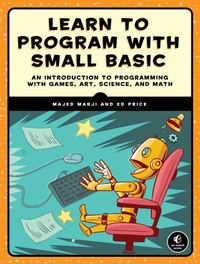
Learn to Program with Small Basic
An Introduction to Programming with Games, Art, Science, and Math
Published on 16. April 2016
344 pages
978-1-59327-775-8 (ISBN)
Description

Small Basic is a free, beginner-friendly programming language created by Microsoft. Inspired by BASIC, which introduced programming to millions of first-time PC owners in the 1970s and 1980s, Small Basic is a modern language that makes coding simple and fun.
Learn to Program with Small Basic introduces you to the empowering world of programming. You'll master the basics with simple activities like displaying messages and drawing colorful pictures, and then work your way up to programming games! Learn how to:
-Program your computer to greet you by name
-Make a game of rock-paper-scissors using If/Else statements
-Create an interactive treasure map using arrays
-Draw intricate geometric patterns with just a few lines of code
-Simplify complex programs by breaking them into bite-sized subroutines
You'll also learn to command a turtle to draw shapes, create magical moving text, solve math problems quickly, help a knight slay a dragon, and more!
Each chapter ends with creative coding challenges so you can take your skills to the next level. Learn to Program with Small Basic is the perfect place to start your computer science journey.
Learn to Program with Small Basic introduces you to the empowering world of programming. You'll master the basics with simple activities like displaying messages and drawing colorful pictures, and then work your way up to programming games! Learn how to:
-Program your computer to greet you by name
-Make a game of rock-paper-scissors using If/Else statements
-Create an interactive treasure map using arrays
-Draw intricate geometric patterns with just a few lines of code
-Simplify complex programs by breaking them into bite-sized subroutines
You'll also learn to command a turtle to draw shapes, create magical moving text, solve math problems quickly, help a knight slay a dragon, and more!
Each chapter ends with creative coding challenges so you can take your skills to the next level. Learn to Program with Small Basic is the perfect place to start your computer science journey.
More details
Other editions
Additional editions
Majed Marji | Ed Price
Learn to Program with Small Basic
An Introduction to Programming with Games, Art, Science, and Math
Book
04/2016
1st Edition
No Starch Press
€33.00
Shipment within 3-4 weeks
Persons
Majed Marji is a senior development engineer at General Motors and an adjunct faculty member at Wayne State University in Michigan. He is the author of Learn to Program with Scratch.
Ed Price is a senior program manager in engineering at Microsoft. He holds an MBA in Technology Management and has been a professor at Bellevue College. He runs customer feedback programs for Azure Development, Visual Studio, and Small Basic.
Ed Price is a senior program manager in engineering at Microsoft. He holds an MBA in Technology Management and has been a professor at Bellevue College. He runs customer feedback programs for Azure Development, Visual Studio, and Small Basic.
Content
- Cover Page
- Title Page
- Copyright Page
- About the Authors
- Brief Contents
- Contents in Detail
- Foreword
- Acknowledgments
- Introduction
- Who Should Read This Book?
- What's in This Book?
- Online Resources
- A Note to the Reader
- Chapter 1: Introducing Small Basic
- What Is a Computer?
- What Is a Computer Program?
- What Is Small Basic?
- The Vision of Small Basic
- The Basics of Small Basic
- The Small Basic Language
- The Small Basic Library
- The Small Basic Development Environment
- Installing Small Basic
- The Small Basic IDE
- Opening and Saving Your Work
- Sharing Your Work and Importing Games
- Copy and Paste
- Undo and Redo
- Running Your Program and Graduating
- Writing and Running Your First Program
- Objects and Methods
- Naming Your Programs
- Files Generated by Small Basic
- Helping Hands: IntelliSense and Syntax Coloring
- Drawing with Small Basic
- Try It Out 1-1
- Programming Challenges
- Chapter 2: Getting Started
- The Parts of a Program
- Comments and Statements
- Characters and Strings
- Arguments and Methods
- Try It Out 2-1
- Exploring Other Features
- Case Sensitivity
- Sequential Execution
- Displaying Numbers and Doing Math
- Joining Strings
- Try It Out 2-2
- Object Properties
- Setting and Changing Property Values
- Working with Properties
- Try It Out 2-3
- Arithmetic Operators
- Try It Out 2-4
- Programming Errors
- Syntax Errors
- Logic Errors
- Runtime Errors
- Programming Challenges
- Chapter 3: Drawing Basics
- The Graphics Coordinate System
- Drawing Lines
- Drawing Shapes
- Triangles
- Try It Out 3-1
- Rectangles and Squares
- Try It Out 3-2
- Ellipses and Circles
- Pen Size and Color
- Pen Width and Shape Size
- Try It Out 3-3
- Drawing Text
- Inserting Images
- Programming Challenges
- Chapter 4: Using Variables
- What's a Variable?
- The Basics of Using Variables
- Assigning Expressions to Variables
- Passing Variables to Methods
- Changing the Value of a Variable
- Using Spaces for Readability
- Try It Out 4-1
- Rules for Naming Variables
- Say What You Mean
- Find the Right Length
- Stick with Your Style
- Let IntelliSense Work for You
- Avoid Naming Variables After Methods and Objects
- Try It Out 4-2
- Simplifying Expressions
- Try It Out 4-3
- Using Variables to Solve Problems
- Try It Out 4-4
- Two Kinds of Data
- Global Variables
- Try It Out 4-5
- Programming Challenges
- Chapter 5: Drawing Shapes with Turtle Graphics
- Meet the Turtle
- Moving the Turtle
- Absolute Motion
- Relative Motion
- Coloring Your Steps
- Controlling Your Speed
- Try It Out 5-1
- Introducing the For Loop
- Try It Out 5-2
- Drawing Regular Polygons
- A Star Is Born
- Try It Out 5-3
- Creating Polygon Art Using Nested Loops
- Try It Out 5-4
- Endless Graphics
- Try It Out 5-5
- Programming Challenges
- Chapter 6: Getting User Input
- Talking to the Computer
- Your Number, Please?
- Introducing Yourself to Your Computer
- Writing Prompts for Input
- A Moment of Silence, Please (Pause)
- Working with User Input
- Converting Fahrenheit to Celsius
- Try It Out 6-1
- Averaging Numbers
- Reading Text
- Try It Out 6-2
- Programming Challenges
- Chapter 7: Empowering Programs with Math
- Exponent Methods
- SquareRoot() and Good Old Pythagoras
- Powerful Powers
- Try It Out 7-1
- Rounding Methods
- Traditional Rounding
- Rounding to the Nearest Hundredth
- Try It Out 7-2
- Abs(), Min(), and Max() Methods
- Try It Out 7-3
- The Remainder() Method
- Try It Out 7-4
- Random Numbers
- Try It Out 7-5
- Trigonometric Methods
- Try It Out 7-6
- Programming Challenges
- Chapter 8: Making Decisions with If Statements
- The If Statement
- Relational Operators
- Try It Out 8-1
- Complex If Conditions
- Try It Out 8-2
- Comparing Strings
- The If/Else Statement
- Try It Out 8-3
- Nested If and If/Else Statements
- Try It Out 8-4
- The Goto Statement
- Try It Out 8-5
- Programming Challenges
- Chapter 9: Using Decisions to Make Games
- The If/ElseIf Ladder
- Letter Grades
- The Bug on the Ladder
- Try It Out 9-1
- Let's Get Logical
- Logical Operators in the Zoo
- The And Operator
- The Or Operator
- The Cosmic Order of Evaluation
- Try It Out 9-2
- The Shapes Object
- Try It Out 9-3
- Create a Game: Guess My Coordinates
- Step 1: Open the Startup File
- Step 2: Set Up the Game
- Step 3: Hide the Star
- Step 4: Let the User Guess
- Try It Out 9-4
- Programming Challenges
- Chapter 10: Solving Problems with Subroutines
- Why Use Subroutines?
- Writing Subroutines
- Try It Out 10-1
- Subroutine Input and Output
- Try It Out 10-2
- Nesting Subroutines
- Try It Out 10-3
- Create a Dragon Game
- Step 1: Open the Startup File
- Step 2: Write the SetUp() Subroutine
- Step 3: Add a Bit of Chance
- Step 4: Let the Player Know What's Going On
- Step 5: Get the Player in the Game with GetChoice()
- Step 6: Process the Player's Choice
- Step 7: Add Motion with MoveKnight()
- Step 8: Shoot Arrows with ShootArrow()
- Step 9: Swing the Sword with StabDragon()
- Step 10: Breathe Fire
- Try It Out 10-4
- Programming Challenges
- Chapter 11: Event-Driven Programming
- GraphicsWindow Events
- Create Patterns with the MouseDown Event
- Try It Out 11-1
- Fire Missiles with the KeyDown Event
- Try It Out 11-2
- Make a Typewriter Using the TextInput Event
- Try It Out 11-3
- Draw Pictures with the MouseMove Event
- Try It Out 11-4
- Useful Tips
- Create a Gold Rush Game
- Step 1: Open the Startup File
- Step 2: Move the Turtle
- Step 3: Move the Bag of Gold
- Step 4: Update the User's Score
- Try It Out 11-5
- Programming Challenges
- Chapter 12: Building Graphical User Interfaces
- Design a User Interface with the Controls Object
- Step 1: The Design Phase
- Step 2: Program Interactivity
- Try It Out 12-1
- Make a Colorful Drawing Program
- Try It Out 12-2
- Explore Circuits with Code
- Step 1: Open the Startup File
- Step 2: Add the Main Code
- Step 3: Toggle the Switch
- Step 4: Respond to Changes
- Step 5: Update the Program's Interface
- Try It Out 12-3
- Program Your Own Image Viewer
- Try It Out 12-4
- Programming Challenges
- Chapter 13: Repeating For Loops
- The For Loop
- Try It Out 13-1
- Magical Moving Text
- Try It Out 13-2
- Adding 'em Up
- Try It Out 13-3
- Formatting Your Output
- Try It Out 13-4
- Drawing All Kinds of Lines
- Try It Out 13-5
- Changing the Step Size
- Counting Down by Twos
- Making a Fractional Step
- Try It Out 13-6
- Nested Loops
- Tessellating for Fun
- Try It Out 13-7
- Multiple Nesting Levels
- Try It Out 13-8
- Programming Challenges
- Chapter 14: Creating Conditional While Loops
- When to Use While Loops
- Writing a While Loop
- Try It Out 14-1
- Validating Your Inputs
- Try It Out 14-2
- Infinite Loops
- Try It Out 14-3
- Create a Rock-Paper-Scissors Game
- Step 1: Open the Startup File
- Step 2: Add the MouseDown Handler
- Step 3: Switch the Images
- Step 4: Announce the Winner
- Try It Out 14-4
- Programming Challenges
- Chapter 15: Grouping Data in One-Dimensional Arrays
- Getting Started with Indexed Arrays
- Array Basics
- Initializing Arrays
- Try It Out 15-1
- Filling Arrays with a For Loop
- Constant Initialization
- Random Initialization
- Formula Initialization
- User Initialization
- Try It Out 15-2
- Displaying Arrays
- Try It Out 15-3
- Processing Arrays
- Finding the Sum
- Finding the Maximum Element
- Using String Values in Arrays
- Try It Out 15-4
- Saving Records
- Using Indexed Arrays
- Random Selection
- A Magic 8 Ball
- Try It Out 15-5
- Create the Catch Apples Game
- Step 1: Open the Startup File
- Step 2: Add the Apples
- Step 3: Position the Apples
- Step 4: Move the Apples
- Step 5: Catch or Miss
- Try It Out 15-6
- Programming Challenges
- Chapter 16: Storing Data with Associative Arrays
- Associative Arrays
- Putting Associative Arrays to Use
- Days in French
- Try It Out 16-1
- Storing Records
- Try It Out 16-2
- The Array Object
- Is It an Array?
- How Big Is an Array?
- Does It Have a Particular Index?
- Does It Have a Particular Value?
- Give Me All the Indices
- Try It Out 16-3
- Your Computer the Poet
- Step 1: Open the Startup File
- Step 2: Set Up the Graphical User Interface
- Step 3: Respond to Button Clicks
- Step 4: Write the Poem's First Line
- Step 5: Write the Poem's Second and Third Lines
- Try It Out 16-4
- Programming Challenges
- Chapter 17: Expanding to Higher-Dimension Arrays
- Two-Dimensional Arrays
- A Random Matrix
- Try It Out 17-1
- A Matrix with User Input
- Animated Squares
- Try It Out 17-2
- Using String Indices
- Try It Out 17-3
- Going Interactive
- Try It Out 17-4
- Common Operations on Numerical 2D Arrays
- Step 1: Add All Elements
- Step 2: Find the Sum of Each Column
- Try It Out 17-5
- Arrays of Three or More Dimensions
- Try It Out 17-6
- Create a Treasure Map Game
- Step 1: Open the Startup File
- Step 2: Create the GUI Elements
- Step 3: Start a New Game
- Step 4: Create a New Treasure Map
- Step 5: Draw Objects on the Map
- Step 6: Show the Player's Location
- Step 7: Handle Button Clicks
- Try It Out 17-7
- Programming Challenges
- Chapter 18: Advanced Text Magic
- The Text Object
- Appending Strings and Getting Their Length
- Try It Out 18-1
- Taking Strings Apart: Substrings
- Try It Out 18-2
- Changing Case
- Try It Out 18-3
- Character Coding with Unicode
- Try It Out 18-4
- Practical Examples with Strings
- Counting Special Characters
- Try It Out 18-5
- Palindrome Number Checker
- Try It Out 18-6
- Igpay Atinlay
- Try It Out 18-7
- Fix My Spelling
- Try It Out 18-8
- Unscramble
- Try It Out 18-9
- Rhyme Time: The House That Jack Built
- Try It Out 18-10
- Programming Challenges
- Chapter 19: Receiving File Input and Output
- The Case for Files
- Naming Files
- File Organization
- The File Object
- File I/O Methods
- Try It Out 19-1
- Try It Out 19-2
- File Management
- Practical Programs
- The Poet
- Math Wizard
- Try It Out 19-3
- Programming Challenges
- Where to Go from Here
- Online Resources
- The Small Basic Website
- Graduating to Visual Basic
- Index
- Updates
- Footnotes
- Foreword
- Chapter 1: Introducing Small Basic
