

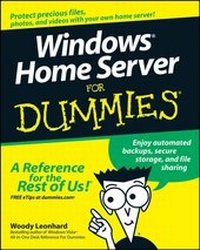
Windows Home Server For Dummies
Published on 26. April 2013
358 pages
978-0-470-25920-7 (ISBN)
Description

If you work in an office, you probably don't lose much sleepworrying about whether your files are safe if your PC melts down.Company IT departments handle those things for business networks.But how about all those precious photos, address lists, the familygenealogy, and everything else that lives on your home network?Windows Home Server can save the day if one of your personal PCshiccups, and Windows Home Server For Dummies serves up allthe stuff you need to know to put it to work.
Forget everything you've heard about previous versions ofWindows Server; this all-new variation has been designed for peoplewho don't wear white lab coats or pocket protectors. WoodyLeonhard has tested it and it passed with flying colors. If youhave a home or small business network, this book shows you howWindows Home Server helps you
* Share files among all the PCs in your home
* Access your files from anywhere
* Make regular backups automatically
* Store files securely
* Play music, TV shows, or movies on your Xbox
* Share multimedia across your network
* Keep your virus protection and system upgrades up to date
* Get regular reports on the overall health of your network
Windows Home Server For Dummies provides sage advice onchoosing a version of Windows Home Server, installing it, settingup users and passwords, using remote access, scheduling automaticscans and backups, and having fun with multimedia. TrustWoody-- you'll sleep better.
Forget everything you've heard about previous versions ofWindows Server; this all-new variation has been designed for peoplewho don't wear white lab coats or pocket protectors. WoodyLeonhard has tested it and it passed with flying colors. If youhave a home or small business network, this book shows you howWindows Home Server helps you
* Share files among all the PCs in your home
* Access your files from anywhere
* Make regular backups automatically
* Store files securely
* Play music, TV shows, or movies on your Xbox
* Share multimedia across your network
* Keep your virus protection and system upgrades up to date
* Get regular reports on the overall health of your network
Windows Home Server For Dummies provides sage advice onchoosing a version of Windows Home Server, installing it, settingup users and passwords, using remote access, scheduling automaticscans and backups, and having fun with multimedia. TrustWoody-- you'll sleep better.
More details
Other editions
Additional editions
Woody Leonhard
Windows Home Server For Dummies
Book
11/2007
1st Edition
Wiley
€25.50
Shipment within 10-20 days
Person
Woody Leonhard is a bestselling author and has been a Microsoft beta tester since Word for Windows 1.1. He covers Windows and Office topics on his popular Web site, AskWoody.com.
Content
Introduction 1
Part I: Getting Windows Home Server to Serve 7
Chapter 1: Bringing Windows Home Server to Life 9
Chapter 2: Installing the WHS Software 27
Part II: Setting Up the Network 37
Chapter 3: Bringing Computers into the Home Server Fold 39
Chapter 4: Adding Users and Controlling Passwords 55
Chapter 5: Using Built-In Shared Folders 75
Part III: Making the Most of Multimedia 95
Chapter 6: Sharing Music and Videos 97
Chapter 7: Recording and Playing TV 113
Chapter 8: Streaming with the Xbox 129
Chapter 9: Nailing Down Your Photos 141
Part IV: Sharing in the Wild 163
Chapter 10: Starting Remote Access 165
Chapter 11: Using Remote Access 189
Part V: Backing Up 205
Chapter 12: Running Backups 207
Chapter 13: Restoring a Dead Computer from Backup 229
Chapter 14: Restoring Files from Backup 241
Chapter 15: Backing Up the Server 255
Part VI: Staying Alive and Well 265
Chapter 16: Monitoring System Health 267
Chapter 17: Breaking into the Server 277
Chapter 18: Adding and Retiring Drives 293
Chapter 19: Repairing and Recovering the Server 305
Part VII: The Part of Tens 319
Chapter 20: Top Ten Health Traps Triaged 321
Chapter 21: Ten More Tricks with Windows Home Server 331
Index 341
Part I: Getting Windows Home Server to Serve 7
Chapter 1: Bringing Windows Home Server to Life 9
Chapter 2: Installing the WHS Software 27
Part II: Setting Up the Network 37
Chapter 3: Bringing Computers into the Home Server Fold 39
Chapter 4: Adding Users and Controlling Passwords 55
Chapter 5: Using Built-In Shared Folders 75
Part III: Making the Most of Multimedia 95
Chapter 6: Sharing Music and Videos 97
Chapter 7: Recording and Playing TV 113
Chapter 8: Streaming with the Xbox 129
Chapter 9: Nailing Down Your Photos 141
Part IV: Sharing in the Wild 163
Chapter 10: Starting Remote Access 165
Chapter 11: Using Remote Access 189
Part V: Backing Up 205
Chapter 12: Running Backups 207
Chapter 13: Restoring a Dead Computer from Backup 229
Chapter 14: Restoring Files from Backup 241
Chapter 15: Backing Up the Server 255
Part VI: Staying Alive and Well 265
Chapter 16: Monitoring System Health 267
Chapter 17: Breaking into the Server 277
Chapter 18: Adding and Retiring Drives 293
Chapter 19: Repairing and Recovering the Server 305
Part VII: The Part of Tens 319
Chapter 20: Top Ten Health Traps Triaged 321
Chapter 21: Ten More Tricks with Windows Home Server 331
Index 341
