

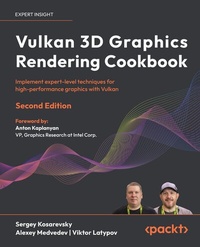
Vulkan 3D Graphics Rendering Cookbook
Description

- Integrate cutting-edge rendering techniques into a real-time 3D engine
- Use bindless Vulkan to render complex 3D scenes efficiently
- Purchase of the print or Kindle book includes a free PDF eBook
Book DescriptionWritten by experts with decades of rendering experience, this cookbook equips you with practical, hands-on recipes to master modern 3D graphics development by using bindless Vulkan. Focusing on Vulkan 1.3, this second edition starts by setting up your development environment, and quickly transitions to building a robust 3D rendering framework using self-contained recipes. Each recipe helps you incrementally enhance your codebase, integrating a variety of 3D rendering techniques and algorithms into a cohesive project. You'll get to grips with core techniques, such as glTF 2.0 physically based rendering, image-based lighting, and GPU-driven rendering. The chapters help you grasp advanced topics, including glTF animations, screen-space rendering techniques, and optimization strategies. You'll also learn how to use glTF 2.0 advanced PBR extensions and handle complex geometry data, ensuring your rendering engine is both powerful and performant. These new additions will enable you to create dynamic and realistic 3D graphics environments, fully utilizing Vulkan's capabilities. By the end of this 3D rendering book, you'll have gained an improved understanding of best practices used in modern graphic APIs and be able to create fast and versatile 3D rendering frameworks.What you will learn - Master the core features of Vulkan 1.3, with a focus on bindless rendering
- Learn effective techniques for debugging and profiling Vulkan applications
- Build a glTF 2.0 physically based rendering pipeline from scratch
- Enhance visual quality with advanced glTF 2.0 PBR extensions
- Integrate multiple rendering techniques and optimizations into a single application
- Manage large-scale content efficiently in real-time 3D rendering engines
- Leverage Vulkan compute pipelines for advanced image and geometry processing
Who this book is forThis book is for 3D graphics developers who want to build high-performance rendering engines with the latest Vulkan features and modern rendering methods. Whether you're an experienced developer with a solid grasp of 3D rendering math or someone proficient in C++ and basic linear algebra, this book offers valuable insights to deepen your expertise. If you've dabbled in creating custom 3D applications without relying on premade rendering engines, you'll find this guide particularly useful.
All prices
More details
Other editions
Additional editions
Persons
Sergey Kosarevsky is a former rendering lead at Ubisoft RedLynx. He currently leads Vulkan development at Meta. He worked in the mobile industry at SPB Software, Yandex, Layar and Blippar, TWNKLS, and DAQRI, where he designed and implemented real-time rendering technology. He has more than 20 years of software development experience and more than 12 years of mobile and embedded 3D graphics experience. In his Ph.D. thesis, Sergey employed computer vision to solve mechanical engineering problems. He is also a co-author of several books on 3D graphics and mobile software development in C++, including "3D Graphics Rendering Cookbook".Medvedev Alexey :
Alexey Medvedev is the AR Tech Lead at Meta, with over 20 years of experience in software development, primarily in game development. He has worked as an engine, graphics, and rendering engineer at renowned companies like Crytek, Blizzard, and Hangar 13, contributing to the release of several AAA games. At the time of writing this book, Alexey also serves as the Khronos Chair of the 3D Formats Working Group, which develops the glTF standards.Latypov Viktor :
Viktor Latypov is a software engineer specializing in embedded C/C++, 3D graphics, and computer vision. With more than 15 years of software development experience and a Ph.D. in applied mathematics, he has implemented a number of real-time renderers for medical and automotive applications over the last 10 years. Together with Sergey, he has co-authored two books on mobile software development in C++.
Content
- Cover
- Title Page
- Copyright Page
- Foreword
- Contributors
- Table of Contents
- Preface
- Chapter 1: Establishing a Build Environment
- Getting the most out of this book - get to know your free benefits
- Setting up our development environment on Microsoft Windows
- Setting up our development environment on Linux
- Installing the Vulkan SDK for Windows and Linux
- Managing dependencies
- Getting the demo data
- Creating utilities for CMake projects
- Using the GLFW library
- Multithreading with Taskflow
- Compiling Vulkan shaders at runtime
- Compressing textures into the BC7 format
- Chapter 2: Getting Started with Vulkan
- Technical requirements
- Initializing Vulkan instance and graphical device
- Initializing Vulkan swapchain
- Setting up Vulkan debugging capabilities
- Using Vulkan command buffers
- Initializing Vulkan shader modules
- Initializing Vulkan pipelines
- Chapter 3: Working with Vulkan Objects
- Technical requirements
- Dealing with buffers in Vulkan
- Implementing staging buffers
- Using texture data in Vulkan
- Storing Vulkan objects
- Using Vulkan descriptor indexing
- Chapter 4: Adding User Interaction and Productivity Tools
- Technical requirements
- Rendering ImGui user interfaces
- Integrating Tracy into C++ applications
- Using Tracy GPU profiling
- Adding a frames-per-second counter
- Using cube map textures in Vulkan
- Working with a 3D camera and basic user interaction
- Adding camera animations and motion
- Implementing an immediate-mode 3D drawing canvas
- Rendering on-screen graphs with ImGui and ImPlot
- Putting it all together into a Vulkan application
- Chapter 5: Working with Geometry Data
- Technical requirements
- Generating level-of-detail meshes using MeshOptimizer
- Implementing programmable vertex pulling
- Rendering instanced geometry
- Implementing instanced meshes with compute shaders
- Implementing an infinite grid GLSL shader
- Integrating tessellation into the graphics pipeline
- Organizing mesh data storage
- Implementing automatic geometry conversion
- Indirect rendering in Vulkan
- Generating textures in Vulkan using compute shaders
- Implementing computed meshes
- Chapter 6: Physically Based Rendering Using the glTF 2.0 Shading Model
- An introduction to glTF 2.0 physically based shading model
- Rendering unlit glTF 2.0 materials
- Precomputing BRDF look-up tables
- Precomputing irradiance maps and diffuse convolution
- Implementing the glTF 2.0 metallic-roughness shading model
- Implementing the glTF 2.0 specular-glossiness shading model
- Chapter 7: Advanced PBR Extensions
- Introduction to glTF PBR extensions
- Implementing the KHR_materials_clearcoat extension
- Implementing the KHR_materials_sheen extension
- Implementing the KHR_materials_transmission extension
- Implementing the KHR_materials_volume extension
- Implementing the KHR_materials_ior extension
- Implementing the KHR_materials_specular extension
- Implementing the KHR_materials_emissive_strength extension
- Extend analytical lights support with KHR_lights_punctual
- Chapter 8: Graphics Rendering Pipeline
- How not to do a scene graph
- Using data-oriented design for a scene graph
- Loading and saving a scene graph
- Implementing transformation trees
- Implementing a material system
- Implementing automatic material conversion
- Using descriptor indexing and arrays of textures in Vulkan
- Implementing indirect rendering with Vulkan
- Putting it all together into a scene editing application
- Deleting nodes and merging scene graphs
- Rendering large scenes
- Chapter 9: glTF Animations
- Technical requirements
- Introduction to node-based animations
- Introduction to skeletal animations
- Importing skeleton and animation data
- Implementing the glTF animation player
- Doing skeletal animations in compute shaders
- Introduction to morph targets
- Loading glTF morph targets data
- Adding morph targets support
- Animation blending
- Chapter 10: Image-Based Techniques
- Technical requirements
- Implementing offscreen rendering in Vulkan
- Implementing full-screen triangle rendering
- Implementing shadow maps
- Implementing MSAA in Vulkan
- Implementing screen space ambient occlusion
- Implementing HDR rendering and tone mapping
- Implementing HDR light adaptation
- Chapter 11: Advanced Rendering Techniques and Optimizations
- Technical requirements
- Refactoring indirect rendering
- Doing frustum culling on the CPU
- Doing frustum culling on the GPU with compute shaders
- Implementing shadows for directional lights
- Implementing order-independent transparency
- Loading texture assets asynchronously
- Putting it all together into a Vulkan demo
- Chapter 12: Unlock Your Book's Exclusive Benefits
- How to unlock these benefits in three easy steps
- Need help?
- Packt Page
- Other Books You May Enjoy
- Index
Preface
The Vulkan 3D Graphics Rendering Cookbook is a practical, all-in-one guide to mastering modern graphics rendering techniques and algorithms using C++ and Vulkan 1.3. You'll begin by setting up your Vulkan development environment, then move on to key aspects of graphics programming, such as working with graphics debugging tools, creating physically-based rendering pipelines, and handling large geometric data.
As you progress, the book walks you through building a 3D rendering engine step by step, presenting a series of small, self-contained recipes. Each recipe allows you to incrementally expand your codebase while integrating various 3D graphics techniques into a cohesive project. Along the way, you'll explore essential rendering methods, including glTF 2.0 shading model, image-based techniques, and GPU-driven rendering. You'll also learn how to manage large datasets for 3D rendering, apply optimization techniques, and develop high-performance, feature-rich graphics applications. By the end of the book, you'll have the skills to create fast and flexible 3D rendering frameworks and a solid understanding of best practices in modern Vulkan development. Rather than focusing on individual Vulkan API features in isolation, this book emphasizes integrating multiple Vulkan capabilities to create fully realized rendering demos. Throughout, we'll use Vulkan 1.3 along with the bindless rendering approach. To do this, we introduce LightweightVK https://github.com/corporateshark/lightweightvk, a standalone framework designed for Vulkan development, which we'll explore in depth as we progress.
Who this book is for
We expect our readers to have a solid understanding of real-time 3D graphics based on older rendering APIs. The first few chapters will cover what you need to get started with Vulkan, but we won't dwell on the basics for long. Instead, we'll quickly move on to more advanced topics. If you're familiar with OpenGL 4 or OpenGL ES 3 and want to explore modern rendering techniques and migration paths to current rendering APIs, this book is likely a great fit for you. While graphics programming may seem like an easy and fun entry point into software development, it actually requires mastering many advanced programming concepts. Readers should have a strong grasp of modern C++ and some foundational math skills, such as basic linear algebra and computational geometry.
What this book covers
This book is structured into distinct chapters, each focusing on a specific aspect of 3D rendering. As you progress, you'll gradually build a set of versatile 3D graphics demos, starting with the fundamentals, then exploring more complex techniques, and finally incorporating advanced rendering methods into your code.
Chapter 1, Establishing a Build Environment, guides you through setting up a Vulkan 1.3 development environment. You'll learn which tools and dependencies are needed to work with the book's source code and how to configure them. This chapter also introduces essential Vulkan recipes, including compiling Vulkan shaders from GLSL at runtime.
Chapter 2, Getting Started with Vulkan, introduces the fundamental components of the Vulkan API, including instance and device creation, swapchain management, debugging setup, and command buffer usage. You'll also learn how to create Vulkan rendering pipelines and explore a collection of recipes for quickly building minimal graphical applications from scratch using open-source libraries like GLFW, GLM, STB, and LightweightVK.
Chapter 3, Working with Vulkan Objects, explores handling various buffers and textures in Vulkan, as well as organizing a staging buffer. You'll learn how to wrap low-level Vulkan objects into user-friendly abstractions and get introduced to descriptor indexing.
Chapter 4, Adding User Interaction and Productivity Tools, focuses on debugging, profiling, and user interaction mechanisms. You'll learn various techniques for debugging and profiling graphical applications, starting with on-screen counters and graphs, then exploring open-source instrumenting profiler capabilities, and finally implementing helper classes for interactive application debugging.
Chapter 5, Working with Geometry Data, covers handling geometry in a modern 3D rendering pipeline and introduces concepts like Level-of-Detail (LOD) and tessellation. You'll also explore GLSL techniques for implementing various utility functions for geometry rendering, and introduce you to Vulkan compute shaders.
Chapter 6, Physically Based Rendering Using the glTF 2.0 Shading Model, introduces the glTF 2.0 physically based shading model and its implementation using GLSL in Vulkan. You'll explore various data preprocessing techniques, including the precalculation of Bidirectional Reflectance Distribution Function (BRDF) look-up tables and irradiance maps, with all necessary tooling built from scratch.
Chapter 7, Advanced PBR Extensions, explores advanced glTF PBR extensions from Khronos that extend the base metallic-roughness model. You'll learn how to integrate each of these extensions into GLSL shader code.
Chapter 8, Graphics Rendering Pipeline, goes the representation of complex 3D scene data with multiple dependencies and cross-references. You'll learn how to apply performance-oriented techniques, such as data-oriented design, to build a high-performance 3D rendering system. This chapter marks the beginning of real 3D engine design, demonstrating how to scale a scene graph approach to develop a practical graphics engine.
Chapter 9, glTF Animations, introduces a framework for supporting glTF animations in your rendering code. You'll learn the fundamentals of node-based animations, skeletal animations, morph targets, and animation blending.
Chapter 10, Image-Based Techniques, presents a series of recipes for enhancing rendering realism using image-based techniques, such as screen space ambient occlusion, high dynamic range rendering with light adaptation, and projective shadow mapping.
Chapter 11, Advanced Rendering Techniques and Optimizations, dives deeper into constructing GPU-driven rendering pipelines, multi-threaded resources loading, and other advanced techniques for feature-rich graphics applications. The book concludes by integrating various recipes and techniques into a single application.
To get the most out of this book
You'll need a machine that supports Vulkan 1.3 with the latest GPU drivers. All code examples in this book have been tested with Vulkan SDK 1.4.304.1, using Visual Studio 2022 on Windows 10 and 11, and GCC 12 on Ubuntu. While macOS is not officially supported, its users should be able to run some very first demos from this book.
Download the example code files
The code bundle for the book is hosted on GitHub at https://github.com/PacktPublishing/3D-Graphics-Rendering-Cookbook-Second-Edition. We also have other code bundles from our rich catalog of books and videos available at https://github.com/PacktPublishing/. Check them out!
Download the color images
We also provide a PDF file that has color images of the screenshots/diagrams used in this book. You can download it here: https://static.packt-cdn.com/downloads/9781803248110_ColorImages.pdf.
Conventions used
There are a number of text conventions used throughout this book.
CodeInText: Indicates code words in text, database table names, folder names, filenames, file extensions, pathnames, dummy URLs, user input, and Twitter handles. For example: "In OpenGL, presenting an offscreen buffer to the visible area of a window is done using system-dependent functions, such as wglSwapBuffers() on Windows, eglSwapBuffers() on OpenGL ES embedded systems, glXSwapBuffers() on Linux, or automatically on macOS. Vulkan, however, gives us much more fine-grained control."
A block of code is set as follows:
while (!glfwWindowShouldClose(window)) { glfwPollEvents(); glfwGetFramebufferSize(window, &width, &height); if (!width || !height) continue; lvk::ICommandBuffer& buf = ctx->acquireCommandBuffer(); ctx->submit(buf, ctx->getCurrentSwapchainTexture()); } Bold: Indicates a new term, an important word, or words that you see on the screen. For instance, words in menus or dialog boxes appear in the text like this. For example: "Here, we use the SPIRV-Reflect library to introspect the SPIR-V code and retrieve the size of the push constants from it."
Warnings or important notes appear like this.
Tips and tricks appear like this.
Get in touch
Feedback from our readers is always welcome.
General feedback: Email feedback@packtpub.com and mention the book's title in the subject of your message. If you have questions about any aspect of this book, please email us at questions@packtpub.com.
Errata: Although we have taken every care to ensure the accuracy of our content, mistakes do happen. If you have found a mistake in this book, we would be grateful if you reported this to us. Please visit...
