

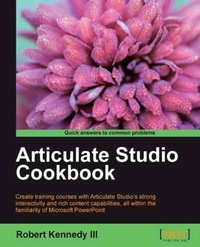
Articulate Studio Cookbook
Go from Studio newbie to Studio guru
1st Edition
Published on 13. January 2025
292 pages
978-1-84969-309-7 (ISBN)
Description

Create training courses with Articulate Studio\'s strong interactivity and rich content capabilities, all within the familiarity of Microsoft PowerPoint with this book and ebook.Key Features - Complete your courses by creating Flash-ready presentations through familiar PowerPoint
- Employ Articulate Engage, Quizmaker and Encoder to make dazzling interaction, asses learners and add full-motion videos
- Practical recipes to get you moving on a specific activity without the extra fluff
Book DescriptionMore and more companies find they need to build their training courses internally. They are turning to tools like Articulate Studio because it is easy to use and doesn't have a steep learning curve. If you are familiar with Microsoft PowerPoint in any way, you should feel right at home with Articulate Studio."Articulate Studio Cookbook" will get you ready to add Articulate Studio to your enterprise toolkit. This book gives you detailed yet simple steps to complete your training course. By following the clear steps in each chapter, you will gain an understanding of the software but also be able to complete specific tasks and common activities.The good thing about this book is that you can start anywhere and get the information that you need for a specific activity. Cross-references are provided if there is a skill located elsewhere that you need to complete a task.It can be frustrating to pick up a new piece of software and not know where to begin. With Articulate Studio, there is a whole suite of software to work with. You need to know how to work with Presenter, Engage, Quizmaker and Encoder to make great Articulate courses. Then, you'll need to know how to put them all together in a way that makes a professional looking, cohesive and smooth-flowing course. We'll make it easy to follow step by step until you have a professional course."Articulate Studio Cookbook" will help you go from Studio newbie to Studio guru. Dive in and choose your recipe.What you will learn - Create a flash-ready course using Presenter and edit your course player
- Include Quizmaker in your courses to provide interaction and assessment
- Record, edit and prepare full-motion video using Video Encoder
- Creatively display interactive and rich content using Engage
- Combine all of the apps in the Articulate suite for a cohesive and engaging course
- Work with images and other multimedia to create a more visually appealing course
- Easily and simply create course elements
Who this book is forIf you are a beginning developer or just someone who has been asked to be the jack-of-all-design in your training department, then this book is a great starter. Having a working knowledge of PowerPoint is helpful but not essential. By simply following the steps, you will be able to create a clean, professional looking course.
- Employ Articulate Engage, Quizmaker and Encoder to make dazzling interaction, asses learners and add full-motion videos
- Practical recipes to get you moving on a specific activity without the extra fluff
Book DescriptionMore and more companies find they need to build their training courses internally. They are turning to tools like Articulate Studio because it is easy to use and doesn't have a steep learning curve. If you are familiar with Microsoft PowerPoint in any way, you should feel right at home with Articulate Studio."Articulate Studio Cookbook" will get you ready to add Articulate Studio to your enterprise toolkit. This book gives you detailed yet simple steps to complete your training course. By following the clear steps in each chapter, you will gain an understanding of the software but also be able to complete specific tasks and common activities.The good thing about this book is that you can start anywhere and get the information that you need for a specific activity. Cross-references are provided if there is a skill located elsewhere that you need to complete a task.It can be frustrating to pick up a new piece of software and not know where to begin. With Articulate Studio, there is a whole suite of software to work with. You need to know how to work with Presenter, Engage, Quizmaker and Encoder to make great Articulate courses. Then, you'll need to know how to put them all together in a way that makes a professional looking, cohesive and smooth-flowing course. We'll make it easy to follow step by step until you have a professional course."Articulate Studio Cookbook" will help you go from Studio newbie to Studio guru. Dive in and choose your recipe.What you will learn - Create a flash-ready course using Presenter and edit your course player
- Include Quizmaker in your courses to provide interaction and assessment
- Record, edit and prepare full-motion video using Video Encoder
- Creatively display interactive and rich content using Engage
- Combine all of the apps in the Articulate suite for a cohesive and engaging course
- Work with images and other multimedia to create a more visually appealing course
- Easily and simply create course elements
Who this book is forIf you are a beginning developer or just someone who has been asked to be the jack-of-all-design in your training department, then this book is a great starter. Having a working knowledge of PowerPoint is helpful but not essential. By simply following the steps, you will be able to create a clean, professional looking course.
All prices
More details
Other editions
Additional editions
Robert III Kennedy
Articulate Studio Cookbook
Book
10/2012
Packt Publishing
€56.00
Shipment within 3-4 weeks
Person
Kennedy Robert :
Robert Kennedy III is a former High School and College Educator turned Entrepreneur. He has owned web development and now e-learning/training companies, and has spent almost a decade as a trainer in topics ranging from music industry preparation to technology and learning. Currently, as the owner of RKCS Learning Solutions, Robert spends a great deal of time teaching others how to integrate technologies into their business workflow and training companies on how to develop effective learning modules for their employees. Robert earned his Masters degree online through the University of Maryland University College and is currently completing his PhD in Educational Technology with Walden University. Although he was a former classroom teacher, he will tell you that online education saved his life. He is an admitted tech lover; when not working, Robert spends his time playing with or catching up on the latest gadgets. Sites such as CNET, Tech Crunch, and Engadget are probably permanently burned into his screen at this point. Robert grew up in Bronx, New York, and is therefore legally obligated to be a fan of the New York Yankees. He takes this obligation seriously and watches every Yankees' game on his phone, iPad, computer, or TV. He loves sports in general and can be found playing softball, golf, basketball, or bowling at any point during the year.
Robert Kennedy III is a former High School and College Educator turned Entrepreneur. He has owned web development and now e-learning/training companies, and has spent almost a decade as a trainer in topics ranging from music industry preparation to technology and learning. Currently, as the owner of RKCS Learning Solutions, Robert spends a great deal of time teaching others how to integrate technologies into their business workflow and training companies on how to develop effective learning modules for their employees. Robert earned his Masters degree online through the University of Maryland University College and is currently completing his PhD in Educational Technology with Walden University. Although he was a former classroom teacher, he will tell you that online education saved his life. He is an admitted tech lover; when not working, Robert spends his time playing with or catching up on the latest gadgets. Sites such as CNET, Tech Crunch, and Engadget are probably permanently burned into his screen at this point. Robert grew up in Bronx, New York, and is therefore legally obligated to be a fan of the New York Yankees. He takes this obligation seriously and watches every Yankees' game on his phone, iPad, computer, or TV. He loves sports in general and can be found playing softball, golf, basketball, or bowling at any point during the year.
Content
- Intro
- Articulate Studio Cookbook
- Table of Contents
- Articulate Studio Cookbook
- Credits
- About the Author
- About the Reviewers
- www.PacktPub.com
- Support files, eBooks, discount offers and more
- Why Subscribe?
- Free Access for Packt account holders
- Preface
- What this book covers
- What you need for this book
- Software
- Hardware
- Concepts
- Who this book is for
- Conventions
- Reader feedback
- Customer support
- Errata
- Piracy
- Questions
- 1. Getting Started with Articulate Suite
- Introduction
- Launching Articulate Presenter
- How to do it.
- How it works.
- There's more.
- Recovering from startup errors
- Publishing a simple, slide-only course for a website
- Getting ready
- How to do it.
- Creating the template
- Publishing the Course
- How it works.
- Adding a background theme
- How to do it.
- How it works.
- There's more.
- Changing theme colors
- Changing theme fonts
- Changing theme effects
- Saving your changed theme
- Adding a theme from Microsoft.com or third-party websites
- Modifying slide masters
- Getting ready
- How to do it.
- How it works.
- There's more.
- Turning on Date, Slide number, and Footer placeholders
- Hyperlinks and the slide master
- Creating transparent hyperlinks
- Adding a learning game to your course
- How to do it.
- How it works.
- There's more.
- 2. Create Your Course with Presenter
- Introduction
- Animating images and objects
- Getting ready
- How to do it.
- How it works.
- There's more.
- Animation timing
- Multiple animations
- Checking your animations
- Adding audio narration to your slides
- Getting ready
- How to do it.
- How it works.
- There's more.
- Importing narrations into your presentation
- Editing audio
- Getting ready
- How to do it.
- How it works.
- There's more.
- Adjusting the view of the waveform
- Recording narration
- Importing narration
- Exporting narration
- Adding background music to your presentation
- Getting ready
- How to do it.
- How it works.
- There's more.
- Syncing the animations with narrations
- Getting ready
- How to do it.
- How it works.
- There's more.
- Adding animation timings in the Audio Editor
- See also
- Adding video to your course
- Getting ready
- How to do it.
- How it works.
- There's more.
- Video Playback Settings
- Video formatting
- Multiple videos
- See also
- Adding video from the Web
- Getting ready
- How to do it.
- How it works.
- There's more.
- Videos from YouTube
- Videos from Vimeo
- Videos from your computer
- Highlighting specific slide information
- Getting ready
- How to do it.
- How it works.
- There's more.
- Timing annotations
- Clearing annotations
- 3. Preparing Your Player
- Introduction
- Adding your company's logo
- Getting ready
- How to do it.
- How it works.
- There's more.
- Setting up a player template
- Getting ready
- How to do it.
- How it works.
- There's more.
- Customizing the player navigation
- A variety of player controls
- Changing the language of the player labels
- Full customization of color schemes
- Setting up course defaults
- Getting ready
- How to do it.
- How it works.
- There's more.
- Setting outline level
- Changing the template used for viewing the presentation
- Hiding slides in the presentation navigation pane
- Attaching external resources to your course
- Getting ready
- How to do it.
- How it works.
- Previewing and publishing your course
- Getting ready
- How to do it.
- How it works.
- There's more.
- Publishing to Articulate Online
- Publishing to an online LMS
- Publishing to a CD
- Publishing to Microsoft Word
- Publishing a podcast
- 4. Creating Assessments and Courses with Quizmaker
- Introduction
- Setting up a quiz template
- Getting ready
- How to do it.
- How it works.
- Adding a basic graded question
- Getting ready
- How to do it.
- How it works.
- There's more.
- Adding hyperlinks to question text
- See also
- Adding a basic survey question
- Getting ready
- How to do it.
- How it works.
- There's more.
- Modifying questions
- Creating a hotspot question
- Getting ready
- How to do it.
- How it works.
- There's more.
- Using hotspots with video
- See also
- Customizing the question and answer
- Getting ready
- How to do it.
- How it works.
- There's more.
- See also
- Adding images to a slide
- Getting ready
- How to do it.
- How it works.
- There's more.
- Adding images in Form View
- See also
- Changing a slide's background color and theme
- Getting ready
- How to do it.
- How it works.
- There's more.
- Modifying the background style even more
- Applying textures to the background fill
- Using a picture as a background
- Creating slide masters
- Getting ready
- How to do it.
- How it works.
- See also
- Adding audio to a slide
- Getting ready
- How to do it.
- How it works.
- Adding video
- Getting ready
- How to do it.
- How it works.
- See also
- 5. Taking Your Quiz to the Next Level
- Introduction
- Creating a simple storyline in Quizmaker
- Getting ready
- How to do it.
- How it works.
- See also
- Adding animation to your quiz
- Getting ready
- How to do it.
- How it works.
- There's more.
- Adding slide transitions
- Creating a branched story
- Getting ready
- How to do it.
- How it works.
- Creating a randomized question bank
- Getting ready
- How to do it.
- How it works.
- See also
- What about the results?
- Getting ready
- How to do it.
- How it works.
- There's more.
- Setting up results for surveys
- See also
- Previewing and publishing your course or quiz
- Getting ready
- How to do it.
- How it works.
- See also
- 6. Creating Interactive Content with Engage
- Introduction
- Setting up an Engage template
- Getting ready
- How to do it.
- How it works.
- There's more.
- See also
- Step-by-step approach for a Process interaction
- Getting ready
- How to do it.
- How it works.
- There's more.
- Graphic interactions
- Adding images and video in Engage
- Getting ready
- How to do it.
- How it works.
- There's more.
- Adding video
- See also
- Adding and editing audio
- Getting ready
- How to do it.
- How it works.
- There's more.
- See also
- Using Engage to create a glossary
- Getting ready
- How to do it.
- How it works.
- See also
- Creating a labeled graphic
- Getting ready
- How to do it.
- How it works.
- There's more.
- See also
- Previewing and publishing your interaction
- Getting ready
- How to do it.
- How it works.
- There's more.
- See also
- 7. Basic Video Editing with Video Encoder
- Introduction
- Creating an FLV video for using in your course
- Getting ready
- How to do it.
- How it works.
- There's more.
- Cutting out a specific video segment
- Getting ready
- How to do it.
- How it works.
- There's more.
- Branding your video
- Getting ready
- How to do it.
- How it works.
- There's more.
- Editing audio in your video
- Getting ready
- How to do it.
- How it works.
- There's more.
- Creating your own webcam video
- Getting ready
- How to do it.
- How it works.
- There's more.
- A word about lighting
- A word about audio
- See also
- Customizing your encoding settings
- Getting ready
- How to do it.
- How it works.
- 8. Combining All Three
- Introduction
- Adding a quiz to Presenter
- Getting ready
- How to do it.
- How it works.
- There's more.
- Editing a quiz
- Creating a quiz
- See also
- Adding an interaction to Presenter
- Getting ready
- How to do it.
- How it works.
- There's more.
- Editing an interaction
- Creating an interaction
- See also
- Using hyperlinks and branching to create a story
- Getting ready
- How to do it.
- How it works.
- There's more.
- Adding screencasts to your project
- Getting ready
- How to do it.
- How it works.
- There's more.
- Editing your video
- Adding overlays to your video
- See also
- Placing a glossary in the tab area
- Getting ready
- How to do it.
- How it works.
- There's more.
- See also
- Adding video to the logo and presenter panels
- Getting ready
- How to do it.
- How it works.
- See also
- Creating consistency when combining everything
- Getting ready
- How to do it.
- How it works.
- There's more.
- Creating transparent frames in Engage
- See also
- Getting a new wardrobe
- How to do it.
- How it works.
- There's more.
- See also
- Creating special images or video questions in Quizmaker
- Getting ready
- How to do it.
- How it works.
- See also
- Index

