

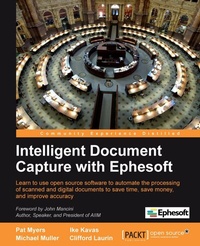
Intelligent Document Capture with Ephesoft
Learn to use open source software to automate the processing of scanned and digital documents to save time, save money, and improve accuracy with this book and ebook.
1st Edition
Published on 13. January 2025
182 pages
978-1-84969-373-8 (ISBN)
Description

Learn to use open source software to automate the processing of scanned and digital documents to save time, save money, and improve accuracy with this book and ebook.Key Features - Learn the benefits of intelligent document capture and how to implement document capture using Ephesoft
- Capture relevant information from your documents, even if they vary widely in format and appearance
- Leverage the power of open source software to implement a cost effective solution for document capture
- A practical guide providing examples for optimizing document capture for your business
Book DescriptionEphesoft is an open source document capture solution. Everyone talks about the paperless work place but the reality is that paper still exists and will continue to be part of your business. Capturing the document's content using Ephesoft can minimize the time your company spends reviewing and processing physical documents."Intelligent Document Capture with Ephesoft" teaches you about document capture in general and implementation of document capture using Ephesoft. Start by learning about document capture, the history of document capture, and intelligent document capture. Progress to a tour of Ephesoft's key features, including operator and administrator interfaces and then learn to configure Ephesoft to process your business's specific document types and extract content from those documents. Finally, learn advanced customization techniques that make Ephesoft accommodate your unique business needs."Intelligent Document Capture with Ephesoft" will teach you to optimize the processing of your physical document, saving your company time and money.What you will learn - Discover the benefits of using intelligent document capture in your work place.
- Learn to capture, classify, and separate any type of document.
- Extract important information from your documents
- Transfer the documents into your content management system
- Customize Ephesoft to meet your unique business requirements
- Automate data entry with OCR
- Learn to automate business processes that depend on documents in paper, fax or email attachment format
- Convert your paper archive to electronic records efficiently
- Implement distributed capture for mailroom automation
- Identify documents and group them without the use of barcodes or separator sheets.
Who this book is forThis book is intended for information technology professionals interested in installing and configuring Ephesoft for their organization, but it is a valuable resource for anyone interested in learning about document capture in general.
- Capture relevant information from your documents, even if they vary widely in format and appearance
- Leverage the power of open source software to implement a cost effective solution for document capture
- A practical guide providing examples for optimizing document capture for your business
Book DescriptionEphesoft is an open source document capture solution. Everyone talks about the paperless work place but the reality is that paper still exists and will continue to be part of your business. Capturing the document's content using Ephesoft can minimize the time your company spends reviewing and processing physical documents."Intelligent Document Capture with Ephesoft" teaches you about document capture in general and implementation of document capture using Ephesoft. Start by learning about document capture, the history of document capture, and intelligent document capture. Progress to a tour of Ephesoft's key features, including operator and administrator interfaces and then learn to configure Ephesoft to process your business's specific document types and extract content from those documents. Finally, learn advanced customization techniques that make Ephesoft accommodate your unique business needs."Intelligent Document Capture with Ephesoft" will teach you to optimize the processing of your physical document, saving your company time and money.What you will learn - Discover the benefits of using intelligent document capture in your work place.
- Learn to capture, classify, and separate any type of document.
- Extract important information from your documents
- Transfer the documents into your content management system
- Customize Ephesoft to meet your unique business requirements
- Automate data entry with OCR
- Learn to automate business processes that depend on documents in paper, fax or email attachment format
- Convert your paper archive to electronic records efficiently
- Implement distributed capture for mailroom automation
- Identify documents and group them without the use of barcodes or separator sheets.
Who this book is forThis book is intended for information technology professionals interested in installing and configuring Ephesoft for their organization, but it is a valuable resource for anyone interested in learning about document capture in general.
All prices
More details
Other editions
New editions
Pat Myers | Ike Kavas | Michael Muller
Intelligent Document Capture with Ephesoft, Second Edition
Automate the processing of scanned and digital documents by improving accuracy using web-based open and modern intelligent document capture software
E-Book
10/2025
2nd Edition
Packt Publishing Limited
from
€32.73
Available for download
Additional editions
Ike Kavas | Michael Muller | W. Pat Myers
Intelligent Document Capture with Ephesoft
Book
09/2012
Packt Publishing
€50.10
Shipment within 3-4 weeks
Content
- Intro
- Intelligent Document Capture with Ephesoft
- Table of Contents
- Intelligent Document Capture with Ephesoft
- Credits
- Foreword
- About the Authors
- About the Reviewers
- www.PacktPub.com
- Support files, eBooks, discount offers and more
- Why Subscribe?
- Free Access for Packt account holders
- Preface
- What this book covers
- What you need for this book
- Who this book is for
- Conventions
- Reader feedback
- Customer support
- Errata
- Piracy
- Questions
- 1. Introduction
- Overview
- History of document capture
- Elements of document capture projects
- The destination of the documents
- The location of the documents and systems
- The type of documents to be processed
- Inside a capture system
- Import methods
- Classification methods
- Extraction methods
- Export methods
- What sets document capture apart from the other ECM tools?
- Summary
- 2. A Quick Tour of Ephesoft
- The administrative user interface
- Batch Class Management
- Batch Instance Management
- Workflow Management
- Folder Management
- Reports
- Operator user interface
- Batch List
- Batch Detail
- Web Scanner
- Upload Batch
- File system
- Summary
- 3. Creating a Batch Class
- Copying an existing batch class
- Creating new document types
- System training for classification and separation
- Creating fields
- Basic Key/Value extraction
- Regular expression listing
- Export
- Copy Batch XML
- Summary
- 4. Processing a Batch
- Starting a batch
- Document review
- Document validation
- Summary
- 5. Core Ephesoft Features
- Classification
- Classification types
- Search
- Image
- Barcodes
- Automatic
- Confidence
- Search classification
- Barcode classification
- Image classification
- Automatic classification
- Programmatic classification
- Multiple layouts for a single document type
- Advanced KV extraction
- Fuzzy DB
- Using the Web Scanner
- Uploading batches
- Export
- CMIS Export
- Establish a content model in your CMS
- Configure Ephesoft CMIS Export
- Configure the CMIS Export plugin
- Document type and property mapping
- Global CMIS configuration
- Database Export
- Other export plugins
- Configuration management of batch classes
- Summary
- 6. Ephesoft Extended Features
- Other classification methods
- Barcode classification
- Image classification
- RecoStar extraction
- Create a RecoStar project
- Configure the RecoStar project
- Configure Ephesoft to use the RecoStar project
- Table extraction
- Scripting
- Workflow scripts
- Triggering scripts when a field is edited
- Triggering scripts from a function key
- External application integration
- Configuring external application references
- External application context
- Security tickets
- Returning document metadata to Ephesoft
- Signalling dialog close and save events
- Custom workflow
- Adding a plugin to Ephesoft
- Customizing batch class workflows
- Writing a custom plugin
- Grid computing
- Automatic learning
- Summary
- 7. Tips
- Troubleshooting
- Logging
- Monitoring batch progress
- Examining the batch file
- Restarting the batch
- No blank forms for training
- Setting up Active Directory
- Directory server overview
- LDAP
- Ephesoft LDAP connector configuration
- Ephesoft directory server service account
- Ephesoft directory server groups
- Ephesoft LDAP configuration files
- dcma.xml
- user-connectivity.xml
- web.xml
- Troubleshooting
- Setting up e-mail processing
- Summary
- A. Reference
- Glossary
- Common regular expressions
- Commonly modified Ephesoft settings
- dcma-workflow.properties
- dcma-batch.properties
- dcma-cmis.properties
- Index

