

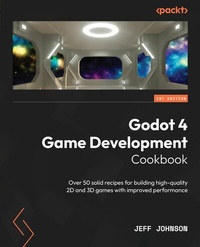
Godot 4 Game Development Cookbook
Description

- Streamline your game development workflow with Godot's new TileMap, TileSet, and Animation Editor features
- Discover what's changed in GDScript 2.0 and Shader additions to enhance your game development skills
Book DescriptionWant to transition from Godot 3 to 4? Look no further than the Godot 4 Game Development Cookbook. This comprehensive guide covers everything you need to become proficient with the latest GUI, GDscript 2.0, Vulkan 2D/3D rendering, shaders, audio, physics, TileSet/TileMap, importing, sound/music, animation, and multiplayer workflows. With its detailed recipes, the book leaves no stone unturned. The Godot 4 Cookbook begins by exploring the updated graphical user interface and helps you familiarize yourself with the new features of GDscript 2.0. Next, it delves into the efficient rendering of 2D and 3D graphics using the Vulkan renderer. As it guides you in navigating the new Godot 4 platform, the book offers an in-depth understanding of shaders, including the latest enhancements to the shader language. Moreover, it covers a range of other topics, including importing from Blender, working with audio, and demystifying the new Vulkan Renderer and the physics additions for 2D and 3D. The book also shows you how the new changes to TileSet and TileMap make 2D game development easy. Advanced topics such as importing in Godot 4, adding sound and music to games, making changes in the Animation editor, and including workflows for multiplayer in Godot 4 are covered in detail. By the end of this game development book, you'll have gained a better understanding of Godot 4 and will be equipped with various powerful techniques to enhance your Godot game development efficiency.What you will learn - Speed up 2D game development with new TileSet and TileMap updates
- Improve 2D and 3D rendering with the Vulkan Renderer
- Master the new animation editor in Godot 4 for advanced game development
- Enhance visuals and performance with visual shaders and the updated shader language
- Import Blender blend files into Godot to optimize your workflow
- Explore new physics system additions for improved realism and behavior of game objects
- Experience innovative features by building multiplayer games in Godot 4
Who this book is forThe Godot 4 Game Development Cookbook is for seasoned game developers who want to acquire skills in creating games using a contemporary game engine. It is an invaluable resource for indie game developers and Godot developers who are familiar with Godot 3 and have some level of expertise in maneuvering the interface.
All prices
More details
Other editions
Additional editions
Person
Jeff Johnson is a game developer who started using Unity 4.0 in 2014 and released a couple of games on itch.io. In 2018 he created 999 Dev Studio. Towards the end of developing "Escape From 51" he changed engines to Godot 3.0.2 and ported over almost the whole game to Godot from Unity. He released "Escape From 51" on itch.io as well as some mobile games on Google Play.
Content
- Transitioning to GDScript 2.0
- 2D and 3D Rendering with Vulkan
- Practicing Physics and Handling Navigation in Godot 4
- Playing with Shaders in Godot 4
- Importing 3D Assets in Godot 4
- Adding Sound and Music to Your Game
- Making 2D Games Easier with Tileset and Tilemap
- Achieving Better Animations Using the New Animation Editor
- Exploring New Multiplayer Features in Godot 4
Preface
Want to transition from Godot 3 to 4? Look no further than the Godot 4 Game Development Cookbook. This comprehensive guide covers everything you need to become proficient with the latest GUI, GDscript 2.0, Vulkan 2D/3D rendering, shaders, audio, physics, TileSet/TileMap, importing, sound/music, animation, and multiplayer workflows. With its detailed recipes, the book leaves no stone unturned.
The Godot 4 Cookbook begins by exploring the updated graphical user interface and helps you familiarize yourself with the new features of GDscript 2.0. Next, it delves into the efficient rendering of 2D and 3D graphics using the Vulkan renderer. As it guides you in navigating the new Godot 4 platform, the book offers an in-depth understanding of shaders, including the latest enhancements to the shader language. Moreover, it covers a range of other topics, including importing from Blender, working with audio, and demystifying the new Vulkan Renderer and the physics additions for 2D and 3D. The book also shows you how the new changes to TileSet and TileMap make 2D game development easy. Advanced topics such as importing in Godot 4, adding sound and music to games, making changes in the Animation editor, and including workflows for multiplayer in Godot 4 are covered in detail.
By the end of this game development book, you'll have gained a better understanding of Godot 4 and will be equipped with various powerful techniques to enhance your Godot game development efficiency.
Who this book is for
The Godot 4 Game Development Cookbook is for seasoned game developers who want to acquire skills in creating games using a contemporary game engine. It is an invaluable resource for indie game developers and Godot developers who are familiar with Godot 3 and have some level of expertise in maneuvering the interface.
What this book covers
Chapter 1, Exploring the Godot 4 Editor, covers the changes to the Godot Editor from Godot 3.x to Godot 4.0, and the new features in the Project settings and Editor settings.
Chapter 2, Transitioning to GDScript 2.0, teaches you about annotations, properties, the await keyword and coroutines, the super keyword, typed arrays, lambda functions, and using callables with signals.
Chapter 3, 2D and 3D Rendering with Vulkan, helps you understand SDF Global Illumination, volumetric fog, the FogVolume node, and particle nodes, using decals.
Chapter 4, Practicing Physics and Handling Navigation in Godot 4, teaches you how to use the Heightmap for 3D terrain, set up and move a CharacterBody2D/3D body, use NavigationServer3D/2D, and use SoftBody for 3D games.
Chapter 5, Playing with Shaders in Godot 4, helps you to create shaders with the Shader Creation dialog, and covers uniform arrays in the shader language, global and instance uniforms, the Visual Shader context menu, Integer and Comment nodes, creating nodes using Texture3D and CurveTexture, and using the Billboard and UVFunc nodes, Sky Shader, and Fog Shader mode.
Chapter 6, Importing 3D Assets in Godot 4, teaches you how to import Blender blend files, FBX files, and glTF files, and use the Import dialog.
Chapter 7, Adding Sound and Music to Your Game, helps you to understand how to use the polyphonic support in the AudioStreamPlayer and directional sound with 2D and 3D.
Chapter 8, Making 2D Games Easier with TileSet and TileMap, helps you understand the new TileSet editor, TileMap layers, TileMap tools, Tile Atlas Editing, TileSet physics, and navigation, creating custom data layers with TileSet, painting and transitioning terrain in TileMap, and organizing isometric tiles with TileSet.
Chapter 9, Achieving Better Animations Using the New Animation Editor, teaches you about the changes with transform tracks, the new Bezier Curve workflow, 3D rotation animations, bone posses, triggering a transition, and the new Movie Maker mode.
Chapter 10, Exploring New Multiplayer Features in Godot 4, helps you understand the new multiplayer spawner, multiplayer synchronizer, and how to use Headless mode and port forwarding on a peer-to-peer network using the UPNP class.
To get the most out of this book
You will need the latest version of Godot 4. All code examples have been tested using Godot 4.0.2 on the Windows OS. However, they should work with future version releases.
Software/hardware covered in the book
Operating system requirements
Godot 4.0.2
Windows, macOS, Linux, Android, or Web Editor
If you are using the digital version of this book, we advise you to type the code yourself or access the code from the book's GitHub repository (a link is available in the next section). Doing so will help you avoid any potential errors related to the copying and pasting of code.
Download the example code files
You can download the example code files for this book from GitHub at https://github.com/PacktPublishing/Godot-4-Game-Development-Cookbook. If there's an update to the code, it will be updated in the GitHub repository.
We also have other code bundles from our rich catalog of books and videos available at https://github.com/PacktPublishing/. Check them out!
Download the color images
We also provide a PDF file that has color images of the screenshots and diagrams used in this book. You can download it here: https://packt.link/5fnG6.
Conventions used
There are a number of text conventions used throughout this book.
Code in text: Indicates code words in text, database table names, folder names, filenames, file extensions, pathnames, dummy URLs, user input, and Twitter handles. Here is an example: "The super keyword refers to the parent class object and makes it easier to call the parent class methods."
A block of code is set as follows:
5 var value: int = 10: set = set_value, get = get_value 6 7 func set_value(new_value: int) -> void: 8 value = new_value 9 print('setter', str(value))Bold: Indicates a new term, an important word, or words that you see onscreen. For instance, words in menus or dialog boxes appear in bold. Here is an example: "Click the Add Environment to Scene tab at the bottom right of the dropdown."
Tips or important notes
Appear like this.
Get in touch
Feedback from our readers is always welcome.
General feedback: If you have questions about any aspect of this book, email us at customercare@packtpub.com and mention the book title in the subject of your message.
Errata: Although we have taken every care to ensure the accuracy of our content, mistakes do happen. If you have found a mistake in this book, we would be grateful if you would report this to us. Please visit www.packtpub.com/support/errata and fill in the form.
Piracy: If you come across any illegal copies of our works in any form on the internet, we would be grateful if you would provide us with the location address or website name. Please contact us at copyright@packt.com with a link to the material.
If you are interested in becoming an author: If there is a topic that you have expertise in and you are interested in either writing or contributing to a book, please visit authors.packtpub.com.
Share Your Thoughts
Once you've read Godot 4 Game Development Cookbook, we'd love to hear your thoughts! Please select https://www.amazon.in/review/create-review/error?asin=1838826076 for this book and share your feedback.
Your review is important to us and the tech community and will help us make sure we're delivering excellent quality content.
Download a free PDF copy of this book
Thanks for purchasing this book!
Do you like to read on the go but are unable to carry your print books everywhere?
Is your eBook purchase not compatible with the device of your choice?
Don't worry, now with every Packt book you get a DRM-free PDF version of that book at no cost.
Read anywhere, any place,...
