

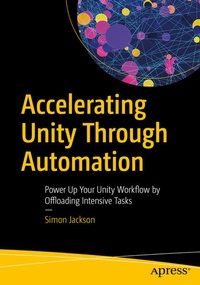
Accelerating Unity Through Automation
Description

Building games with Unity is hard enough without having to stand up and go and make a coffee each time you want to just build your project or find out days/weeks down the line that some change you made while building your dream has incurred a debt that means your project cannot be built for one of your target platforms without a lot of rework.
Through automation, many of these hardships can be detected early and free up time and stress by monitoring your project as it is being created, identify risks and issues as you write the code, and free up your machine while lengthy build processes are running. The change might be hard, but once setup, it will give you peace of mind that everything you create will run, updates will be automatically managed, and your players are less likely to be drafting one-star reviews on your next publication.
What You Will Learn
Build the automation of your dreams to accelerate your project
Get detailed examples for generating workflows tailored to your needs
Learn to save time and money by having a backend work for you
Who Is This Book For
Developers having experience with Unity and interested in learning about (with no foreknowledge in) automation will greatly benefit from this book.
More details
Other editions
Additional editions
Person
Simon is a proud educator, showing developers how to make the most of modern technology to enable them to build the best they can using the tools of today and tomorrow. He is a proud father/husband and engineer who is always breaking down new tech and learning something everyday in order to expand his horizons as well as having as much fun as possible along the way. Alongside his work in XR working with the best and brightest to build the next generation of tech, he is also a strong supporter of open-source and publishing tools and features to accelerate every developers workflow.
Content
Chapter 1: What is Automation?.- Chapter 2: What is Gained Through Automation, the Highlights.- Chapter 3: Services Covered by This Title.- Chapter 4: Automation Hosting.- Chapter 5: Structure of Automation.- Chapter 6: Validation, Checking Your Code.- Chapter 7: Testing, Making Sure It Runs.- Chapter 8: Building and Publishing.- Chapter 9: Setting Up Unity Game Services Automation.- Chapter 10: Setting up Azure DevOps.- Chapter 11: Setting up GitHub Actions.- Chapter 12: Final Notes.
