

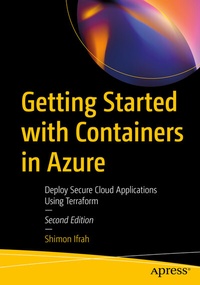
Getting Started with Containers in Azure
Description

Master the skills needed to deploy container services on Microsoft Azure using Terraform. This book will take you through the entire process of designing, deploying, and managing container services such as Azure Kubernetes Service (AKS), Azure Container Instances (ACI), Azure Container Registry (ACR), and Azure Web App for Containers.
In this fully updated second edition, Author Shimon Ifrah demonstrates how to use Terraform, PowerShell and Azure CLI to provision and manage container services in Azure. As you'll be using Terraform as the main tool for deployment, a basic knowledge of Terraform is a prerequisite. In addition, you will see how Azure DevOps services can be used to deploy infrastructure and container services with Terraform using Azure Pipelines without using the Azure Portal. The book concludes with a tutorial on how to use Azure Defender for Cloud to safeguard Terraform and infrastructure-as-code against malicious threats, so you can deliver secure applications.
Upon completing this book, you will have a thorough understanding of how to use Terraform to deploy secure and efficient cloud applications on Azure.
What You Will Learn
- Leverage Terraform for the deployment of containerized services
- Understand Azure DevOps Pipelines and Repos to deploy infrastructure and container services.
- Safeguard your infrastructure-as-code and detect vulnerabilities using Azure Defender for the cloud
Who This Book Is For
Azure administrators, developers, and architects who want to get started and learn more about containers and containerized applications on Microsoft Azure.More details
Other editions
Additional editions
Previous edition
Person
Shimon Ifrah
is a Solution Architect, writer, tech blogger, and author with over 15 years of experience in the design, management, and deployment of information technology systems, applications, and networks. In the last decade, Shimon has specialized in cloud computing and containerized applications on Microsoft Azure, Microsoft 365, Azure DevOps, and .NET. Shimon also holds over 20 vendor certificates from Microsoft, AWS, VMware, Oracle, and Cisco. During his career in the IT industry, he has worked for some of the world's largest managed services and technology companies, assisting them in designing and managing systems used by millions of people every day. He is based in Melbourne, Australia.
