

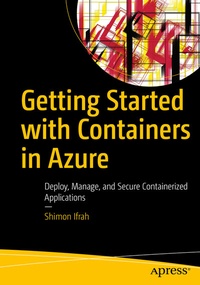
Getting Started with Containers in Azure
Description

Deploy and execute Microsoft Azure container and containerized applications on Azure. This second book in author Shimon Ifrah's series on containers will help you manage and scale containers along with their applications, tools and services.
You'll start by setting up the Azure environment and quickly work through techniques and methods of managing container images with Azure Container Registry (ACR). As you move forward, deploying containerized applications with Azure container instances and Azure Kubernetes Service is discussed in detail, and in the process, you'll see how to install Docker container host on Azure Virtual Machine.
This is followed by a discussion on security in Azure containers where you'll learn how to monitor containers and containerized applications backed by illustrative examples. Next, you will review how to scale containers along with methods for backing up and restoring containers and containerized applications on Azure. Towards the end,the book demonstrates troubleshooting applications and Docker container host issues in Azure.
Getting Started with Containers in Azure will equip you to deploy, manage and secure containerized applications using Azure tools and services for containers.
What You'll Learn
- Explore containers on Microsoft Azure.
- Store Docker images on Azure Container Registry
- Automate deployment of container services using Azure CLI and Azure Cloud Shell
- Use Azure Container Instances (ACI) for smaller deployment
Who This Book Is For
Azure administrators, developers, and architects who want to get started and learn more about containers and containerized applications on Microsoft Azure.
More details
Other editions
New editions
Additional editions
Person
Shimon Ifrah is an IT professional with over years of experience in the design, management, and deployment of information technology systems and networks. In the last few years Shimon has been specializing in cloud computing and containerized applications on Amazon AWS and other public cloud providers. Shimon also holds more than 20 vendor certificates from Microsoft, AWS, VMware, and Cisco. During his career in the IT industry he has worked for some of the largest managed services and technology companies in the world helping them administer systems for the largest enterprises. He is based out of Melbourne, Australia.
