

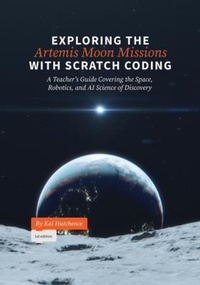
Exploring the Artemis Moon Missions with Scratch Coding
Description

Exploring the Artemis Moon Missions with Scratch Coding - A Teacher's Guide Covering the Space, Robotics, and AI Science of Discovery is a powerhouse resource for modern educators. Using the inspirational and cutting edge Artemis moon missions it teaches both coding and science with engaging and informative coding projects. Using Scratch, the world's most popular educational coding platform developed by MIT, and available worldwide for free in over 70 languages, the book is ready to help teachers worldwide get their classroom, not just coding, but using coding to explore and understand complex and interesting subject matter satisfying curricular needs while engaging with current events and the world around us. Bringing science to life with the student's own code and art, Exploring the Artemis Moon Missions with Scratch Coding is the coding and science book middle grade teachers have been waiting for!
More details
Person
Content
About this Book 1
Creativity - Imagination Builds the Future 2
Teaching Students For The Future 4
The Artemis Program 7
A Big Plan 8
Why "Artemis"? What's in a Name? 10
The Missions 10
The Apollo Missions and the Space Race 13
Why the Moon is Important 15
Scratch - How to Add Creativity & Coding To Your Classroom 23
Learning Scratch 25
Scratch Terminology 26
How To Use The Projects 28
Project 1: Lunar Rover Scan & Grab 32
What This Project Is 32
What We're Learning With It 33
Big Ideas & Curricular Connections 33
Lunar Rovers and the Artemis Missions 35
Art for the Project 36
Coding The Project 37
Project Extensions 48
Project Challenges 52
Project 2: Moon Phases 54
What This Project Is 54
What We're Learning With It 54
Big Ideas & Curricular Connections 55
Light, Time and the Orbital Mechanics of the Moon 57
Art for the Project 59
Coding The Project 60
Project Extensions 67
Project Challenges 73
Project 3: Canadarm3 Capsule Catcher 74
What This Project Is 74
What We're Learning With It 74
Big Ideas & Curricular Connections 75
Canadarm - A Spare Hand in Building our Future in Space 76
Art for the Project 77
Coding The Project 79
Project Extensions 92
Project Challenges 97
Project 4: Moon Rover AI98
What This Project Is 98
Big Ideas & Curricular Connections99
Artificial Intelligence and the Artemis Missions101
Art for the Project 103
Coding The Project 104
Project Extensions 118
Project Challenges 123
Review & Testing 126
Plagiarism 126
Following Instructions 127
Submissions 127
Evaluation 127
Bug Hunting 128
More Help & More Ideas 132
Further Reading 132
In-Classroom Support137
Web Resources137
More Project Ideas138
Final Thoughts140
