

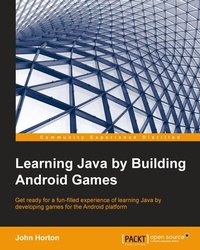
Learning Java by Building Android Games
Extend your game development skills while learning Java - follow this book and learn Java for Android to enter the world of Android games development with greater confidence
1st Edition
Published on 17. June 2024
392 pages
978-1-78439-384-7 (ISBN)
Description

Key FeaturesBook DescriptionIf you are completely new to either Java, Android, or game programming and are aiming to publish Android games, then this book is for you. This book also acts as a refresher for those who already have experience in Java on another platforms or other object-oriented languages.What you will learn - Set up an efficient, professional game development environment in Android Studio
- Build your very own Android UI using easy touse tools in Android Studio
- Add realtime interaction with Java threads and implement locking/handling screen rotation, pixel graphics, clicks, animation, sound FX, and many other features in your games
- Explore objectoriented programming (OOP) and design scalable, reliable, and wellwritten Java games or apps on almost any Android device
- Build and deploy a graphical pongstyle game using advanced OOP concepts
- Explore APIs and implement advanced features such as online leaderboards and achievements using Google game services
- Make your game compelling to be the next big hit on Google Play market with a content update strategy and ingame marketing
Who this book is for
- Build your very own Android UI using easy touse tools in Android Studio
- Add realtime interaction with Java threads and implement locking/handling screen rotation, pixel graphics, clicks, animation, sound FX, and many other features in your games
- Explore objectoriented programming (OOP) and design scalable, reliable, and wellwritten Java games or apps on almost any Android device
- Build and deploy a graphical pongstyle game using advanced OOP concepts
- Explore APIs and implement advanced features such as online leaderboards and achievements using Google game services
- Make your game compelling to be the next big hit on Google Play market with a content update strategy and ingame marketing
Who this book is for
All prices
More details
Other editions
New editions
John Horton
Learning Java by Building Android Games
Learn Java and Android from scratch by building six exciting games
E-Book
06/2024
2nd Edition
Packt Publishing Limited
€34.99
Available for download
Additional editions
John Horton
Learning Java by Building Android Games
Book
01/2015
Packt Publishing
€56.70
Shipment within 3-4 weeks
Person
Horton John :
John Horton is a programming and gaming enthusiast based in the UK. He has a passion for writing apps, games, books, and blog articles. He is the founder of Game Code School.
John Horton is a programming and gaming enthusiast based in the UK. He has a passion for writing apps, games, books, and blog articles. He is the founder of Game Code School.
Content
Table of Contents - Android Java and games
- Getting started with Android
- Speaking Java: Your first game
- Discovering loops and methods
- Gaming and Java essentials
- OOP: using OTHER PEOPLES hard work
- Retro squash game
- The snake arcade game part 2
- Making your game the next big thing
- Appendix
- Getting started with Android
- Speaking Java: Your first game
- Discovering loops and methods
- Gaming and Java essentials
- OOP: using OTHER PEOPLES hard work
- Retro squash game
- The snake arcade game part 2
- Making your game the next big thing
- Appendix

