

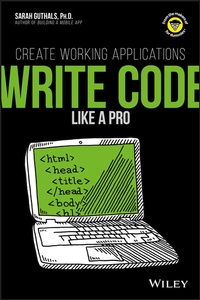
Write Code Like a Pro
Create Working Applications
1st Edition
Published on 1. December 2017
224 pages
978-1-119-40426-2 (ISBN)
Description

CODERS ARE ROCK STARS
Coders are the people who are building the future. You can stake your own claim on the future by learning pro coding techniques. Take a look inside to figure out how and why coders think a bit differently, the basics of building a working application with a professional coding language, and how to test your app to make sure it works. Get a jump on your future as a rock-star coder today!
* See the big picture - get a grip on how pro coders start and finish a project
* Know the code - get your hands on a pro coding language and put it to work
* Make things happen - create a working application you can share with friends
Coders are the people who are building the future. You can stake your own claim on the future by learning pro coding techniques. Take a look inside to figure out how and why coders think a bit differently, the basics of building a working application with a professional coding language, and how to test your app to make sure it works. Get a jump on your future as a rock-star coder today!
* See the big picture - get a grip on how pro coders start and finish a project
* Know the code - get your hands on a pro coding language and put it to work
* Make things happen - create a working application you can share with friends
More details
Other editions
Additional editions
Book
12/2017
1st Edition
Wiley
€14.84
Article exhausted; check different version
Content
- Intro
- Title Page
- Copyright Page
- Contents
- Introduction
- About This Book
- Foolish Assumptions
- Icons Used in This Book
- Where to Go from Here
- Chapter 1 Getting Started with Java and Processing
- Getting Started with Processing
- Downloading and installing Processing
- Starting to use Processing
- Trying some code
- Save and Reopen Processing Programs
- Chapter 2 Writing Your First Program
- Getting to Know the Canvas
- Creating a canvas
- Understanding the pixels in the canvas
- Calling Methods in Java
- Creating Variables
- Chapter 3 Drawing with Code
- Drawing a Triangle
- Drawing a Rectangle
- Drawing a Quadrilateral
- Drawing an Ellipse
- Drawing an Arc
- Creating a Unique Drawing
- Chapter 4 Adding Color to the Canvas
- Adding Color to Your Canvas
- Learning about RGB Values
- Adding Color to Shapes
- Chapter 5 Coding Your First Animation
- Learning about Methods
- A method signature
- A method body
- Writing Your First Two Methods
- Writing the setup method
- Writing the draw method
- Writing Your First Two Original Methods
- Creating two useful variables
- Creating a custom method
- Adding Parameters to Your Method
- Chapter 6 Allowing User Interaction
- Moving with the Mouse
- Interacting with Mouse Clicks
- Making a Horizontal Slider
- Working with Conditional Statements
- Getting acquainted with conditional statements
- Adding conditional statements to your code
- Moving Shapes with the Keyboard
- Chapter 7 Coding Your First Game
- Creating a Scene
- Adding a Character to Your Game
- Adding Movement to Your Videogame
- Updating the Background
- Adding Gravity to Your Videogame
- Making Lava Pits
- Chapter 8 Making Artificial Intelligence
- Adding an Enemy to Your Videogame
- Making the Enemy Move
- Creating Your Own Java Class
- Creating an Enemy class
- Creating a second enemy
- Creating a Second Java Class
- Adding Health to Your Character
- Giving Your Enemies Collision Detection
- Chapter 9 Planning Your Ninja Bird Game
- Making Sense of the Flappy Bird Code
- The start screen
- The gameplay screen
- The end screen
- Outlining Your Ninja Bird
- Designing Your Java Classes
- Main class
- Bird class
- Pipe class
- Chapter 10 Planning Your Ninja Bird Methods
- Designing Your Setup Method
- Designing Your Draw Method
- Designing Your Collision Methods
- Adding Helper Methods
- Chapter 11 Coding the Ninja Bird Basics
- Converting Comments to Code
- Converting background comments to code
- Converting bird comments to code
- Converting pipes comments to Code
- Chapter 12 Coding the Final Ninja Bird Code
- Adding Randomness to Your Pipes
- Detecting Collision
- Keeping Score in Your Game
- Cleaning Up the Code
- Cleaning up the NinjaBird main class
- Cleaning up the Bird and Pipes classes
- EULA
