

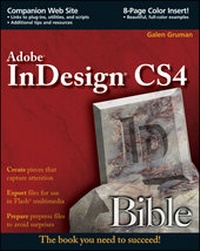
InDesign CS4 Bible
Published on 13. May 2009
1104 pages
978-0-470-47089-3 (ISBN)
Description

The soup-to-nuts guide on everything InDesign users need to knowabout the much-anticipated CS4 release!
* Packed with more than one thousand pages of real-world insightand valuable guidance, this authoritative resource describes thepower and potential of InDesign--whose popularity as apage-layout program is growing stronger and gaining new convertsevery day
* No matter what your skill level, you will get everything youneed to know in order to make the most of this software and takeadvantage of InDesign CS4's innovative architecture,functionality, and many ingenious features
* Learn how to edit Photoshop, Illustrator, and PDF files fromwithin InDesign; export documents in HTML for publication on CD-ROMor the Web; tap the power of multiple layers and master pages;optimize InDesign for efficient project workflow; take advantage ofdynamic spell-checking; and more
Note: CD-ROM/DVD and other supplementary materials arenot included as part of eBook file.
* Packed with more than one thousand pages of real-world insightand valuable guidance, this authoritative resource describes thepower and potential of InDesign--whose popularity as apage-layout program is growing stronger and gaining new convertsevery day
* No matter what your skill level, you will get everything youneed to know in order to make the most of this software and takeadvantage of InDesign CS4's innovative architecture,functionality, and many ingenious features
* Learn how to edit Photoshop, Illustrator, and PDF files fromwithin InDesign; export documents in HTML for publication on CD-ROMor the Web; tap the power of multiple layers and master pages;optimize InDesign for efficient project workflow; take advantage ofdynamic spell-checking; and more
Note: CD-ROM/DVD and other supplementary materials arenot included as part of eBook file.
More details
Other editions
Additional editions

Person
Galen Gruman is principal at The Zango Group and a veteran desktop-publishing guru. A frequent contributor to Macworld, CIO, InfoWorld, and other publications, he has also been editor of Macworld, West Coast bureau chief of Computerworld, and Vice President of Content for ThirdAge.com. He is the author of Adobe InDesign CS3 Bible and coauthor of 22 other books on desktop publishing.
Content
Foreword.
Preface.
Acknowledgments.
Introduction.
Quick Start: Building a Document from Start to Finish.
Part I: Welcome to InDesign.
Chapter 1: What InDesign Can Do for You.
Chapter 2: Inside the InDesign Interface.
Chapter 3: Getting InDesign Ready to Go.
Part II: Document Fundamentals.
Chapter 4: Creating, Opening, and Saving Documents.
Chapter 5: Working with Pages and Layers.
Chapter 6: Creating Layout Standards.
Chapter 7: Defining Colors, Tints, and Gradients.
Part III: Object Fundamentals.
Chapter 8: Adding Frames, Shapes, and Lines.
Chapter 9: Manipulating Objects.
Chapter 10: Transforming Objects.
Chapter 11: Applying Effects to Objects.
Chapter 12: Orchestrating Objects.
Part IV: Text Fundamentals.
Chapter 13: Importing Text Files.
Chapter 14: Flowing Text through a Document.
Chapter 15: Editing and Formatting Text.
Chapter 16: Specifying Character Attributes.
Chapter 17: Specifying Paragraph Attribute.
Chapter 18: Creating Special Text Formatting.
Chapter 19: Setting Up Styles.
Chapter 20: Using Special Characters.
Part V: Business Document Fundamentals.
Chapter 21: Setting Up Tabs and Tables.
Chapter 22: Using Automatic and Custom Text.
Chapter 23: Working with Footnotes, Indexes, and TOCs.
Chapter 24: Creating Multidocument Projects.
Part VI: Graphics Fundamentals.
Chapter 25: Importing Graphics.
Chapter 26: Fitting Graphics and Frames Together.
Chapter 27: Drawing Free-Form Shapes and Curved Paths.
Part VII: Output Fundamentals.
Chapter 28: Preparing for Color Prepress.
Chapter 29: Preparing for Printing.
Chapter 30: Printing Documents.
Chapter 31: Creating Prepress Files.
Part VIII: Electronic Publishing Techniques.
Chapter 32: Creating Web, Interactive PDF, and FlashDocument.
Chapter 33: Working with XML.
Part IX: Workgroup Publishing Techniques.
Chapter 34: Working with Others.
Chapter 35: Workgroup Editing with InCopy.
Part X: Extending InDesign.
Chapter 36: Using Plug-Ins.
Chapter 37: Using Scripts.
Part XI: Appendixes.
Appendix A: Installing or Upgrading InDesign.
Appendix B: What's New in InDesign CS4.
Appendix C: Using Version Cue.
Appendix D: Shortcuts Cheat Sheet.
Index.
Preface.
Acknowledgments.
Introduction.
Quick Start: Building a Document from Start to Finish.
Part I: Welcome to InDesign.
Chapter 1: What InDesign Can Do for You.
Chapter 2: Inside the InDesign Interface.
Chapter 3: Getting InDesign Ready to Go.
Part II: Document Fundamentals.
Chapter 4: Creating, Opening, and Saving Documents.
Chapter 5: Working with Pages and Layers.
Chapter 6: Creating Layout Standards.
Chapter 7: Defining Colors, Tints, and Gradients.
Part III: Object Fundamentals.
Chapter 8: Adding Frames, Shapes, and Lines.
Chapter 9: Manipulating Objects.
Chapter 10: Transforming Objects.
Chapter 11: Applying Effects to Objects.
Chapter 12: Orchestrating Objects.
Part IV: Text Fundamentals.
Chapter 13: Importing Text Files.
Chapter 14: Flowing Text through a Document.
Chapter 15: Editing and Formatting Text.
Chapter 16: Specifying Character Attributes.
Chapter 17: Specifying Paragraph Attribute.
Chapter 18: Creating Special Text Formatting.
Chapter 19: Setting Up Styles.
Chapter 20: Using Special Characters.
Part V: Business Document Fundamentals.
Chapter 21: Setting Up Tabs and Tables.
Chapter 22: Using Automatic and Custom Text.
Chapter 23: Working with Footnotes, Indexes, and TOCs.
Chapter 24: Creating Multidocument Projects.
Part VI: Graphics Fundamentals.
Chapter 25: Importing Graphics.
Chapter 26: Fitting Graphics and Frames Together.
Chapter 27: Drawing Free-Form Shapes and Curved Paths.
Part VII: Output Fundamentals.
Chapter 28: Preparing for Color Prepress.
Chapter 29: Preparing for Printing.
Chapter 30: Printing Documents.
Chapter 31: Creating Prepress Files.
Part VIII: Electronic Publishing Techniques.
Chapter 32: Creating Web, Interactive PDF, and FlashDocument.
Chapter 33: Working with XML.
Part IX: Workgroup Publishing Techniques.
Chapter 34: Working with Others.
Chapter 35: Workgroup Editing with InCopy.
Part X: Extending InDesign.
Chapter 36: Using Plug-Ins.
Chapter 37: Using Scripts.
Part XI: Appendixes.
Appendix A: Installing or Upgrading InDesign.
Appendix B: What's New in InDesign CS4.
Appendix C: Using Version Cue.
Appendix D: Shortcuts Cheat Sheet.
Index.
