

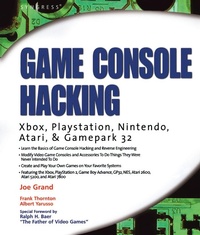
Game Console Hacking
Xbox, PlayStation, Nintendo, Game Boy, Atari and Sega
Published on 12. November 2004
512 pages
978-0-08-053231-8 (ISBN)
Description

The worldwide video game console market surpassed $10 billion in 2003. Current sales of new consoles is consolidated around 3 major companies and their proprietary platforms: Nintendo, Sony and Microsoft. In addition, there is an enormous installed "retro gaming" base of Ataria and Sega console enthusiasts. This book, written by a team led by Joe Grand, author of "Hardware Hacking: Have Fun While Voiding Your Warranty", provides hard-core gamers with they keys to the kingdom: specific instructions on how to crack into their console and make it do things it was never designed to do.
By definition, video console game players like to have fun. Most of them are addicted to the adrenaline rush associated with "winning", and even more so when the "winning" involves beating the system by discovering the multitude of "cheats" built into most video games. Now, they can have the ultimate adrenaline rush---actually messing around with the soul of the machine and configuring it to behave exactly as the command. This book builds on the motto of "Have Fun While Voiding Your Warranty" and will appeal to the community of hardware geeks who associate unscrewing the back of their video console with para-jumping into the perfect storm.
- Providing a reliable, field-tested guide to hacking all of the most popular video gaming consoles
- Written by some of the most knowledgeable and recognizable names in the hardware hacking community
- Game Console Hacking is the first book on the market to show game enthusiasts (self described hardware geeks) how to disassemble, reconfigure, customize and re-purpose their Atari, Sega, Nintendo, Playstation and Xbox systems
More details
Other editions
Additional editions
Joe Grand | Albert Yarusso
Game Console Hacking
Xbox, PlayStation, Nintendo, Game Boy, Atari and Sega
Book
11/2004
Syngress
€37.50
No shipping information available
Content
- Front Cover
- Game Console Hacking
- Copyright Page
- Contents
- Foreword
- Introduction 2.0
- Introduction
- Part I: Introduction to Hardware Hacking
- Chapter 1. Tools of the Warranty-Voiding Trade
- Introduction
- The Essential Tools
- Basic Hardware Hacking
- Advanced Projects and Reverse Engineering
- Where to Obtain the Tools
- Chapter 2. Case Modifications: Building an Atari 2600PC
- Introduction
- Choosing your Features: Why the Atari 2600?
- Preparing for the Hack
- Performing the Hack
- In Conclusion
- Resources and Other Hacks
- Part II: Modern Game Consoles
- Chapter 3. The Xbox
- Introduction
- Opening the Xbox
- Controller Hacks
- Getting Inside Your Controller
- Xbox Networking Hacks
- Creating Your Own Crossover Cable
- Extending the Network Status LEDs to the Front Panel
- Wireless Networking Hacks
- Installing a Modchip
- Running Linux on an Unmodified Xbox
- Other Hacks
- Homebrew Game Development
- Xbox Resources on the Web
- Chapter 4. PlayStation 2
- Introduction
- Commercial Hardware Hacking: Modchips
- Getting Inside the PS2
- Installing a Serial Port
- Booting Code from the Memory Card
- Other Hacks: Independent Hard Drives
- PS2 Technical Details
- Homebrew Game Development
- PS2 Resources on the Web
- Part III: Handheld Game Platforms
- Chapter 5. Nintendo Game Boy Advance
- Introduction
- A Very Brief History of Nintendo
- Opening the GBA Console
- Replacing the Display Lens
- Light Up Your LCD with the GBA Afterburner Mod
- Enhancing Your Afterburner with the GBA Stealth Dimmer Chip
- Nintendo GBA Technical Specifications
- Homebrew Game Development
- Other Hacks
- Nintendo GBA Resources on the Web
- Chapter 6. Gamepark 32 (GP32)
- Introduction
- Out of the Box: Configuring Your GP32
- Opening the GP32 Console
- Replacing the GP32 Screen Cover
- Repairing Your Buttons
- Accelerating Your GP32 (CPU Core Voltage Increase)
- Creating a DC Power Adapter
- Installing the Multifirmware Loader
- Homebrew Game Development
- Other Hacks
- GP32 Resources on the Web
- Part IV: Retro and Classic Systems
- Chapter 7. Nintendo NES
- Introduction
- Opening the NES Console
- Replacing the 72-Pin Cartridge Connector
- Blue Power LED Modification
- Disabling the NES "Lockout Chip
- Opening an NES Game Cartridge
- Replacing the Battery in Certain Game Cartridges
- Creating an EPROM Cartridge for Homebrew Game Development
- Homebrew Game Development
- Other Hacks
- NES Resources on the Web
- Chapter 8. Atari 2600
- Introduction
- Atari 2600 Left-Handed Joystick Modification
- Repair Your Atari 2600 Joysticks
- Revitalize Your Atari 2600 Paddles
- Use an NES Control Pad with your 2600
- Atari 2600 S-Video/Audio Mod
- Atari 2600 Stereo Audio Output
- Homebrew Game Development
- Atari 2600 Resources on the Web
- Chapter 9. Atari 5200
- Introduction
- Opening the Atari 5200
- Atari 5200 Blue LED Modification
- Atari 5200 Two-Port BIOS Replacement
- Creating an Atari 5200 Paddle Controller
- Freeing Yourself from the 5200 Four-Port Switchbox
- Atari 5200 Video and Audio Upgrade Modification
- Other Hacks
- Homebrew Game Development
- Atari Resources on the Web
- Chapter 10 Atari 7800
- Introduction
- Blue LED Modification
- Game Compatibility Hack to Play Certain Atari 2600 Games
- Voltage Regulator Replacement
- Power Supply Plug Retrofit
- Other Hacks
- Homebrew Game Development
- Atari 7800 Resources on the Web
- Appendix A: Electrical Engineering Basics
- Introduction
- Fundamentals
- Basic Device Theory
- Microprocessors and Embedded Systems
- Soldering Techniques
- Common Engineering Mistakes
- Web Links and Other Resources
- Index
