

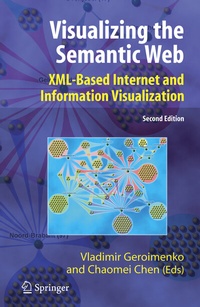
Visualizing the Semantic Web
Description

Reviews / Votes
From the reviews of the second edition:
"Extensible Markup Language (XML) is the basis of the semantic Web's metadata. . The production quality of the book is quite high, featuring high-gloss paper and containing numerous intriguing color screen shots of visualization outputs . . the book does a good job of providing an understanding of the semantic web, presenting its vision and an overview of research into its visualization." (A. E. Salwin, Computing Reviews, December, 2006)
More details
Other editions
Additional editions
Previous edition
Content
Chapter 8
Using Graphically Represented Ontologies for Searching Content on the Semantic Web (p. 137-138)
LeendertW.M.Wienhofen
8.1 Introduction
The SemanticWeb (Berners-Lee, 1998) is a revolution for machine-understandability of Web pages, yet for the typical kind of user, the nontechnical one, the bene.ts may not be as obvious as for researchers. In order to enable "naive" users to bene- .t from the Semantic Web, this chapter proposes a search paradigm using graphical ontologies to retrieve content. Retrieval problems started when the Internet became available for everyone.
The ease of publishing led to an abundance of mostly unstructured data, since HTML is meant to display content for humans and not machines. If we wish that all Web pages become Semantic Web enabled, publishing needs to be as easy as it currently is, and retrieval methods need to be as easy as they currently are, but of course the relevance of the retrieved content needs to be much better. The paradigm presented, called GODE (Graphical Ontology Designer Environment) (Wienhofen, 2003), gives users the possibility to search both the Web and the SemanticWeb.
This chapter describes how to prepare users for the new .ow of information, by introducing them to the concept of graphical search step by step. A bene.t of using graphical search is that it is query language independent.Users have a uniformmethod of accessing information; a conversion algorithm can be made and used as a plug-in for the search language for each query language available. A variety of dif.culty levels are identi.ed to make sure that everybody can bene.t from this approach in different situations. Application areas are discussed for both the simple and the advanced version of GODE.
8.2 Visual Query Languages
An experimental proof by Catarci and Santucci (1995) shows that QBD. (Query By Diagram.), a visual query language, is easier to use and gives better results than text based SQL queries. The experiment de.ned three groups of users: naive, medium, and expert. All three groups got better results faster by using this visual approach. Other visual query languages, such VISUAL (Balkir et al., 2002) and GLASS (Ni and Ling, 2003), are available.
Even though most are designed for use with databases or XML .les, the type of use presented in this chapter is not that much different, as most SemanticWeb languages areXMLbased and de.ne semantic relations. Database queries (SQL) are based on relations, andXML.le queries are done on structured data. The available visual query languages, however, are generally not focused toward the naive users, though they are no doubt the largest group of users. This chapter presents a search method that is aimed at the naive user, yet having enough possibilities for it to be useful to expert users as well. In fact, it is built up with the goal that naive users gradually can become medium-level users and eventually expert users (Wienhofen, 2004). 8.3 The Graphical Ontology Designer Environment Different building blocks and ideas are presented, which are used as a foundation for building the Graphical Ontology Designer Environment (GODE).
