

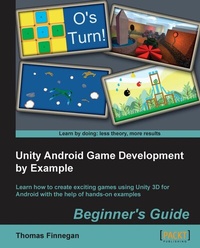
Unity Android Game Development by Example Beginner's Guide
Absolute beginners to designing games for Android will find this book is their passport to quick results. Lots of handholding and practical exercises using Unity 3D makes learning a breeze.
1st Edition
Published on 13. January 2025
320 pages
978-1-84969-207-6 (ISBN)
Description

Absolute beginners to designing games for Android will find this book is their passport to quick results. Lots of handholding and practical exercises using Unity 3D makes learning a breeze.Key Features - Enter the increasingly popular mobile market and create games using Unity 3D and Android
- Learn optimization techniques for efficient mobile games
- Clear, step-by-step instructions for creating a complete mobile game experience
Book DescriptionPowerful and continuing to grow, the mobile market has never been bigger and more demanding of great games. Android continues to prove itself as a strong contender in this challenging market. With Unity 3D, great games can be made for Android quickly and easily. With its great deployment system, the Android platform is now only one click away. Unity Android Game Development by Example Beginner's Guide dives straight into making real, fully-functional games, with hands-on examples and step-by-step instructions to give you a firm grounding in Unity 3D and Android. Everything necessary for creating a complete gaming experience is covered and detailed throughout the course of this book. Using clear and practical examples that progressively build upon each other, this book guides you through the process of creating games in Unity for Android. Start by learning about all the great features that Unity and Android have to offer. Next, create a Tic-Tac-Toe game while learning all about interfaces. After that, learn about meshes, materials, and animations with the creation of a tank battle game. You will then learn how to expand your game's environment with the addition of shadows and a skybox. Adding on this, you will also learn how to expand the tank battle by creating enemies and using path finding to chase the player. Next, explore touch and tilt controls with the creation of a space fighter game. Then, learn about physics while recreating the most popular mobile game on the market. You will then expand the space fighter game with the addition of all the special effects that make a game great. Finally, complete your experience by learning the optimization techniques required to keep your games running smoothly. While Unity is available for both Mac and Windows, the book is presented working from a Windows environment. Programming in Unity is possible in C#, JavaScript, and Boo. This book will be working in C# and the final projects will be provided in C# and JavaScript. From nothing to a fully-featured mobile game, Unity Android Game Development by Example Beginner's Guide takes you through everything it takes to create your next game for the Android platform.What you will learn - Set up a development environment to work with both Unity and Android
- Import and work with the basic building blocks of a game: meshes, materials, and animations
- Utilize particles and sound effects to provide feedback to the player
- Adjust camera effects and game logic to create 2D games
- Interface with touch and tilt inputs to create custom control systems
- Set up path finding to create intelligently moving characters
- Successfully create custom graphical interfaces
- Set up and utilize physics to create a mobile game classic
- Create dynamically lit scenes using lightmaps
- Understand the best choices for optimizing a game for the mobile platform
Who this book is forGreat for developers new to Unity, Android, or both, this book will walk you through everything you need to know about game development for the Android mobile platform. No experience with programming, Android, or Unity is required. Most of the assets used in each chapter project are provided with the book, but it is assumed that you have some access to basic image and model creation software. You will also need access to an Android powered device.
- Learn optimization techniques for efficient mobile games
- Clear, step-by-step instructions for creating a complete mobile game experience
Book DescriptionPowerful and continuing to grow, the mobile market has never been bigger and more demanding of great games. Android continues to prove itself as a strong contender in this challenging market. With Unity 3D, great games can be made for Android quickly and easily. With its great deployment system, the Android platform is now only one click away. Unity Android Game Development by Example Beginner's Guide dives straight into making real, fully-functional games, with hands-on examples and step-by-step instructions to give you a firm grounding in Unity 3D and Android. Everything necessary for creating a complete gaming experience is covered and detailed throughout the course of this book. Using clear and practical examples that progressively build upon each other, this book guides you through the process of creating games in Unity for Android. Start by learning about all the great features that Unity and Android have to offer. Next, create a Tic-Tac-Toe game while learning all about interfaces. After that, learn about meshes, materials, and animations with the creation of a tank battle game. You will then learn how to expand your game's environment with the addition of shadows and a skybox. Adding on this, you will also learn how to expand the tank battle by creating enemies and using path finding to chase the player. Next, explore touch and tilt controls with the creation of a space fighter game. Then, learn about physics while recreating the most popular mobile game on the market. You will then expand the space fighter game with the addition of all the special effects that make a game great. Finally, complete your experience by learning the optimization techniques required to keep your games running smoothly. While Unity is available for both Mac and Windows, the book is presented working from a Windows environment. Programming in Unity is possible in C#, JavaScript, and Boo. This book will be working in C# and the final projects will be provided in C# and JavaScript. From nothing to a fully-featured mobile game, Unity Android Game Development by Example Beginner's Guide takes you through everything it takes to create your next game for the Android platform.What you will learn - Set up a development environment to work with both Unity and Android
- Import and work with the basic building blocks of a game: meshes, materials, and animations
- Utilize particles and sound effects to provide feedback to the player
- Adjust camera effects and game logic to create 2D games
- Interface with touch and tilt inputs to create custom control systems
- Set up path finding to create intelligently moving characters
- Successfully create custom graphical interfaces
- Set up and utilize physics to create a mobile game classic
- Create dynamically lit scenes using lightmaps
- Understand the best choices for optimizing a game for the mobile platform
Who this book is forGreat for developers new to Unity, Android, or both, this book will walk you through everything you need to know about game development for the Android mobile platform. No experience with programming, Android, or Unity is required. Most of the assets used in each chapter project are provided with the book, but it is assumed that you have some access to basic image and model creation software. You will also need access to an Android powered device.
All prices
More details
Other editions
Additional editions
Thomas Finnegan
Unity Android Game Development by Example Beginner's Guide
Book
12/2013
Packt Publishing
€56.20
Shipment within 3-4 weeks
Person
Finnegan Thomas James :
http://mooingduck.com/index.php/resume
http://mooingduck.com/index.php/resume
Content
- Intro
- Unity Android Game Development by Example Beginner's Guide
- Table of Contents
- Unity Android Game Development by Example Beginner's Guide
- Credits
- About the Author
- About the Reviewers
- www.PacktPub.com
- Support files, eBooks, discount offers and more
- Why Subscribe?
- Free Access for Packt account holders
- Preface
- What this book covers
- What you need for this book
- Who this book is for
- Conventions
- Reader feedback
- Customer support
- Downloading the example code
- Downloading the color images of this book
- Errata
- Piracy
- Questions
- 1. Saying Hello to Unity and Android
- Understanding what makes Unity great
- Understanding what makes Android great
- Understanding how Unity and Android work together
- Differences between Pro and Basic
- License comparison overview
- Setting up the development environment
- Time for action - installing the JDK
- What just happened?
- Time for action - installing the Android SDK
- What just happened?
- Time for action - installing Unity 3D
- What just happened?
- Optional code editor
- Connecting to a device
- Time for action - simple device connection
- What just happened?
- Time for action - connecting trickier devices
- What just happened?
- Unity Remote
- Building a simple application
- Time for action - Hello World
- What just happened?
- Have a go hero - working ahead
- Summary
- 2. Looking Good - Graphical Interface
- Creating a Tic-tac-toe game
- Time for action - creating Tic-tac-toe
- What just happened?
- Finishing the game
- Time for action - finish creating the game
- What just happened?
- GUI Skins and GUI Styles
- A prettier form of Tic-tac-toe
- Time for action - styling the game
- What just happened?
- Have a go hero - backgrounds
- Dynamic positioning
- Time for action - the dynamic GUI
- What just happened?
- Have a go hero - scaling menus
- A better way to build to device
- Time for action - build and run
- What just happened?
- Have a go hero - single player mode
- Summary
- 3. The Backbone of Any Game - Meshes, Materials, and Animations
- Setting up
- Time for action - the setup
- What just happened?
- Importing the meshes
- Time for action - importing the tank
- What just happened?
- Tank import settings
- Setting up the tank
- Time for action - creating the tank
- What just happened?
- Time for action - keeping score
- What just happened?
- Time for action - controlling the chassis
- What just happened?
- Time for action - controlling the turret
- What just happened?
- Time for action - putting the pieces together
- What just happened?
- Have a go hero - cannon alignment
- Creating the materials
- Time for action - creating the city
- What just happened?
- Have a go hero - decorating the city
- Time for action - moving treads
- What just happened?
- Have a go hero - turning with the treads
- Animations
- The target's animations
- Time for action - setting up target's animations
- What just happened?
- State machines
- Time for action - creating the target state machine
- What just happened?
- Time for action - scripting the target
- What just happened?
- Creating the prefab
- Time for action - creating the target
- What just happened?
- Have a go hero - more targets
- Ray tracing to shoot
- Time for action - simple shooting
- What just happened?
- Have a go hero - better GUI
- Summary
- 4. Setting the Stage - Camera Effects and Lighting
- The camera effects
- Skyboxes and distance fog
- Time for action - adding a skybox and distance fog
- What just happened?
- Target indicator
- Time for action - creating the pointer
- What just happened?
- Time for action - controlling the indicator
- What just happened?
- Time for action - working with a second camera
- What just happened?
- Have a go hero - adjusting the position
- Turbo boost
- Time for action - using the boost effect
- What just happened?
- Have a go hero - styling and control
- Lights
- Time for action - adding more lights
- What just happened?
- Lightmaps
- Time for action - creating a lightmap
- What just happened?
- Have a go hero - reason and speed
- Cookies
- Time for action - applying headlights
- What just happened?
- Have a go hero - adding a switch
- Blob shadow
- Time for action - a tank with a shadow
- What just happened?
- Have a go hero - making it square
- Summary
- 5. Getting Around - Pathfinding and AI
- Understanding AI and pathfinding
- The NavMesh
- Time for action - creating the NavMesh
- What just happened?
- Have a go hero - creating extra obstacles
- The NavMeshAgent component
- Time for action - creating the enemy
- What just happened?
- The chase
- Time for action - the player is over here
- What just happened?
- Time for action - chasing the player
- What just happened?
- Have a go hero - adding shadow
- Being attacked
- Time for action - getting ready to fire
- What just happened?
- Have a go hero - player feedback
- Attacking the enemy
- Time for action - giving it a weakness
- What just happened?
- Have a go hero - coloring the enemy
- Spawning
- Time for action - creating spawns
- What just happened?
- Have a go hero - two for one
- Pop Quiz - understanding enemies
- Summary
- 6. Specialties of the Mobile Device - Touch and Tilt
- Setting up
- Time for action - creating the project
- What just happened?
- Controlling with tilt
- Time for action - steering the space ship
- What just happened?
- Making things move in space
- Time for action - flying asteroids
- What just happened?
- Adding space collisions
- Time for action - adding collisions
- What just happened?
- Have a go hero - adding points
- Creating the enemy
- Time for action - adding an enemy ship
- What just happened?
- Have a go hero - skybox and fog
- Controlling with touch
- Time for action - touch to shoot
- What just happened?
- Have a go hero - healthy ships
- Spawning in space
- Time for action - creating a space spawn
- What just happened?
- Have a go hero - more to spawn and shoot
- Pop Quiz - understanding Android components
- Summary
- 7. Throwing Your Weight Around - Physics and a 2D Camera
- 2D games in a 3D world
- Time for action - preparing the world
- What just happened?
- Physics
- Building blocks
- Time for action - creating planks
- What just happened?
- Have a go hero - creating a stone block
- Physics materials
- Time for action - sliding and bouncing
- What just happened?
- Characters
- The enemy
- Time for action - creating the pigs
- What just happened?
- The ally
- Time for action - creating the red bird
- What just happened?
- Controls
- Attacking
- Time for action - creating the slingshot
- What just happened?
- Watching
- Time for action - controlling the camera
- What just happened?
- Have a go hero - more levels
- A better background
- Time for action - creating the parallax background
- What just happened?
- Have a go hero - dark of the night
- The flock variety
- The yellow bird
- Time for action - creating the yellow bird
- What just happened?
- The blue bird
- Time for action - creating the blue bird
- What just happened?
- Have a go hero - creating a rainbow bird
- The black bird
- Time for action - creating the black bird
- What just happened?
- Have a go hero - explosive blocks
- Level selection
- Time for action - creating the level selection
- What just happened?
- Have a go hero - adding some style
- Summary
- 8. Special Effects - Sound and Particles
- Understanding audio
- Import settings
- Audio Listener
- Audio Source
- Adding background music
- Time for action - adding background music
- What just happened?
- Have a go hero - setting some mood
- Creating an alarm system
- Time for action - warning the player
- What just happened?
- Have a go hero - differentiation
- Understanding particle systems
- Particle system settings
- Creating engine trails
- Time for action - adding engine trails
- What just happened?
- Have a go hero - more trails
- Putting it together
- Explosions
- Time for action - adding explosions
- What just happened?
- Have a go hero - more types of explosions
- Creating laser blasts
- Time for action - adding laser blasts
- What just happened?
- Have a go hero - more types of lasers
- Summary
- 9. Optimization
- Minimizing the application footprint
- Editor log
- Asset compression
- Models
- Model tab
- Rig tab
- Animations tab
- Textures
- Audio
- Player settings
- Rendering
- Optimization
- Tracking performance
- Editor statistics
- The Profiler
- Tracking script performance
- Time for action - tracking scripts
- What just happened?
- Minimizing lag
- Occlusion
- Time for action - occluding tanks
- What just happened?
- Points to remember
- Summary
- A. Pop Quiz Answers
- Chapter 5, Getting Around - Pathfinding and AI
- Pop quiz - understanding enemies
- Chapter 6, Specialties of the Mobile Device - Touch and Tilt
- Pop quiz - understanding Android components
- Index

