

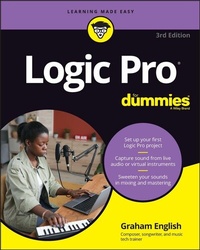
Logic Pro For Dummies
Description

Every minute you spend trying to figure out how to set up a new track or build a drum loop is a minute you don't spend creating and recording your music. This guide to the recording software favored by Mac users helps you bypass the time needed to search for tech answers and spend more time capturing sounds. Discover the full recording power of Logic Pro, starting with launching a project and recording your audio. Explore the built-in digital instruments and beat makers, augment your recording power with plug-ins, and finalize your song by editing, adding effects, mixing, mastering, and sharing. The final step is music stardom!
* Learn your way around the Logic Pro interface and understand the workflow
* Set up your project and add tracks and regions
* Record acoustic audio or conduct your orchestra of MIDI instruments
* Edit, mix, automate, export, and feel proud of your audio files
For beginning music creators and producers, this Dummies guide makes it simple to get started with Logic Pro.
More details
Other editions
Additional editions
Person
Content
Part 1: Leaping into Logic Pro 5
Chapter 1: Getting Logic Pro Up and Sprinting 7
Chapter 2: Examining Logic Pro Projects 21
Chapter 3: Exploring the Main Window and Tracks Area 37
Chapter 4: Embracing Tracks and Regions 65
Part 2: Digital Recording and Using Prerecorded Media 81
Chapter 5: Introducing Digital Audio and MIDI 83
Chapter 6: Recording Audio 97
Chapter 7: Recording MIDI 111
Chapter 8: Adding Media to Your Project 123
Part 3: Making Music with Virtual Instruments 135
Chapter 9: Making Beats with Drum and Percussion Software Instruments 137
Chapter 10: Playing Virtual Vintage Instruments 163
Chapter 11: Sound Design with Synths and Samplers 185
Chapter 12: Conducting a Virtual Orchestra 213
Part 4: Arranging and Editing Your Project 225
Chapter 13: Arranging Your Music 227
Chapter 14: Editing Audio Tracks 255
Chapter 15: Editing MIDI Tracks 277
Part 5: Mixing, Mastering, and Sharing Your Music 297
Chapter 16: Mixing Your Project 299
Chapter 17: Shaping Your Mix with Effects 321
Chapter 18: Automating Your Mix 341
Chapter 19: Mastering Your Final Track 347
Chapter 20: Bouncing and Sharing Your Music 355
Part 6: The Part of Tens 363
Chapter 21: Ten Ways to Use an iPad with Logic Pro 365
Chapter 22: Ten Tips to Speed Your Workflow 377
Index 383
Chapter 1
Getting Logic Pro Up and Sprinting
IN THIS CHAPTER
Understanding the benefits of creating with Logic Pro
Getting into the Logic Pro mindset
Developing a productive workflow
Setting up your Logic Pro studio
The joke used to be that Logic Pro wasn't logical. I would argue that it was logical but not intuitive. Nowadays, you can't make that joke without dating yourself. Apple, known for making the complicated simple, bought Logic Pro from Emagic in 2002 and continues to make the product better and better.
You'll find that creating music with Logic Pro can be a straightforward and rewarding experience. One caveat: As you explore Logic Pro, remember your desired outcome. With so many bright and shiny objects in this deep and powerful app, getting distracted is easy. But if you keep your musical and learning goals in mind, you'll discover why Logic Pro is behind so many Billboard hits.
Take command. Logic Pro listens.
In this chapter, you discover why Logic Pro users are proud, productive, and ready to play. You'll understand how to plan your creations, get the most value from your time with Logic Pro, set up your studio, and much more.
REMEMBERING THE LOGIC PRO JOURNEY
Logic Pro has come a long way since its inception. In the mid-80s, the German company C-LAB created Supertrack for the Commodore 64 computer. This product evolved into the Creator software program and eventually became Notator Logic, which ran on the Atari system in the early 90s. Here are some significant milestones on the path to Logic Pro:
- 1994: Audio recording capabilities were added to Notator Logic.
- 2000: Virtual instruments were added to Logic 4.
- 2002: Apple purchased Logic.
- 2004: Logic 6 became Mac-only.
- 2007: Several audio applications, including Logic Pro 8 and MainStage, were bundled as Logic Studio. New features such as Quick Swipe Comping and the Delay Designer plug-in were introduced, and the copy protection USB dongle was eliminated.
- 2009: Logic Pro 9 introduces features such as flex time editing, Amp Designer, and Pedalboard plug-ins.
- 2010: Logic Pro 9 goes 64-bit.
- 2013: Logic Pro X is released, with a redesigned look, flex pitch editing, new editors, the Drummer software instrument, the Bass Amp Designer plug-in, virtual vintage instruments, MIDI plug-ins, track stacks, smart controls, tighter integration with GarageBand, the Logic Remote iPad app, and much more.
- 2020: Apple drops X from the Logic Pro name while continuing to develop several incremental updates worthy of significant releases and without any additional cost to users. Notable features include live loops, step sequencer, remix FX, drum synth, and a new refined design with drag-and-drop workflows. The EXS24 sampler software instrument was phased out in favor of the new sampler and quick sampler. And spatial audio mixing with Dolby Atmos enables you to mix and monitor 3D immersive audio with dynamic head tracking using select headphones.
Embracing Logic Pro
Why would you want to choose Logic Pro when so many different digital audio workstations (DAWs) are on the market? Here's a list of reasons why you don't need to look any further than Logic Pro:
- Logic Pro is designed by Apple, so hardware and software compatibility are simple and usually hassle-free. Logic Pro doesn't lag behind Mac operating system updates and takes advantage of the hardware. However, if you rely on third-party plug-ins, upgrade cautiously. If you're wondering whether it's safe to upgrade, stop by
https://logicstudiotraining.comand ask me. - Logic Pro has thousands of sampled instruments and effects presets, saving you thousands of dollars in additional expenses. You get a complete studio - including a virtual drummer who won't show up late or scuff your floors.
- Logic Pro excels at both recording and editing audio and MIDI. Some DAWs do one or the other well, but Logic Pro does both with superb sound quality and ease of use.
- Logic Pro is compatible with most audio and MIDI hardware. I rarely get asked hardware questions from my clients because the product just works.
- Logic Pro enables you to provide professional notation for lead sheets and full scores. When you need to hand out chord charts to the band or provide fully engraved charts with advanced markup to the orchestra, Logic Pro has you covered. Logic Pro can also create guitar tablature and add lyrics to your score.
- Logic Pro supports many hardware control surfaces, so you can control knobs, faders, buttons, and other parameters in Logic Pro right from your hardware. An inexpensive MIDI controller can be turned into a remote control for advanced control (or when the hand you use for your mouse or trackpad begins to ache from overuse).
- Logic Pro is a powerful mixing console. If your computer can handle it, you can have 255 audio tracks, 255 software instrument tracks, and 255 auxiliary tracks. You weren't worried about running out of tracks, were you? And because you don't have 255 hands, you can automate parameter changes on all those tracks.
- Logic Pro is a 64-bit application that gives you increased power. Older 32-bit apps allow the use of only 4MB of RAM, but Logic Pro can access all the memory your computer has installed. You can run more plug-ins and more software instruments without a hiccup.
I've only touched the surface of what Logic Pro can do. Surround sound, virtual vintage instruments, drum machines, guitar amps and pedals, pitch and time editing, and MIDI effects are a fraction of what you have available as a Logic Pro user. Congratulations on making such a smart choice to embrace Logic Pro. Welcome to the club!
Adjusting Accessibility Settings
Apple products include accessibility features to assist users. To find out how to use these features, visit the following:
- Apple accessibility:
www.apple.com/accessibility - Accessibility support:
support.apple.com/accessibility
If you want to use Logic Pro with VoiceOver, you can make plug-in windows open in Controls view, which will list the plug-in parameters instead of displaying a graphical user interface. Choose Logic Pro ? Settings ? General. Select the Accessibility tab and then select the Open in Controls View by Default check box.
Transitioning from Other Software
I won't bad-mouth or slam other DAWs - it's a good rule, especially when collaborating with musicians who use different software. I'm a fan of GarageBand and use it sometimes because it integrates so well with Logic Pro. If you've used GarageBand, you'll find the Logic Pro interface familiar and welcoming.
Logic Pro has many of the same features as GarageBand, including a professional mixer and finer control over audio and MIDI regions. GarageBand 10 users are familiar with smart controls, but with Logic Pro, you can do a lot more with them, such as control and edit more parameters. Best of all, Logic Pro can open GarageBand projects, including GarageBand projects created in iOS, the operating system that powers the iPhone, the iPad, and the iPod touch. Starting projects on one of those devices and continuing working on them in GarageBand or Logic Pro creates a powerful workflow.
If you're coming from another software environment, maintain a beginner's mind as you explore Logic Pro. The workflow is probably similar to what you're accustomed to. It won't take long to understand that a Logic Pro project has tracks containing MIDI or audio regions and that you can arrange those regions in the main window or edit them in the various editors. Did I just give the whole book away right there? Not quite, but understanding Logic Pro is almost that simple.
Just remember, if your objective is clear, Logic Pro can help you reach it.
Creating with Logic Pro
With Logic Pro, you have a full band at your fingertips. From country to dance music, songwriting to film scoring, capturing MIDI performances to professional audio recording, Logic Pro will excite your passions and showcase your strengths. Lead the way, and Logic Pro will follow.
Thinking like a pro
Whether or not you're in it for the money, having a professional mindset can make your experience with Logic Pro more productive and enjoyable.
My advice to new and seasoned Logic Pro users alike is to set a goal and work steadily towards that goal. Here's what I've found, and I hope you agree. Creativity loves speed. Slow and tedious labor kills creativity faster than anything. So set a clear objective and move quickly towards completion.
Planning your creative process
You can always wait for inspiration to strike you - but you could end up waiting a long time. And when inspiration does strike, it often doesn't stick around long. For all the moments when you're not feeling inspired, having a plan for your creative process can help.
What's your purpose for the project? Are you learning something or creating something? If you're learning, what's your learning goal and how much time will you give it? You could easily get lost trying to learn everything Logic Pro can do and...
