

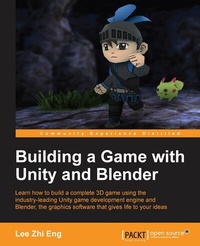
Building a Game with Unity and Blender
Learn how to build a complete 3D game using the industry-leading Unity game development engine and Blender, the graphics software that gives life to your ideas
Published on 13. January 2025
250 pages
978-1-78528-074-0 (ISBN)
Description

Learn how to build a complete 3D game using the industry-leading Unity game development engine and Blender, the graphics software that gives life to your ideas
Key Features
Learn the fundamentals of two powerful tools and put the concepts into practice
Find out how to designand buildall the core elements required for a great game - from characters to environments, to props-
Learn how to integrate Artificial Intelligence (AI) into your game for sophisticated and engaging gameplay
Book DescriptionIn the wake of the indie game development scene, game development tools are no longer luxury items costing up to millions of dollars but are now affordable by smaller teams or even individual developers. Among these cutting-edge applications, Blender and Unity stand out from the crowd as a powerful combination that allows small-to-no budget indie developers or hobbyists alike to develop games that they have always dreamt of creating. Starting from the beginning, this book will cover designing the game concept, constructing the gameplay, creating the characters and environment, implementing game logic and basic artificial intelligence, and finally deploying the game for others to play. By sequentially working through the steps in each chapter, you will quickly master the skills required to develop your dream game from scratch. What you will learn
Design and create a game concept that will determine how your game will look and how it will be played
Construct 3D models of your game characters and create animations for them before importing them into the game
Build the game environment from scratch by constructing the terrain and props, and eventually put it all together to form a scene
Import and integrate game assets created in Blender into Unity-for example, setting up textures, materials, animation states, and prefabs
Develop game structures including a game flow, user interface diagram, game logic, and a state machine
Make the game characters move around and perform certain actions either through player inputs or fully controlled by artificial intelligence
Create particles and visual effects to enhance the overall visual aesthetic
Deploy the game for various types of platforms
Who this book is forThis book has been created for anyone who wants to learn how to develop their own game using Blender and Unity, both of which are freely available, yet very popular and powerful, tools. Not only will you be able to master the tools, but you will also learn the entire process of creating a game from the ground up.
Key Features
Learn the fundamentals of two powerful tools and put the concepts into practice
Find out how to designand buildall the core elements required for a great game - from characters to environments, to props-
Learn how to integrate Artificial Intelligence (AI) into your game for sophisticated and engaging gameplay
Book DescriptionIn the wake of the indie game development scene, game development tools are no longer luxury items costing up to millions of dollars but are now affordable by smaller teams or even individual developers. Among these cutting-edge applications, Blender and Unity stand out from the crowd as a powerful combination that allows small-to-no budget indie developers or hobbyists alike to develop games that they have always dreamt of creating. Starting from the beginning, this book will cover designing the game concept, constructing the gameplay, creating the characters and environment, implementing game logic and basic artificial intelligence, and finally deploying the game for others to play. By sequentially working through the steps in each chapter, you will quickly master the skills required to develop your dream game from scratch. What you will learn
Design and create a game concept that will determine how your game will look and how it will be played
Construct 3D models of your game characters and create animations for them before importing them into the game
Build the game environment from scratch by constructing the terrain and props, and eventually put it all together to form a scene
Import and integrate game assets created in Blender into Unity-for example, setting up textures, materials, animation states, and prefabs
Develop game structures including a game flow, user interface diagram, game logic, and a state machine
Make the game characters move around and perform certain actions either through player inputs or fully controlled by artificial intelligence
Create particles and visual effects to enhance the overall visual aesthetic
Deploy the game for various types of platforms
Who this book is forThis book has been created for anyone who wants to learn how to develop their own game using Blender and Unity, both of which are freely available, yet very popular and powerful, tools. Not only will you be able to master the tools, but you will also learn the entire process of creating a game from the ground up.
All prices
More details
Edition
Digital original
Language
English
Place of publication
Birmingham
United Kingdom
Target group
Professional and scholarly
US School Grade: College Graduate Student
Edition type
Digital original
File size
6,21 MB
ISBN-13
978-1-78528-074-0 (9781785280740)
Copyright in bibliographic data and cover images is held by Nielsen Book Services Limited or by the publishers or by their respective licensors: all rights reserved.
Schweitzer Classification
Other editions
Additional editions
Lee Zhi Eng
Building a Game with Unity and Blender
Learn how to build a complete 3D game using the industry-leading Unity game development engine and Blender, the graphics software that gives life to your ideas
Book
11/2015
Packt Publishing
€55.70
Shipment within 3-4 weeks
Person
Lee Zhi Eng is a self-taught programmer who worked as an artist and programmer at several game studios before becoming a part-time lecturer for 2 years at a university, teaching game development subjects related to Unity and Unreal Engine.
He has not only taken part in various projects related to games, interactive apps, and virtual reality but has also participated in multiple projects that are more oriented toward software and system development. When he is not writing code, he enjoys traveling, photography, and exploring new technologies.
He has not only taken part in various projects related to games, interactive apps, and virtual reality but has also participated in multiple projects that are more oriented toward software and system development. When he is not writing code, he enjoys traveling, photography, and exploring new technologies.
Content
Table of Contents
Creating your Game Concept
Creating Characters
Animating your Characters
Creating the Environment
Integrating your Assets into the Game
Developing the Game Structure
Creating Levels and Game Progression
Post-Production and Visual FX
Deploying the Game
Creating your Game Concept
Creating Characters
Animating your Characters
Creating the Environment
Integrating your Assets into the Game
Developing the Game Structure
Creating Levels and Game Progression
Post-Production and Visual FX
Deploying the Game

