

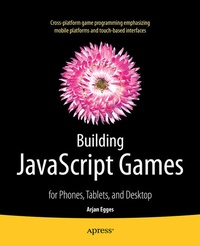
Building JavaScript Games
Description

Building JavaScript Games teaches game programming through a series of engaging, arcade-style games that quickly expand your JavaScript and HTML5 skills. JavaScript is in the top ten most-used programming languages world wide, and is the basis for applications that can run in any modern browser, on any device from smart phone to tablet to PC. Especial emphasis is given to touch-based interface, but all games also run using a regular mouse and keyboard setup.
The four games you'll develop from reading this book are:
- Painter
- Jewel Jam
- Penguin Pairs
- Tick Tick
These four games are casual, arcade-style games representing the aim-and-shoot, puzzle, maze, and platform styles of game play.
The approach in Building JavaScript Games follows the basic structure of a game rather than the syntax of a language. From almost the very first chapter you are building games to run on your phone or other device and show to your friends. Successive projects teach about handling player input, manipulating game objects, designing game worlds, managing levels, and realism through physics. All told, you'll develop four well-designed games, making Building JavaScript Games one of the most enjoyable ways there is to learn about programming browser-based games.
The final chapters in the book contain a very nice bonus of sorts. In them you will find excerpts from interviews with two prominent people from the game industry: Mark Overmars, who is CTO of Tingly Games and creator of GameMaker, and Peter Vesterbacka, the CMO of Rovio Entertainment - the creators of the Angry Birds franchise. Their insight and perspective round off what is already a fun and valuable book.
More details
Other editions
Additional editions
Person
Content
1 - Programming
2 - Game Programming Basics
3 - Creating a Game World
4 - Game Assets
Part II
5 - Knowing What the Player is Doing
6 - Reacting to Player Input
7 - Basic Game Objects
8 - Game Object Types
9 - Colors and Collisions
10 - Limited Lives
11 - Organizing Game Objects
12 - Finishing the Game
Part III
13 - Adapting to Different Devices
14 - Game Objects in a Structure
15 - Gameplay Programming
16 - Game States
17 - Finishing the Game
Part IV
18 - Sprite Sheets
19 - Menus and Settings
20 - Game State Management
21 - Storing and Recalling Game Data
22 - Pairing the Penguins
23 - Finishing the Game
Part V
24 - The Main Game Structure
25 - Animation
26 - Game Physics
27 - Intelligent Enemies
28 - Adding Player Interaction
29 - Finishing the Game
Part VI
30 - Efficient and Readable Code
31 - Deploying your Game
