

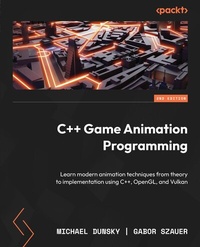
C++ Game Animation Programming
Description

- Gain insights into model loading, character animations, inverse kinematics, and debugging techniques
- Master the art of creating animated characters and controlling their various aspects
- Purchase of the print or Kindle book includes a free PDF eBook
Book DescriptionIf you're fascinated by the complexities of animating video game characters and are curious about the transformation of model files into 3D avatars and NPCs that can explore virtual worlds, then this book is for you. In this new edition, you'll find expanded content on high-performance graphics and modern animation techniques, along with improved workflows and enhanced guidance on using OpenGL and Vulkan. You'll learn everything you need to know about game animation, from a simple graphical window to a large crowd of smoothly animated characters. First, you'll learn how to use modern high-performance graphics, dig into the details of how virtual characters are stored, and load the models and animations into a minimalistic game-like application. Then, you'll get an overview of the components of an animation system, how to play the animations and combine them, and how to blend from one animation into another. You'll also get an introduction to topics that will make your programming life easier, such as debugging your code or stripping down the graphical output. By the end of this book, you'll have gained deep insights into all the parts of game animation programming and how they work together, revealing the magic that brings life to the virtual worlds on your screen.What you will learn - Create simple OpenGL and Vulkan applications and work with shaders
- Explore the glTF file format, including its design and data structures
- Design an animation system with poses, clips, and skinned meshes
- Find out how vectors, matrices, quaternions, and splines are used in game development
- Discover and implement ways to seamlessly blend character animations
- Implement inverse kinematics for your characters using CCD and FABRIK solvers
- Understand how to render large, animated crowds efficiently
- Identify and resolve performance issues
Who this book is forThis book is for curious C++ developers, game programmers, game designers, and character animators, either pursuing this as a hobby or profession, who have always wanted to look behind the curtain and see how character animation in games works. The book assumes basic C++ and math knowledge, and you should be able to read code and math formulas to get the most out of this book.
All prices
More details
Other editions
Additional editions
Persons
Michael Dunsky is an educated electronics technician, game developer, and console porting programmer with more than 20 years of programming experience. He started at the age of 14 with BASIC, adding along the way Assembly language, C, C++, Java, Python, VHDL, OpenGL, GLSL, and Vulkan to his portfolio. During his career, he has also gained extensive knowledge of virtual machines, server operation, infrastructure automation, and other DevOps topics. Michael holds a master of science degree in computer science from the Fern University in Hagen, focusing on computer graphics, parallel programming, and software systems.Szauer Gabor :
Gabor Szauer has been making games since 2010. He graduated from Full Sail University in 2010 with a bachelor's degree in game development. Gabor maintains an active Twitter presence, and maintains a programming-oriented game development blog. Gabor's previously published books are Game Physics Programming Cookbook and Lua Quick Start Guide, both published by Packt.
Content
- Cover
- Title Page
- Copyright and Credits
- Contributors
- Dedicated
- Table of Contents
- Preface
- Part 1: Building a Graphics Renderer
- Chapter 1: Creating the Game Window
- Technical requirements
- Getting the source code and the basic tools
- Code organization in this book
- The basic code for our application
- NULL versus nullptr
- Creating your first window
- Adding support for OpenGL or Vulkan to the window
- GLFW and OpenGL
- GLFW and Vulkan
- Event handling in GLFW
- The GLFW event queue handling
- Mixing the C++ classes and the C callbacks
- The mouse and keyboard input for the game window
- Key code, scan code, and modifiers
- Different styles of mouse movement
- Summary
- Practical sessions
- Additional resources
- Chapter 2: Building an OpenGL 4 Renderer
- Technical requirements
- The rendering pipeline of OpenGL 4
- Basic elements of the OpenGL 4 renderer
- The OpenGL loader generator Glad
- Anatomy of the OpenGL renderer
- The main OpenGL class
- Buffer types for the OpenGL renderer
- Loading and compiling shaders
- Vertex and fragment shaders
- Creating our shader loader
- Creating the simple Model class
- Getting an image for the texture
- Summary
- Practical sessions
- Additional resources
- Chapter 3: Building a Vulkan Renderer
- Technical requirements
- Basic anatomy of a Vulkan application
- Differences and similarities between OpenGL 4 and Vulkan
- Technical similarities
- Differences
- Using helper libraries for Vulkan
- Initializing Vulkan via vk-bootstrap
- Memory management with VMA
- Fitting the Vulkan nuts and bolts together
- General considerations about classes
- Changes in the Window class
- Passing around the VkRenderData structure
- Vulkan object initialization structs
- Required changes to the shaders
- Drawing the triangles on the screen
- Differences and similarities between OpenGL and Vulkan, reprised
- Summary
- Practical sessions
- Additional resources
- Chapter 4: Working with Shaders
- Technical requirements
- Shader basics
- GLM, the OpenGL Mathematics library
- GLM data types and basic operations
- GLM transformations
- Vertex data transfer to the GPU
- Switching shaders at runtime
- Creating a new set of shaders
- Binding the shader switching to a key
- The shader switch in the draw call
- Shader switching in Vulkan
- Sending additional data to the GPU
- Using uniform buffers to upload constant data
- Creating a uniform buffer
- Shader changes to use the data in the buffer
- Preparing and uploading data
- Using uniform buffers in Vulkan
- Using push constants in Vulkan
- Summary
- Practical sessions
- Additional resources
- Chapter 5: Adding Dear ImGui to Show Valuable Information
- Technical requirements
- What is Dear ImGui?
- Adding ImGui to the OpenGL and Vulkan renderers
- Adding the headers to the OpenGL renderer
- Adding the headers to the Vulkan renderer
- CMake adjustments needed for ImGui
- Moving the shared data to the OGLRenderData header
- Creating the UserInterface class
- Adding the implementation of the UserInterface class
- Adding the UserInterface class to the OpenGL renderer
- Creating an FPS counter
- Using GLFW as a simple timer
- Adding the values to the user interface
- Timing sections of your code and showing the results
- Adding the Timer class
- Integrating the new Timer class into the renderer
- Adding UI elements to control the application
- Adding a checkbox
- Adding a button to switch between the shaders
- Adding a slider to control the field of view
- Summary
- Practical sessions
- Additional resources
- Part 2: Mathematics Roundup
- Chapter 6: Understanding Vector and Matrix
- Technical requirements
- A review of the vector and its operations
- Representations of vectors
- Adding and subtracting vectors
- Calculating the length of a vector
- Zero and unit vectors
- Vector normalization
- Vector multiplication
- A review of the matrix and its operations
- Matrix representation
- Null matrix and identity matrix
- Matrix addition and subtraction
- Matrix multiplication
- Transposed and inverse matrices
- Matrix/vector multiplication
- Adding a camera to the renderer
- Creating the new Camera class
- Integrating the new camera into the Renderer class
- Implementing mouse control in the Window class
- Showing the camera values in the user interface
- Adding camera movement
- Using new variables to change the camera position
- Moving the camera around
- Adding the camera position to the user interface
- Summary
- Practical sessions
- Additional resources
- Chapter 7: A Primer on Quaternions and Splines
- Technical requirements
- What are quaternions?
- Imaginary and complex numbers
- The discovery of the quaternion
- Creating a quaternion
- Quaternion operations and transformations
- Exploring vector rotation
- The Euler rotations
- The gimbal lock
- Rotating using quaternions
- Incremental rotations
- Using quaternions for smooth rotations
- A quick take on splines
- Constructing a Hermite spline
- Spline continuity
- Hermite polynomials
- Combining quaternions and splines
- Summary
- Practical sessions
- Additional resources
- Part 3: Working with Models and Animations
- Chapter 8: Loading Models in the glTF Format
- Technical requirements
- An analysis of the glTF file format
- Exploring an example glTF file
- Understanding the scenes element
- Finding the nodes and meshes
- Decoding the raw data in the buffers element
- Understanding the accessor element
- Translating data using the buffer views
- Checking the glTF version in the asset element
- Using a C++ glTF loader to get the model data
- Adding new glTF shaders
- Organizing the loaded data into a C++ class
- Learning about the design and implementation of the C++ class
- Adding the new model class to the renderer
- Adding the glTF loader and model to the Vulkan renderer
- Summary
- Practical sessions
- Additional resources
- Chapter 9: The Model Skeleton and Skin
- Technical requirements
- These skeletons are not spooky
- Why do we create a node tree of the skeleton?
- Adding the node class
- Filling the skeleton tree in the Gltf model class
- The inverse bind matrices and the binding pose
- How (not) to apply a skin to a skeleton
- Naive model skinning
- Vertex skinning in glTF
- Connecting joints and nodes
- Joints and weights for the vertices
- Creating the joint transformation matrices
- Applying vertex skinning
- Implementing GPU-based skinning
- Moving the joints and weights to the vertex shader
- Getting rid of the UBO fixed array size
- Identifying linear skinning problems
- The dual quaternion
- Using dual quaternions as data storage
- Dual quaternions in GLM
- Adding dual quaternions to the glTF model
- Adding a dual quaternion shader
- Adjusting the renderer
- Summary
- Practical sessions
- Additional resources
- Chapter 10: About Poses, Frames, and Clips
- Technical requirements
- A brief overview of animations
- What is a pose and how do we represent it?
- From a single frame to an entire animation clip
- Pouring the knowledge into C++ classes
- Storing the channel data in a class
- Adding the class for the animation clips
- Loading the animation data from the glTF model file
- Adding new control variables for the animations
- Managing the animations in the user interface
- Adding the animation replay to the renderer
- Summary
- Practical sessions
- Additional resources
- Chapter 11: Blending between Animations
- Technical requirements
- Does it blend?
- Fading animation clips in and out
- Crossfading between animation clips
- Adding multiple animation clips into one clip
- Blending between the binding pose and animation clip
- Enhancing the node class
- Updating the model class
- Adding the blend to the animation clip class
- Implementing animation blending in the OpenGL renderer
- Crossfading animations
- Upgrading the model classes
- Adjusting the OpenGL renderer
- Adding new controls to the user interface
- How to do additive blending
- Splitting the node skeleton - part I
- Splitting the node skeleton - part II
- Updating the animation clip class
- Finalizing additive blending in the OpenGL renderer
- Exposing the additive blending parameters in the user interface
- Summary
- Practical sessions
- Part 4: Advancing Your Code to the Next Level
- Chapter 12: Cleaning Up the User Interface
- Technical requirements
- UI controls are cool
- Creating combo boxes and radio buttons
- Implementing a combo box the C++ way
- Swapping the data types
- Filling the arrays for the combo boxes
- Fine-tuning selections with radio buttons
- Adjusting the renderer code
- Updating the model class
- Switching the control elements in the user interface
- Drawing time series with ImGui
- One ring buffer to rule them all
- Creating plots in ImGui
- Adding plots to the user interface
- Popping up a tooltip with the plot
- The sky is the limit
- Summary
- Practical sessions
- Additional resources
- Chapter 13: Implementing Inverse Kinematics
- Technical requirements
- What is Inverse Kinematics, and why do we need it?
- The two types of Kinematics
- Choosing a path to reach the target
- Building a CCD solver
- Understanding the CCD basics
- Updating the code of the node class
- Updating the model class
- Outlining the new solver class
- Implementing the Inverse Kinematics solver class and the CCD solver
- Adding Inverse Kinematics to the renderer
- Extending the user interface
- Building a FABRIK solver
- Understanding the FABRIK basics
- Adding the methods for the FABRIK algorithm
- Implementing the FABRIK solving methods
- Completing the FABRIK solver
- Updating the renderer
- Allowing the selection of FABRIK in the user interface
- Summary
- Practical sessions
- Additional resources
- Chapter 14: Creating Instanced Crowds
- Technical requirements
- Splitting the model class into two parts
- Deciding which data to keep in the model class
- Collecting the data to move
- Adding a new ModelSettings struct to store the instance data
- Adjusting the OGLRenderData struct
- Cutting the model class into two pieces
- Implementing the logic in the new instance class
- Enhancing the shader code
- Preparing the renderer class
- Changing the renderer to create and manage instances
- Displaying the instance data in the user interface
- What about Vulkan?
- The need for application speed
- Rendering instances of different models
- Using GPU instancing to reduce data transfers
- Changing the model class to use instanced drawing
- Firing the turbo boost in the renderer
- Textures are not just for pictures
- YABT - Yet Another Buffer Type
- Updating the vertex shader one last time
- Summary
- Practical sessions
- Additional resources
- Chapter 15: Measuring Performance and Optimizing the Code
- Technical requirements
- Measure twice, cut once!
- Always measure before you take actions
- Three steps of code optimization
- Avoid premature optimizations
- Moving computations to different places
- Recalculate only when necessary
- Utilize compile time over runtime
- Convert your data as soon as possible
- Split the calculations into multiple threads
- Use compute shaders on your graphics card
- Profiling the code to find hotspots
- Profiling code using Visual Studio
- Profiling code using GCC or Clang on Linux
- Profiling code using Eclipse
- Analyzing the code and planning the optimizations
- Promoting the local matrices to member variables
- Moving the matrix calculations
- Fixing the getNodeMatrix() method
- Re-profiling the application
- Using RenderDoc to analyze a GPU frame
- Downloading and installing RenderDoc
- Analyzing frames of an application
- Comparing the results of different versions of our application
- Scale it up and do A/B tests
- Scale up to get better results
- Make one change at a time and profile again
- Summary
- Practical sessions
- Additional resources
- Index
- Other Books You May Enjoy
Preface
Character animations have existed since the first games were created for computers. The spaceships in SpaceWar!, written by Steve Russell in 1962 for a PDP-1, and Computer Space by Nolan Bushnell, released in 1971 as an arcade cabinet, were animated, with the animation showing the direction in which the spaceships headed.
Over time, the evolution of character animation went from these raster graphics, drawn by the electron beam inside the cathode-ray tube of old TV sets, to simple 2D pictures (so-called "sprites"). These sprites were drawn by hand, picture by picture, and every one of these pictures showed a different animation phase. To create the illusion of real-time animations, the pictures were shown quickly one after another, like cartoons. The main characters in Pac-Man and Super Mario Bros. are just a bunch of two-dimensional pictures, brought to life by proper timing between the sprites and their motion over the screen.
Eventually, the character models became real 3D objects. First, they were made of simply dozens of triangles, and as the graphics hardware became more powerful, the numbers got larger and larger. Current 3D models can have more than 500,000 polygons, and even these characters are animated smoothly in real time.
This book covers the animation of 3D game characters, taking a closer look at the principles of character components and animation. After explaining the theoretical elements of animation, we will provide an example implementation that will guide you from the conceptual stage to the real-world usage in an application. With this knowledge, you will be able to implement a similar animation system, regardless of the programming language or rendering API.
Who this book is for
This book is for programmers who want to "look behind the curtain" of character animation in games. You should be familiar with C++, and it would be best to have a modern version such as C++17. Basic knowledge of a rendering pipeline will come in handy too, but it is not required, as it will be covered in the book. The remaining skills, including opening a window, preparing a rendering API to draw triangles, and loading models and animating them, will also be explained throughout the book.
What this book covers
Chapter 1, Creating the Game Window, covers the initial steps to open a window using GLFW, a lightweight cross-platform window management library. The window will be enhanced to detect OpenGL 4.6 and Vulkan 1.1; code for handling window events such as resizing and moving will be added, followed by an introduction on using the keyboard and mouse as input devices.
Chapter 2, Building an OpenGL 4 Renderer, explains how to create a basic OpenGL 4 renderer that can display a textured quad consisting of two triangles.
Chapter 3, Building a Vulkan API Renderer, explores the creation of a renderer, similar to Chapter 2, but instead using the newer Vulkan API to display the textured quad.
Chapter 4, Working with Shaders, covers the different shaders of the graphics pipeline for OpenGL and Vulkan, the buffer types, and how to access the variables of shaders from renderer code. At the end of the chapter, the parts of a vertex and a fragment shader will be discussed.
Chapter 5, Adding Dear ImGui to Show Valuable Information, explains how to add a simple UI to both renderers to display information about the rendering process, such as the frames per second or timing of code sections. Also, checkboxes, buttons, and sliders will be added to the UI to control the rendering parameters.
Chapter 6, Understanding Vector and Matrix, is a quick recap of the data types of a vector and a matrix, their transformations, and their operations.
Chapter 7, A Primer on Quaternions and Splines, explains the advantage of quaternions over matrix operations and introduces some spline types that are used in game character animations.
Chapter 8, Loading Models in the glTF format, covers the internals of the glTF file format. glTF is an open file format, supported by many 3D content creation tools. Being able to load this format will let you view models and animations authored in many 3D creation tools in the application.
Chapter 9, The Model Skeleton and Skin, covers the internal skeleton of a model as a base for animation, plus vertex skinning to match different poses of the skeleton. Different methods to apply vertex skinning will be discussed in this chapter.
Chapter 10, About Poses, Frames, and Clips, explains the different data types required for character animation, allowing you to get from a simple model pose to a complete animation clip.
Chapter 11, Blending between Animations, shows different blending methods for animated mode. The chapter covers simple blending between a basic pose and an animation clip, cross-blending between different clips, and additive blending to mix different clips.
Chapter 12, Cleaning Up the User Interface, enhances the UI created in Chapter 4 with more
user-interactable elements, such as combo boxes and radio buttons. These controls enable the modification of animation parameters in real time. In addition, the timer values for the code sections will be visualized as graphical plots.
Chapter 13, Implementing Inverse Kinematics, explains how to use inverse kinematics to achieve an interaction between a character and its environment. The two inverse kinematics methods, Cyclic Coordinate Descent (CCD) and Forward And Backward Reaching Inverse Kinematics (FABRIK), will be explained and implemented.
Chapter 14, Creating Instanced Crowds, shows how to add more than one model to a scene, plus different ways to transfer model data to the graphics memory.
Chapter 15, Measuring Performance and Optimizing the Code, introduces methods to find bottlenecks by profiling code and using RenderDoc to analyze the graphics pipeline. It also offers ideas to move calculations from runtime to compile time and examines the importance of scaling to get meaningful results.
To get the most out of this book
To follow the code snippets and the example code, you should have some experience using C++. Any special or advanced features will be explained, and resources to learn more about these features are included in the chapters when they are first used. However, you should be able to debug simple C++ problems (e.g., by using logging statements).
The code in this book is written for OpenGL 4.6 and Vulkan 1.1. These versions are widely supported in modern GPUs; the oldest graphics cards known to work with these API versions are from the Intel HD Graphics 4000 series, created about 10 years ago.
Software used in the book
Operating system requirements
OpenGL 4.6 and Vulkan 1.1
Windows or Linux
The example code presented in this book can be compiled on any desktop computer or laptop running a recent version of Windows and Linux. The code has been tested with the following combinations:
- Windows 10 with Visual Studio 2022
- Windows 10 with Eclipse 2023-06, using GCC from MSYS2 and Ninja as the build system
- Ubuntu 22.04 with Eclipse 2023-06, using GCC or Clang
- Ubuntu 22.04 compiling on the command line, using GCC or Clang
If you are using the digital version of this book, we advise you to type the code yourself or access the code from the book's GitHub repository (a link is available in the next section). Doing so will help you avoid any potential errors related to the copying and pasting of code.
The full source code for the examples is available from the book's GitHub repository (a link is available in the next section). The chapters in the book contain only excerpts from the code, covering the important parts.
Download the example code files
You can download the example code files for this book from GitHub at https://github.com/PacktPublishing/Cpp-Game-Animation-Programming-Second-Edition. If there's an update to the code, it will be updated in the GitHub repository.
We also have other code bundles from our rich catalog of books and videos available at...
