

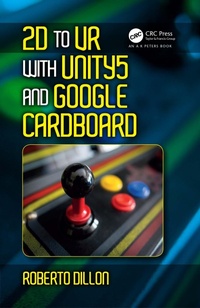
2D to VR with Unity5 and Google Cardboard
1st Edition
Published on 7. April 2017
272 pages
978-1-4987-8153-4 (ISBN)
Description

The book provides an up-to-date introduction to the latest version of Unity and its workflow by guiding readers through various prototypes. These range from 2D to 3D game concepts for PC and mobile, will allow readers to get acquainted with several important concepts and allow them to become competent Unity developers able to learn at their own pace. The book starts by introducing Unity and proceeds in building a basic understanding of its main components by developing a first, simple 2D game before proceeding in developing a full casual game to development of a simple but immersive 3D game concept to be tested first on PC before exploring how to port it for mobile VR.using Google Cardboard.
More details
Language
English
Place of publication
London
United Kingdom
Publishing group
Taylor & Francis Ltd
Target group
Professional and scholarly
Illustrations
2 s/w Photographien bzw. Rasterbilder, 188 s/w Zeichnungen
188 Line drawings, black and white; 2 Halftones, black and white
File size
33,19 MB
ISBN-13
978-1-4987-8153-4 (9781498781534)
Copyright in bibliographic data and cover images is held by Nielsen Book Services Limited or by the publishers or by their respective licensors: all rights reserved.
Schweitzer Classification
Other editions
Additional editions
Roberto Dillon
2D to VR with Unity5 and Google Cardboard
Book
03/2017
1st Edition
CRC Press
€215.41
Shipment within 10-20 days
Roberto Dillon
2D to VR with Unity5 and Google Cardboard
Book
03/2017
1st Edition
Productivity Press
€81.89
Shipment within 15-20 days
Person
Dr. Roberto Dillon by a leading educator with more than ten years' experience in the field of game design and development.
Content
Section I Our First Game
Chapter 1: Getting Around in Unity
Chapter 2: Setting Up a Platform Game
Chapter 3: Running and Jumping
Chapter 4: Sound and More
Chapter 5: Scoring and Final Touches
Section II Building a Match 3 Game for PC and Mobile
Chapter 6: Game and Music Managers
Chapter 7: "Jem Matcher:" Part 1
Chapter 8: "Jem Matcher:" Part 2
Chapter 9: Moving to Mobile
Section III Developing a 3D Game for PC and VR
Chapter 10: Terrain and First Person Character
Chapter 11: Enemies and Path Finding
Chapter 12: Introduction to VR and Google Cardboard
Chapter 13: Porting to VR
Section IV Advanced Topics
Chapter 14: Physics
Chapter 15: Introduction to Shaders
Chapter 16: Setting up Unity Ads, IAPs, and Analytics
Chapter 1: Getting Around in Unity
Chapter 2: Setting Up a Platform Game
Chapter 3: Running and Jumping
Chapter 4: Sound and More
Chapter 5: Scoring and Final Touches
Section II Building a Match 3 Game for PC and Mobile
Chapter 6: Game and Music Managers
Chapter 7: "Jem Matcher:" Part 1
Chapter 8: "Jem Matcher:" Part 2
Chapter 9: Moving to Mobile
Section III Developing a 3D Game for PC and VR
Chapter 10: Terrain and First Person Character
Chapter 11: Enemies and Path Finding
Chapter 12: Introduction to VR and Google Cardboard
Chapter 13: Porting to VR
Section IV Advanced Topics
Chapter 14: Physics
Chapter 15: Introduction to Shaders
Chapter 16: Setting up Unity Ads, IAPs, and Analytics
