

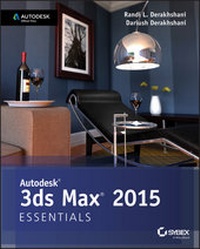
Autodesk 3ds Max 2015 Essentials
Autodesk Official Press
Published on 10. June 2014
400 pages
978-1-118-86753-2 (ISBN)
Description

Get up to speed quickly with this compelling, full-color guide to Autodesk 3ds Max
With its real-world, hands-on exercises, Autodesk 3ds Max 2015 Essentials helps new users learn the fundamentals of Autodesk 3ds Max quickly become productive. The task-based tutorials add real-world context that help you become familiar with the workflow scenarios of a professional environment, and provide that extra level of understanding to make you more proficient overall with the software.
Updated for 3ds Max 2015 and recommended as a preparation resource for the 3ds Max certification exam, this guide teaches the basics of modeling, texturing, animating, and visual effects. You'll have fun creating a retro-style alarm clock, animating a thrown knife, modeling a chair, and more, all while you learn modeling, rigging, animating, rendering, architectural visualization, and other career-essential techniques. This colorful, engaging book features:
* Chapter-opening learning objectives
* Step-by-step tutorials
* Full-color screenshots and illustrations
* Downloadable exercise files
Learn all the crucial techniques you'll need from authors Randi and Dariush Derakhshani, Autodesk Certified Instructors with years of professional experience under their belts. Artists, students, educators, and hobbyists will benefit from the guide's techniques and tutorials, getting to know the program as a whole and gaining insight into which aspects of the 3D production pipeline are most appealing. Whether you're a beginner or migrating from another 3D application, Autodesk 3ds Max 2015 Essentials provides the solid foundation.
More details
Other editions
Additional editions
Book
07/2014
Wiley
€51.90
Article exhausted; check different version
Persons
About the Authors
Randi L. Derakhshani teaches 3D and visual effects at The Art Institute of California and has worked as a digital artist and technical director for games and movie projects with Gizmo Games, RJB Enterprises, and Sony. Dariush Derakhshani is an award-winning visual effects supervisor, author, and educator. He has worked on movies such as The Fantastic Four and Pan's Labyrinth, the South Park TV series, and numerous commercials and music videos. He teaches 3D animation and is the author of all of Sybex's Introducing Maya books. They are both Autodesk Certified Instructors.
Content
- Intro
- Contents
- Introduction
- Chapter 1: The 3ds Max Interface
- Navigate the Workspace
- Transforming Objects Using Gizmos
- Graphite Modeling Tools Set
- Command Panel
- Time Slider and Track Bar
- File Management
- Chapter 2: Your First 3ds Max Project
- Set Up a Project Workflow
- The Secret to Accurate Modeling: Reference Material!
- Building a Simple Model
- Creating Details Using Splines
- Lathing, Extruding, and Beveling to Create 3D from 2D
- Bringing It All Together
- Chapter 3: Modeling in 3ds Max: Architectural Model Part I
- Setting Up the Scene
- Building the Room
- Adding Special Details to the Room
- Chapter 4: Modeling in 3ds Max: Architectural Model Part II
- Model the Couch
- Modeling the Lounge Chair
- Chapter 5: Introduction to Animation
- Animating the Ball
- Reading Animation Curves
- Refining the Animation
- Chapter 6: Animation Principles
- Anticipation and Momentum in Knife Throwing
- Chapter 7: Character Modeling Part I
- Setting Up the Scene
- Blocking Out the Alien Model
- Chapter 8: Character Modeling Part II
- Creating the Alien Head
- Building the Alien Hand
- Building the Foot
- Completing the Alien
- Chapter 9: Introduction to Materials
- Navigate the Slate Material Editor
- Identify the Standard Material
- Identify the mental ray Material
- Identifying Shaders
- Build Materials for the Couch
- Build Materials for the Lounge Chair
- Build Materials for the Window
- Chapter 10: Textures and UV Workflow: The Alien
- Define UVs on the Alien's Body
- Unwrap UVs on the Alien's Body
- Build the Material and Apply It to the Alien
- Chapter 11: Character Studio: Rigging
- Character Studio Workflow
- Associating a Biped with the Alien Model
- Skinning the Alien Model
- Chapter 12: Character Studio: Animation
- Animating the Alien
- Freeform Animation
- Modifying Animation in the Dope Sheet
- Chapter 13: Introduction to Lighting: Interior Lighting
- Recognizing 3ds Max Lights
- Lighting a Still Life
- Atmospherics and Effects
- The Light Lister
- Chapter 14: 3ds Max Rendering
- Navigate the Render Setup Dialog
- Render a Scene
- Work with Cameras
- Raytraced Reflections and Refractions
- Render the Interior and Furniture
- Chapter 15: mental ray
- Navigate the mental ray Renderer
- Navigate the Final Gather Parameters
- Navigate mental ray Materials
- Use Photometric Lights with mental ray
- Use the Daylight System
- Appendix A: Autodesk 3ds max Certification
- Index
