

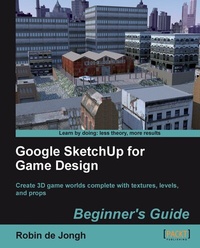
Google SketchUp for Game Design: Beginner's Guide
Create 3D game worlds complete with textures, levels and props
Published on 13. January 2025
270 pages
978-1-84969-135-2 (ISBN)
Description

Create 3D game worlds complete with textures, levels and props
Key Features
Learn how to create realistic game worlds with Google's easy 3D modeling tool
Populate your games with realistic terrain, buildings, vehicles and objects
Import to game engines such as Unity 3D and create a first person 3D game simulation
Learn the skills you need to sell low polygon 3D objects in game asset stores
Simple techniques to photo texture your models for ultra realism
Book DescriptionCreating video game environments similar to the best 3D games on the market is now within the capability of hobbyists for the first time, with the free availability of game development software such as Unity 3D, and the ease with which groups of enthusiasts can get together to pool their skills for a game project. The sheer number of these independent game projects springing up means there is a constant need for game art, the physical 3D environment and objects that inhabit these game worlds. Now thanks to Google there is an easy, fun way to create professional game art, levels and props.Google SketchUp is the natural choice for beginners to game design. This book provides you with the workflow to quickly build realistic 3D environments, levels, and props to fill your game world. In simple steps you will model terrain, buildings, vehicles, and much more.Google SketchUp is the ideal entry level modeling tool for game design, allowing you to take digital photographs and turn them into 3D objects for quick, fun, game creation. SketchUp for Game Design takes you through the modeling of a game level with SketchUp and Unity 3D, complete with all game art, textures and props. You will learn how to create cars, buildings, terrain, tools and standard level props such as barrels, fencing and wooden pallets. You will set up your game level in Unity 3D to create a fully functional first person walk-around level to email to your friends or future employers.When you have completed the projects in this book, you will be comfortable creating 3D worlds, whether for games, visualization, or films.What you will learn
Discover the tools required to make game level and asset creation a swift and easy process
Create "game ready" textures from photos
Learn techniques for quick modeling by creating assets straight from textures
Sculpt rough terrains using easy Sandbox tools in SketchUp
Import the game art you created with SketchUp into a professional game engine: Unity 3D
Create realistic assets to bring the game alive such as buildings, tools, barrels, and rusty fencing
Model a 3D automobile with advanced SketchUp tricks and techniques
How to add lighting and walk around in your game
Who this book is forThis book is designed for anyone who wants to create entire 3D worlds in freely available game engines such as Unity 3D, CryEngine, Ogre, Panda3D, Unreal Engine, and Blender Game Engine. It also targets all those who wish to create new levels and assets to sell in game asset stores or use in visualization or animation.
Key Features
Learn how to create realistic game worlds with Google's easy 3D modeling tool
Populate your games with realistic terrain, buildings, vehicles and objects
Import to game engines such as Unity 3D and create a first person 3D game simulation
Learn the skills you need to sell low polygon 3D objects in game asset stores
Simple techniques to photo texture your models for ultra realism
Book DescriptionCreating video game environments similar to the best 3D games on the market is now within the capability of hobbyists for the first time, with the free availability of game development software such as Unity 3D, and the ease with which groups of enthusiasts can get together to pool their skills for a game project. The sheer number of these independent game projects springing up means there is a constant need for game art, the physical 3D environment and objects that inhabit these game worlds. Now thanks to Google there is an easy, fun way to create professional game art, levels and props.Google SketchUp is the natural choice for beginners to game design. This book provides you with the workflow to quickly build realistic 3D environments, levels, and props to fill your game world. In simple steps you will model terrain, buildings, vehicles, and much more.Google SketchUp is the ideal entry level modeling tool for game design, allowing you to take digital photographs and turn them into 3D objects for quick, fun, game creation. SketchUp for Game Design takes you through the modeling of a game level with SketchUp and Unity 3D, complete with all game art, textures and props. You will learn how to create cars, buildings, terrain, tools and standard level props such as barrels, fencing and wooden pallets. You will set up your game level in Unity 3D to create a fully functional first person walk-around level to email to your friends or future employers.When you have completed the projects in this book, you will be comfortable creating 3D worlds, whether for games, visualization, or films.What you will learn
Discover the tools required to make game level and asset creation a swift and easy process
Create "game ready" textures from photos
Learn techniques for quick modeling by creating assets straight from textures
Sculpt rough terrains using easy Sandbox tools in SketchUp
Import the game art you created with SketchUp into a professional game engine: Unity 3D
Create realistic assets to bring the game alive such as buildings, tools, barrels, and rusty fencing
Model a 3D automobile with advanced SketchUp tricks and techniques
How to add lighting and walk around in your game
Who this book is forThis book is designed for anyone who wants to create entire 3D worlds in freely available game engines such as Unity 3D, CryEngine, Ogre, Panda3D, Unreal Engine, and Blender Game Engine. It also targets all those who wish to create new levels and assets to sell in game asset stores or use in visualization or animation.
All prices
More details
Edition
Digital original
Language
English
Place of publication
Birmingham
United Kingdom
Edition type
Digital original
File size
31,19 MB
ISBN-13
978-1-84969-135-2 (9781849691352)
Copyright in bibliographic data and cover images is held by Nielsen Book Services Limited or by the publishers or by their respective licensors: all rights reserved.
Schweitzer Classification
Other editions
Additional editions
Book
11/2011
Packt Publishing
€55.80
Shipment within 3-4 weeks
Person
Robin de Jongh worked for many years as a Design Engineer and 3D modeler, and was an early advocate of SketchUp. He has a degree in Computer Aided Product Design from Nottingham Trent University, and is the author of SketchUp for Architectural Visualization: BeginneraEUR (TM)s Guide. He works as a book editor and lives near Nottingham, England.
Content
Table of Contents

