


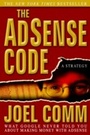
The AdSense Code
The Definitive Guide to Making Money with AdSense
2nd Edition
Published on 31. December 2020
262 pages
978-1-60037-893-5 (ISBN)
Description

Hidden on the Internet, scattered among billions of Web pages, are the clues to an incredible secret. For those who know the secret, the result is untold wealth. Each month, a small group of people put their knowledge of Google AdSense to use and receive four and five-figure checks from Google. And untold numbers of additional site owners are regularly generating supplemental income via AdSense while they play, sleep and eat. A New York Times Best Seller, The AdSense Code is now revised and updated in the definitive resource that reveals proven online strategies for creating passive income with Google AdSense. The AdSense Code reveals hands-on solutions to many of the concerns and challenges faced by content publishers in their quest to attract targeted traffic, improve content relevance and increase responsiveness to AdSense ads--using easy and legitimate techniques that have worked for those who know the secrets. Google AdSense expert, Joel Comm, provides you with the keys you need to "crack" The AdSense Code and unlock the secrets to making money online.
More details
Other editions
Additional editions

Book
06/2010
2nd Edition
Morgan James Publishing llc
€19.10
Shipment within 3-4 weeks
Previous edition
E-Book
04/2006
1st Edition
Morgan James Publishing
€14.49
Available for download
Person
Joel Commis one of the worlds leading new media marketing strategists and has been creating profitable web sites since 1995. He is an in-demand speaker at marketing and personal development conferences and is the author ofThe AdSense Code, aNew York TimesandBusinessWeekbestseller. His other works include Twitter Power 2.0: How to Dominate Your Market One Tweet at a Time, KaChing, Click Here to Order, and many others.
Content
- Intro
- Cover
- Title
- Copyright
- Legalese
- Dedication
- Contents
- Letter From the Author
- Introduction
- Part 1 Getting Started with Google Adsense
- 1. Getting Started with Google Adsense
- 1.1 The Basics: Building Your Site
- 1.2 Naming and Hosting Your Site
- 1.3 Designing the Site
- 1.4 Creating Content
- 1.5 Getting Started with Blogger.com
- 1.6 Or Google's Page Creator
- 1.7 Search Engine Optimization
- 1.8 Links
- 2. Adsense - Making the Money!
- 2.1 What is Adsense?
- 2.2 Signing Up Made Easy
- 2.3 Google Policies
- 2.4 As Easy as 1-2-3!
- 3. How to "Tweak" Your Ads to Make Them "Click"!
- 3.1 AD Formats: "Dress" Your ADs For Success!
- 3.2 Don't "Look" Like an AD
- 3.3 Meet the Adsense Family
- 3.4 Text ADs - Google's Finest
- 3.5 Next and Previous Buttons for Browsing ADs
- 3.6 Image ADs - Built to be Ignored
- 3.7 Video ADs
- 3.9 Link Units - Great Little Stocking Fillers
- 3.10 Expanded Text ADs - Shrinking Control or Expanded Income?
- 3.11 Seasons Greeting with Themed Units
- 4. Using Colors to Increase Your Clicks
- 4.1 Design Your Website to Highlight ADSENSE
- 4.2 Make the Border Go!
- 4.3 Text is Design Too!
- 4.4 Blue is Best
- 4.5 Where Did My Url Go?
- 4.6 Deliberate Mismatching
- 4.7 Changing the Look of Your ADs
- 5. How to Maximize Visibility and Response
- 5.1 AD Placement: Where to Put Your ADs?
- 5.2 Go With the 'Flow'
- 5.3 Above the Fold
- 5.4 Using Tables
- 5.5 Complementing Your ADs
- 6. Controlling Your ADs
- 6.1 Attracting Relevant ADs
- 6.2 Keep the Title, Directory and Headlines Relevant
- 6.3 Finding Keywords
- 6.4 Keyword Density
- 6.5 Keyword Placement
- 6.6 Keyword Frames
- 6.7 Section Targeting
- 6.8 No 'Baiting'!
- 6.9 Changing Metatags
- 6.10 Inviting the Robot
- 6.11 Google ADs Preview
- 6.12 Public Service ADs
- 6.13 Blocking ADs
- 6.14 Placement Targeting
- 6.15 Does Location Matter for CPM ADs?
- 7. Quickstart Adsense: A Step-By-Step Guide
- 7.1 Adsense Quickstart Guide #1: Building a Blog
- 7.2 Adsense Quickstart Guide #2: Building an AD-Supported Commercial Site With ZLIO
- 7.3 Adsense Quickstart Guide #3: Building a Site From Scratch
- Part 2 Beyond Basic ADs
- 8. Catch Fickle Visitors with the Google Search Box
- 8.1 Finding Money with Search
- 8.2 Learn How to Add Google Search to Your Web Page
- 8.3 Your Sites. or the World Wide Web
- 8.4 Flavoring Your Search Results
- 8.5 Customizing Your Search Box
- 8.6 Search Results Have Style!
- 8.7 To Search or Not to Search
- 8.8 Home Page Searching
- 9. Become a Commission Seller with Affiliate Programs
- 9.1 Pay-Per-Click, Cost-Per-Mille AND Cost-Per-Action. Three Complementary Ways to Monetize Your Site
- 9.2 Google's Affiliate Network
- 9.3 Become an Amazon Associate
- 9.4 How to Really Make Money with an Affiliate Program
- 10. Using Multiple AD Blocks
- 10.1 How Many ADs is Too Many?
- 10.2 What to do With Three AD Units
- 10.3 Where to Put the Search Boxes
- 10.4 Google is Generous with the Link Units
- 10.5 Put Affiliate ADs Near the Recommendation
- 10.6 Putting it All Together
- 10.7 Putting Multiple ADs in Articles
- 10.8 Putting Multiple ADs in Blogs
- 10.9 Putting Multiple ADs in Merchant Sites
- 10.10 Ordering Your ADs
- 11. Building Content
- 11.1 Writing Content
- 11.2 Making Bucks with Blogs
- 11.3 Adding Adsense to Your Blog
- 11.4 Old Content
- 11.5 Volunteer Writers
- 11.6 Build Thousands of Pages with Other People's Content
- 11.7 Add Public Domain Works to Your Site
- 11.8 Buying Content/Hiring Writers
- 11.9 Automated Content
- 11.10 Google's Video Content
- 11.11 Adsense for Games
- 11.12 Earning From Creative Commons Images
- 11.13 Adsense For Domains
- 12. Delivering Content - Adsense Beyond Websites!
- 12.1 Adsense in RSS Feeds
- 12.2 Adsense on Mobile Phones
- 12.3 Use Your Newsletter to Drive Traffic!
- Part 3 Following the Figures
- 13. How to Read Your Visitors Like a Book
- 13.1 Making Sense of Stats, Logs and Reports.
- 13.2 The Most Important Stat of All
- 13.3 Optimum Ctr
- 14. Response Tracking: Your Hidden Pot of Adsense Gold!
- 14.1 How to Track with Channels
- 14.2 How to Create a Url Channel
- 14.3 How to Create a Custom Channel
- 14.4 What Custom Channels Should You Create?
- 14.5 Creating Multiple Channels
- 14.6 Your Channel Names - How to Keep Your Channels Secret and Win Channel Targeted ADs
- 14.7 Pick Up Separate Stats For Link Units
- 14.8 How to Read Your Server Logs
- 14.9 Fast Decision-Making with A/B Testing
- 14.10 The Easy Way to Make Changes!
- 14.11 Tracking Tools
- 14.12 Making Sense of Google Analytics
- 14.13 Adsense Arbitrage
- 14.14 Wordtracker
- 15. Smart Pricing. and What it Means For Your Income
- 15.1 What Google Has Said About Smart Pricing
- 15.2 What Else do we Know About Smart Pricing?
- 15.3 Strategies to Benefit From Smart Pricing
- 16. How to Make Adsense Work with Internet Communities and Commercial Sites
- 16.1 Google's Forum Heat Map
- 17. What to do Before You Apply to Google Adsense - Guidelines For New Web Publishers
- 17.1 Don't Build a Website That Targets Search Spiders and Have Nothing Unique to Offer Human Visitors
- 17.2 Don't Build a Website Just to Make Money From Adsense
- 17.3 Provide Targeted Content That Will Help Google's Advertisers to Capitalize on Your Traffic
- 17.4 Don't Build a Website Specifically to Target High-Value Keywords Unless you Plan on Developing Quality Content!
- 17.5 Do the Seo Thing
- 17.6 Increase 'Readiness to Buy'
- 17.7 Don't Cut Corners!
- Part 4 Advanced Tools and Techniques
- 18. Recommended Resources: Try These Tools and Adsense Utilities (Some are Free!)
- 18.1 Test Your Mettle with the Adsense Sandbox!
- 18.2 Google Adsense Preview Tool
- 18.3 Google Adwords Traffic Estimator and Bid Tool
- 19. Keeping Track of What Works - and What Doesn't Work - For You!
- 19.1 How to Keep an Adsense Journal
- 20. Other Contextual Advertising Programs and How to Use Them with Adsense
- 20.1 Kontera - Making Your Words Pay
- 20.2 Intellitxt's Eye-Catching ADs
- 20.3 Chitika Premium - Different ADs For Different Users
- 20.4 Yahoo! Publisher Network
- 20.5 Adbrite
- 20.6 Kanoodle - Bright ADs
- 20.7 Searchfeed
- 20.8 The Big Boys: Ebay and Microsoft
- 20.9 A Comprehensive AD Strategy For Your Website
- 20.10 Comprehensive AD Strategies the Easy Way with Google AD Manager
- 21. Getting Traffic to Your Web Site
- 21.1 Advertising
- 21.2 Reciprocal Linking
- 21.3 Send a Friend
- 21.4 Offline Marketing
- 21.5 Promoting Your Blog
- 21.6 Public Relations and Publicity
- 21.7 Generating Traffic with Social Media Sites
- 22. Search Engine Optimization
- 22.1 Robot.Txt
- 22.2 Titles and Urls
- 22.3 Links
- 22.4 Create Gateways
- 22.5 Automatic Submissions
- 22.6 Seo Tools
- 22.7 A Word About Cloaking
- 22.8 Trafficandconversion.com
- Part 5 Quick Tips
- 23. Adsense Prohibitions, Mistakes and Problems
- 23.1 The Difference Between Invalid Clicks and Fraudulent Clicks
- 23.2 The Biggest Mistakes that Adsense Publishers Make. and How to Avoid Them
- 23.3 What to Do if Your Adsense Account Gets Closed
- 24. Troubleshooting - What to Do if You're Not Getting the Results you Want
- 24.1 Low Revenues
- 24.2 Low Traffic Levels
- 24.3 Low Clickthrough Rates
- 24.4 Low Click Price
- 24.5 Low AD Relevance
- 24.6 Too Many Public Service ADs
- 24.7 My ADs Have Disappeared!
- 24.8 Too Few ADs in a Unit
- 24.9 I'm Not getting Any Ads At All
- 24.10 I Still Need Help!
- 25. Staying Up to Date and Learning the Latest Adsense Tips
- 26. Case Studies
- 26.1 Journeyaustralia.com - Unmissable ADs Down Under
- 26.2 Great Ideas For Integration From Freeafterrebate.info
- 26.3 Gifts-911.Com Gets Emergency Treatment with Multiple AD Units
- 26.4 Offshorebankingcentral.com Brings Home the Bacon
- 26.5 Subtle AD Linking at Sudoku Links
- 26.6 GO4TH.org Takes Adsense Forward
- 26.7 Matching Articles to ADs. and Cell Phones
- 26.8 Brewing Up Profits with Herbal Tea
- 26.9 Whispy Makes AD Units Disappear!
- 26.10 Mixing Adsense with Kontera on Dealofday.com
- Conclusion
- Glossary
- Bonus
