

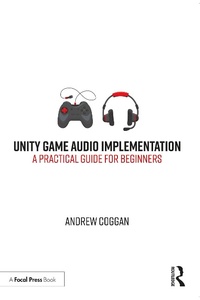
Unity Game Audio Implementation
A Practical Guide for Beginners
1st Edition
Published on 30. December 2021
434 pages
978-1-000-48322-2 (ISBN)
Description

Unity Game Audio Implementation offers a unique, practical, project-based approach to learning about aspects of Interactive Game Audio for those who have never used a game engine before and don't want to learn computer programming right now.
The book offers insight into the skills needed to design game-ready sounds in current Digital Audio Workstation (DAW) and shows how to implement these sounds within the Unity game engine. The reader will also learn about interactive music and how to set this up to respond to a variety of events in the game, with the option of adding in their own story and dialogue.
All the information is presented in a practical working context from an established Game Audio Sound Designer with AAA games experience. The chapters are accompanied by several game levels teaching all about the techniques and theories before offering instructive steps for how to put them into action. After completing the practical tasks in this book, not only will the reader create an interactive soundscape for a multilevel playable game featuring all their own audio, they will also receive tips on how to use their finished project in support of an application for Video Game Sound Designer jobs.
The book offers insight into the skills needed to design game-ready sounds in current Digital Audio Workstation (DAW) and shows how to implement these sounds within the Unity game engine. The reader will also learn about interactive music and how to set this up to respond to a variety of events in the game, with the option of adding in their own story and dialogue.
All the information is presented in a practical working context from an established Game Audio Sound Designer with AAA games experience. The chapters are accompanied by several game levels teaching all about the techniques and theories before offering instructive steps for how to put them into action. After completing the practical tasks in this book, not only will the reader create an interactive soundscape for a multilevel playable game featuring all their own audio, they will also receive tips on how to use their finished project in support of an application for Video Game Sound Designer jobs.
More details
Edition
1. Auflage
Language
English
Place of publication
London
United Kingdom
Publishing group
Taylor & Francis Ebooks
Target group
College/higher education
Illustrations
4 Tables, black and white; 9 Line drawings, black and white; 18 Halftones, color; 341 Halftones, black and white; 18 Illustrations, color; 350 Illustrations, black and white
ISBN-13
978-1-000-48322-2 (9781000483222)
Copyright in bibliographic data and cover images is held by Nielsen Book Services Limited or by the publishers or by their respective licensors: all rights reserved.
Schweitzer Classification
Other editions
Additional editions
Book
12/2021
1st Edition
CRC Press
€179.81
Shipment within 15-20 days
Book
12/2021
1st Edition
CRC Press
€71.91
Shipment within 15-20 days
Person
Andrew Coggan is a Game Audio Sound Designer with a portfolio of work that includes projects at a number of notable companies such as Travellers' Tales Fusion on LEGO STAR WARS (TM): The Force Awakens, LEGO MARVEL's Avengers, various Virtual Reality (VR)/Augmented Reality (AR) experiences and applications, and several independent games spanning a number of different genres. He was also Audio Lead for Cosmonaut Studios on the game Eternal Threads and for Skyhook Games on Lawn Mowing Simulator. In addition to this, an unreleased project called The Seer was featured by Unity at the 2016 international Game Developers Conference (GDC) in San Francisco, California, USA.
Content
1 Introduction to Game Audio and the Unity game engine
2 Game Audio Sound Design and creation
3 Game sound editing techniques
4 Importing assets into Unity and placing sounds in gameworld
5 Understanding basic game mechanics and generic Unity tools
6 Set up main game project, creating a project plan and Game Audio Design documentation
7 Trigger Areas and Reverb Zones
8 Recording, processing, and implementing dialogue
9 Audio Implementation of character and enemy SFX
10 Audio Implementation of game mechanics and cutscenes
11 Interactive music
12 Unity Mixer routing and effects and additional audio scripts
13 Bonus chapter - expanding/improving upon existing implementation
14 What to do next
2 Game Audio Sound Design and creation
3 Game sound editing techniques
4 Importing assets into Unity and placing sounds in gameworld
5 Understanding basic game mechanics and generic Unity tools
6 Set up main game project, creating a project plan and Game Audio Design documentation
7 Trigger Areas and Reverb Zones
8 Recording, processing, and implementing dialogue
9 Audio Implementation of character and enemy SFX
10 Audio Implementation of game mechanics and cutscenes
11 Interactive music
12 Unity Mixer routing and effects and additional audio scripts
13 Bonus chapter - expanding/improving upon existing implementation
14 What to do next
