

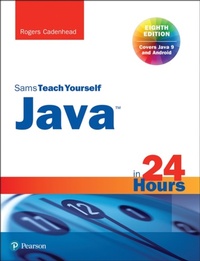
Java in 24 Hours, Sams Teach Yourself (Covering Java 9)
8th Edition
Published on 8. September 2017
448 pages
978-0-13-466369-2 (ISBN)
Description

Computer programming with Java is easier than it looks. In just 24 lessons of one hour or less, you can learn to write computer programs in Java.
Using a straightforward, step-by-step approach, popular author Rogers Cadenhead helps you master the skills and technology you need to create desktop and web programs, web services, an Android app, and even Minecraft mods in Java.
Each lesson builds on what you've already learned, giving you a rock-solid foundation for real-world success.
Full-color figures and clear step-by-step instructions visually show you how to program with Java.
Quizzes and Exercises at the end of each chapter help you test your knowledge.
Notes, Tips, and Cautions provide related information, advice, and warnings.
Learn how to... * Set up your Java programming environment
* Write your first working program in just minutes
* Control program decisions and behavior
* Store and work with information
* Build straightforward user interfaces
* Create interactive web programs
* Use threading to build more responsive programs
* Read and write files and XML data
* Master best practices for object-oriented programming
* Use Java 9's new HTTP client
* Use Java to create an Android app
* Expand your skills with closures
* Create Minecraft mods with Java
Contents at a Glance
Part I Getting Started
1 Becoming a Programmer
2 Writing Your First Program
3 Vacationing in Java
4 Understanding How Java Programs Work
Part II Learning the Basics of Programming
5 Storing and Changing Information in a Program
6 Using Strings to Communicate
7 Using Conditional Tests to Make Decisions
8 Repeating an Action with Loops
Part III Working with Information in New Ways
9 Storing Information with Arrays
10 Creating Your First Object
11 Describing What Your Object is Like
12 Making the Most of Existing Objects
Part IV Moving into Advanced Topics
13 Storing Objects in Data Structures
14 Handling Errors in a Program
15 Creating a Threaded Program
16 Using Inner Classes and Closures
Part V Programming a Graphical User Interface
17 Building a Simple User Interface in Swing
18 Laying Out a User Interface
19 Responding to User Input
Part VI Writing Internet Applications
20 Reading and Writing Files
21 Using Java 9's New HTTP Client
22 Creating Java2D Graphics
23 Creating Minecraft Mods with Java
24 Writing Android Apps
Appendixes
A Using the NetBeans Integrated Development Environment
B Where to Go from Here Java Resources
C This Book's Web Site
D Fixing a Problem with the Android Studio Emulator
Using a straightforward, step-by-step approach, popular author Rogers Cadenhead helps you master the skills and technology you need to create desktop and web programs, web services, an Android app, and even Minecraft mods in Java.
Each lesson builds on what you've already learned, giving you a rock-solid foundation for real-world success.
Full-color figures and clear step-by-step instructions visually show you how to program with Java.
Quizzes and Exercises at the end of each chapter help you test your knowledge.
Notes, Tips, and Cautions provide related information, advice, and warnings.
Learn how to... * Set up your Java programming environment
* Write your first working program in just minutes
* Control program decisions and behavior
* Store and work with information
* Build straightforward user interfaces
* Create interactive web programs
* Use threading to build more responsive programs
* Read and write files and XML data
* Master best practices for object-oriented programming
* Use Java 9's new HTTP client
* Use Java to create an Android app
* Expand your skills with closures
* Create Minecraft mods with Java
Contents at a Glance
Part I Getting Started
1 Becoming a Programmer
2 Writing Your First Program
3 Vacationing in Java
4 Understanding How Java Programs Work
Part II Learning the Basics of Programming
5 Storing and Changing Information in a Program
6 Using Strings to Communicate
7 Using Conditional Tests to Make Decisions
8 Repeating an Action with Loops
Part III Working with Information in New Ways
9 Storing Information with Arrays
10 Creating Your First Object
11 Describing What Your Object is Like
12 Making the Most of Existing Objects
Part IV Moving into Advanced Topics
13 Storing Objects in Data Structures
14 Handling Errors in a Program
15 Creating a Threaded Program
16 Using Inner Classes and Closures
Part V Programming a Graphical User Interface
17 Building a Simple User Interface in Swing
18 Laying Out a User Interface
19 Responding to User Input
Part VI Writing Internet Applications
20 Reading and Writing Files
21 Using Java 9's New HTTP Client
22 Creating Java2D Graphics
23 Creating Minecraft Mods with Java
24 Writing Android Apps
Appendixes
A Using the NetBeans Integrated Development Environment
B Where to Go from Here Java Resources
C This Book's Web Site
D Fixing a Problem with the Android Studio Emulator
More details
Series
Edition
8th edition
Language
English
Place of publication
Boston
United States
Publishing group
Pearson Education (US)
Target group
Professional and scholarly
ISBN-13
978-0-13-466369-2 (9780134663692)
Copyright in bibliographic data and cover images is held by Nielsen Book Services Limited or by the publishers or by their respective licensors: all rights reserved.
Schweitzer Classification
Other editions
Additional editions
Rogers Cadenhead
Java in 24 Hours, Sams Teach Yourself (Covering Java 9)
Book
09/2017
8th Edition
Sams Publishing
€32.18
Shipment within 10-20 days
Person
Rogers Cadenhead is a writer, computer programmer, and web developer who has written more than 25 books on programming- and Internet-related topics, including Sams Teach Yourself Java in 21 Days. He maintains the Drudge Retort and other websites that receive more than 20 million visits a year. Rogers can be reached on Twitter at @rcade.
Content
Part I Getting Started
1 Becoming a Programmer
2 Writing Your First Program
3 Vacationing in Java
4 Understanding How Java Programs Work
Part II Learning the Basics of Programming
5 Storing and Changing Information in a Program
6 Using Strings to Communicate
7 Using Conditional Tests to Make Decisions
8 Repeating an Action with Loops
Part III Working with Information in New Ways
9 Storing Information with Arrays
10 Creating Your First Object
11 Describing What Your Object is Like
12 Making the Most of Existing Objects
Part IV Moving into Advanced Topics
13 Storing Objects in Data Structures
14 Handling Errors in a Program
15 Creating a Threaded Program
16 Using Inner Classes and Closures
Part V Programming a Graphical User Interface
17 Building a Simple User Interface in Swing
18 Laying Out a User Interface
19 Responding to User Input
Part VI Writing Internet Applications
20 Reading and Writing Files
21 Using Java 9's New HTTP Client
22 Creating Java2D Graphics
23 Creating Minecraft Mods with Java
24 Writing Android Apps
Appendixes
A Using the NetBeans Integrated Development Environment
B Where to Go from Here Java Resources
C This Book's Web Site
D Fixing a Problem with the Android Studio Emulator
1 Becoming a Programmer
2 Writing Your First Program
3 Vacationing in Java
4 Understanding How Java Programs Work
Part II Learning the Basics of Programming
5 Storing and Changing Information in a Program
6 Using Strings to Communicate
7 Using Conditional Tests to Make Decisions
8 Repeating an Action with Loops
Part III Working with Information in New Ways
9 Storing Information with Arrays
10 Creating Your First Object
11 Describing What Your Object is Like
12 Making the Most of Existing Objects
Part IV Moving into Advanced Topics
13 Storing Objects in Data Structures
14 Handling Errors in a Program
15 Creating a Threaded Program
16 Using Inner Classes and Closures
Part V Programming a Graphical User Interface
17 Building a Simple User Interface in Swing
18 Laying Out a User Interface
19 Responding to User Input
Part VI Writing Internet Applications
20 Reading and Writing Files
21 Using Java 9's New HTTP Client
22 Creating Java2D Graphics
23 Creating Minecraft Mods with Java
24 Writing Android Apps
Appendixes
A Using the NetBeans Integrated Development Environment
B Where to Go from Here Java Resources
C This Book's Web Site
D Fixing a Problem with the Android Studio Emulator
