

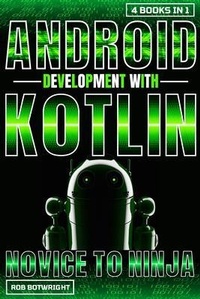
Android Development With Kotlin
Description

¿¿¿¿ ANDROID DEVELOPMENT WITH KOTLIN: NOVICE TO NINJA ¿¿¿¿
Are you ready to level up your Android development skills? ¿¿¿¿ Look no further! Introducing our comprehensive book bundle - "Android Development with Kotlin: Novice to Ninja." ¿¿¿¿
With four action-packed volumes, this bundle covers everything you need to know to become a Kotlin Android development expert:
¿¿¿¿ Book 1: Kotlin Essentials Kickstart your journey with the basics! ¿¿¿¿ Learn the fundamental concepts of Kotlin programming language and its integration with Android development. Perfect for beginners!
¿¿¿¿ Book 2: Building Dynamic UIs Ready to take your skills to the next level? ¿¿¿¿ Discover intermediate Kotlin techniques for creating dynamic and engaging user interfaces in your Android apps. Say goodbye to boring UIs!
¿¿¿¿ Book 3: Advanced Android Architecture Become a master architect! ¿¿¿¿ Dive deep into advanced Kotlin patterns and best practices for designing scalable, maintainable, and robust Android architectures. Elevate your app's architecture game!
¿¿¿¿ Book 4: Optimizing Performance Make your apps shine! ¿ Explore expert strategies for optimizing the performance of your Kotlin Android applications. From memory management to network optimization, become a performance guru!
¿¿¿¿ Why Choose Our Book Bundle?
· Comprehensive coverage of Kotlin essentials, UI design, architecture, and performance optimization.
· Perfect for beginners and experienced developers alike.
· Practical, hands-on tutorials and real-world examples.
· Written by industry experts with years of experience in Android development.
· Packed with actionable tips and best practices to help you build high-quality Kotlin Android apps.
¿¿¿¿ Don't miss out on this opportunity to become an Android ninja! ¿¿¿¿ Whether you're just starting or looking to sharpen your skills, this book bundle has something for everyone. ¿¿¿¿ Grab your copy now and embark on the journey to Android mastery! ¿¿¿¿
More details
Content
- Intro
- Introduction
- Chapter 1: Introduction to Kotlin and Android Development
- Chapter 2: Setting Up Your Development Environment
- Chapter 3: Understanding Basic Kotlin Syntax
- Chapter 4: Working with Variables and Data Types
- Chapter 5: Control Flow: Conditional Statements and Loops
- Chapter 6: Functions and Lambdas in Kotlin
- Chapter 7: Exploring Kotlin's Object-Oriented Programming Features
- Chapter 8: Handling Exceptions and Errors
- Chapter 9: Interacting with User Interfaces
- Chapter 10: Introduction to Android Studio and Building Your First App
- Chapter 1: Understanding UI Components in Android
- Chapter 2: Layouts and Views: Designing User Interfaces
- Chapter 3: Responsive Design: Adapting UI for Different Screen Sizes
- Chapter 4: Working with RecyclerView and Adapter Patterns
- Chapter 5: Exploring Fragment-Based UI Architecture
- Chapter 6: Implementing Custom Views and ViewGroups
- Chapter 7: Enhancing UI with Animation and Transitions
- Chapter 8: Managing UI State: Handling Configuration Changes
- Chapter 9: Integrating Material Design Components
- Chapter 10: Accessibility and Usability: Designing Inclusive Interfaces
- Chapter 1: Introduction to Advanced Android Architecture
- Chapter 2: Understanding Clean Architecture Principles
- Chapter 3: Implementing MVVM Architecture with Kotlin
- Chapter 4: Dependency Injection with Dagger: Advanced Techniques
- Chapter 5: Reactive Programming with Kotlin and RxJava
- Chapter 6: Testing Strategies for Robust Architecture
- Chapter 7: Advanced Networking and Data Management
- Chapter 8: Offline Data Handling: Caching and Persistence
- Chapter 9: Scalable and Modular App Development
- Chapter 10: Continuous Integration and Delivery (CI/CD) in Android Development
- Chapter 1: Introduction to Performance Optimization in Android
- Chapter 2: Profiling and Benchmarking Your Kotlin App
- Chapter 3: Memory Management Techniques and Best Practices
- Chapter 4: Optimizing UI Rendering for Smooth User Experience
- Chapter 5: Efficient Data Handling and Processing
- Chapter 6: Background Processing and Multithreading
- Chapter 7: Battery Optimization Strategies
- Chapter 8: Network Performance Optimization
- Chapter 9: Proguard and R8: Code Shrinking and Obfuscation
- Chapter 10: Continuous Monitoring and Improvement Strategies
- Conclusion
