

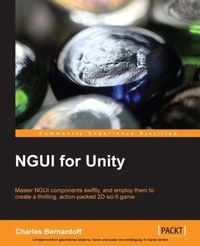
NGUI for Unity
The NGUI plugin for Unity makes user interfaces so much more efficient and attractive. Learn all about it in this step-by-step tutorial that includes lots of practical exercises, including creating a fun 2D game.
Published on 7. October 2025
182 pages
978-1-78355-867-4 (ISBN)
Description

Key Features
Book DescriptionAn easy-to-follow, step-by-step tutorial focusing on practical situations and manipulations, guiding you to create a concrete Graphical User Interface and a simple 2D game. If you are a Unity 3D developer looking forward to learn NGUI for Unity, then this book is for you. Prior knowlege of C# scripting is expected. Additional knowledge of Unity 3D Editor, GameObject and creating/adding scripts to GameObject would be beneficial; however, no prior knowledge of NGUI is required.What you will learn
Download and import NGUI
Construct a basic user interface: buttons, sprites, text inputs, lists, sliders, and more
Enhance your UI using clipping, draggable panels, content alignment, animations, and localization
Use C# with NGUI to save options, implement volume modification, launch animations, and change variables
Build a scrollable viewport with a draganddrop system
Create tooltips and notifications
Add your sprites and fonts to customize your main menu
Move elements through code and handle collisions to create a game
Who this book is for
Book DescriptionAn easy-to-follow, step-by-step tutorial focusing on practical situations and manipulations, guiding you to create a concrete Graphical User Interface and a simple 2D game. If you are a Unity 3D developer looking forward to learn NGUI for Unity, then this book is for you. Prior knowlege of C# scripting is expected. Additional knowledge of Unity 3D Editor, GameObject and creating/adding scripts to GameObject would be beneficial; however, no prior knowledge of NGUI is required.What you will learn
Download and import NGUI
Construct a basic user interface: buttons, sprites, text inputs, lists, sliders, and more
Enhance your UI using clipping, draggable panels, content alignment, animations, and localization
Use C# with NGUI to save options, implement volume modification, launch animations, and change variables
Build a scrollable viewport with a draganddrop system
Create tooltips and notifications
Add your sprites and fonts to customize your main menu
Move elements through code and handle collisions to create a game
Who this book is for
All prices
More details
Edition
Digital original
Language
English
Place of publication
Birmingham
United Kingdom
Target group
Professional and scholarly
US School Grade: College Graduate Student
Edition type
Digital original
File size
2,78 MB
ISBN-13
978-1-78355-867-4 (9781783558674)
Copyright in bibliographic data and cover images is held by Nielsen Book Services Limited or by the publishers or by their respective licensors: all rights reserved.
Schweitzer Classification
Other editions
Additional editions
Charles Bernardoff
NGUI for Unity
The NGUI plugin for Unity makes user interfaces so much more efficient and attractive. Learn all about it in this step-by-step tutorial that includes lots of practical exercises, including creating a fun 2D game.
Book
01/2014
Packt Publishing
€45.20
Shipment within 3-4 weeks
Person
Bernardoff (EURO) Charles :
Charles Pearson has a Bachelor's degree in Game Design and Level Design from ISART Digital, a video-game school located in Paris, France. This book is both an update and an upgrade of NGUI for Unity, the first book he wrote concerning this plugin. With 4 years of experience as a game designer, level designer, and Unity developer at Cyanide Studio, Playsoft, and Airbus, Charles has worked on the PC versions of Blood Bowl, Dungeonbowl, and Confrontation. He has also worked on mobile games, such as Space Run 3D, Oggy, and Psycho Gnomes, and is currently working on PlayStation 4 and Xbox One projects as a freelance Unity 3D developer and game designer.
Charles Pearson has a Bachelor's degree in Game Design and Level Design from ISART Digital, a video-game school located in Paris, France. This book is both an update and an upgrade of NGUI for Unity, the first book he wrote concerning this plugin. With 4 years of experience as a game designer, level designer, and Unity developer at Cyanide Studio, Playsoft, and Airbus, Charles has worked on the PC versions of Blood Bowl, Dungeonbowl, and Confrontation. He has also worked on mobile games, such as Space Run 3D, Oggy, and Psycho Gnomes, and is currently working on PlayStation 4 and Xbox One projects as a freelance Unity 3D developer and game designer.
Content
Table of Contents

