

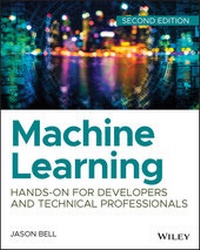
Machine Learning
Hands-On for Developers and Technical Professionals
2nd Edition
Published on 14. February 2020
432 pages
978-1-119-64225-1 (ISBN)
Description

Dig deep into the data with a hands-on guide to machine learning with updated examples and more!
Machine Learning: Hands-On for Developers and Technical Professionals provides hands-on instruction and fully-coded working examples for the most common machine learning techniques used by developers and technical professionals. The book contains a breakdown of each ML variant, explaining how it works and how it is used within certain industries, allowing readers to incorporate the presented techniques into their own work as they follow along. A core tenant of machine learning is a strong focus on data preparation, and a full exploration of the various types of learning algorithms illustrates how the proper tools can help any developer extract information and insights from existing data. The book includes a full complement of Instructor's Materials to facilitate use in the classroom, making this resource useful for students and as a professional reference.
At its core, machine learning is a mathematical, algorithm-based technology that forms the basis of historical data mining and modern big data science. Scientific analysis of big data requires a working knowledge of machine learning, which forms predictions based on known properties learned from training data. Machine Learning is an accessible, comprehensive guide for the non-mathematician, providing clear guidance that allows readers to:
* Learn the languages of machine learning including Hadoop, Mahout, and Weka
* Understand decision trees, Bayesian networks, and artificial neural networks
* Implement Association Rule, Real Time, and Batch learning
* Develop a strategic plan for safe, effective, and efficient machine learning
By learning to construct a system that can learn from data, readers can increase their utility across industries. Machine learning sits at the core of deep dive data analysis and visualization, which is increasingly in demand as companies discover the goldmine hiding in their existing data. For the tech professional involved in data science, Machine Learning: Hands-On for Developers and Technical Professionals provides the skills and techniques required to dig deeper.
Machine Learning: Hands-On for Developers and Technical Professionals provides hands-on instruction and fully-coded working examples for the most common machine learning techniques used by developers and technical professionals. The book contains a breakdown of each ML variant, explaining how it works and how it is used within certain industries, allowing readers to incorporate the presented techniques into their own work as they follow along. A core tenant of machine learning is a strong focus on data preparation, and a full exploration of the various types of learning algorithms illustrates how the proper tools can help any developer extract information and insights from existing data. The book includes a full complement of Instructor's Materials to facilitate use in the classroom, making this resource useful for students and as a professional reference.
At its core, machine learning is a mathematical, algorithm-based technology that forms the basis of historical data mining and modern big data science. Scientific analysis of big data requires a working knowledge of machine learning, which forms predictions based on known properties learned from training data. Machine Learning is an accessible, comprehensive guide for the non-mathematician, providing clear guidance that allows readers to:
* Learn the languages of machine learning including Hadoop, Mahout, and Weka
* Understand decision trees, Bayesian networks, and artificial neural networks
* Implement Association Rule, Real Time, and Batch learning
* Develop a strategic plan for safe, effective, and efficient machine learning
By learning to construct a system that can learn from data, readers can increase their utility across industries. Machine learning sits at the core of deep dive data analysis and visualization, which is increasingly in demand as companies discover the goldmine hiding in their existing data. For the tech professional involved in data science, Machine Learning: Hands-On for Developers and Technical Professionals provides the skills and techniques required to dig deeper.
More details
Other editions
Additional editions
Jason Bell
Machine Learning: Hands-On for Developers and Technical Professionals
Hands-On for Developers and Technical Professionals
Book
03/2020
2nd Edition
Wiley
€47.00
Shipment within 15-20 days
Person
JASON BELL has worked in software development for over thirty years, now he focuses on large volume data solutions and helping retail and finance customers gain insight from that data with machine learning. He is also an active committee member for several international technology conferences.
Content
- Cover
- Title Page
- Copyright
- About the Author
- About the Technical Editor
- Acknowledgments
- To the Team
- Most Excellent Friends and Collaborators
- And Finally
- The Bios That Never Made It. . .
- Contents
- Introduction
- Aims of This Book
- "Hands-On" Means Hands-On
- "What About the Math?"
- "But You Need a PhD!"
- What Will You Have Learned by the End?
- Balancing Theory and Hands-on Learning
- Source Code for This Book
- Using Git
- Chapter 1 What Is Machine Learning?
- History of Machine Learning
- Alan Turing
- Arthur Samuel
- Tom M. Mitchell
- Summary Definition
- Algorithm Types for Machine Learning
- Supervised Learning
- Unsupervised Learning
- The Human Touch
- Uses for Machine Learning
- Software
- Spam Detection
- Voice Recognition
- Stock Trading
- Robotics
- Medicine and Healthcare
- Advertising
- Retail and E-commerce
- Gaming Analytics
- The Internet of Things
- Languages for Machine Learning
- Python
- R
- Matlab
- Scala
- Ruby
- Software Used in This Book
- Checking the Java Version
- Weka Toolkit
- DeepLearning4J
- Kafka
- Spark and Hadoop
- Text Editors and IDEs
- Data Repositories
- UC Irvine Machine Learning Repository
- Kaggle
- Summary
- Chapter 2 Planning for Machine Learning
- The Machine Learning Cycle
- It All Starts with a Question
- I Don't Have Data!
- Starting Local
- Transfer Learning
- Competitions
- One Solution Fits All?
- Defining the Process
- Planning
- Developing
- Testing
- Reporting
- Refining
- Production
- Avoiding Bias
- Building a Data Team
- Mathematics and Statistics
- Programming
- Graphic Design
- Domain Knowledge
- Data Processing
- Using Your Computer
- A Cluster of Machines
- Cloud-Based Services
- Data Storage
- Physical Discs
- Cloud-Based Storage
- Data Privacy
- Cultural Norms
- Generational Expectations
- The Anonymity of User Data
- Don't Cross the "Creepy Line"
- Data Quality and Cleaning
- Presence Checks
- Type Checks
- Length Checks
- Range Checks
- Format Checks
- The Britney Dilemma
- What's in a Country Name?
- Dates and Times
- Final Thoughts on Data Cleaning
- Thinking About Input Data
- Raw Text
- Comma-Separated Variables
- JSON
- YAML
- XML
- Spreadsheets
- Databases
- Images
- Thinking About Output Data
- Don't Be Afraid to Experiment
- Summary
- Chapter 3 Data Acquisition Techniques
- Scraping Data
- Copy and Paste
- Google Sheets
- Using an API
- Acquiring Weather Data
- Using the Command Line
- Using Java
- Using Clojure
- Migrating Data
- Installing Embulk
- Using the Quick Run
- Installing Plugins
- Migrating Files to Database
- Bulk Converting CSV to JSON
- Summary
- Chapter 4 Statistics, Linear Regression, and Randomness
- Working with a Basic Dataset
- Loading and Converting the Dataset
- Loading Data with Clojure
- Loading Data with Java
- Introducing Basic Statistics
- Minimum and Maximum Values
- Mathematical Notation
- Clojure
- Java
- Sum
- Mathematical Notation
- Clojure
- Java
- Mean
- Arithmetic Mean
- Harmonic Mean
- Geometric Mean
- The Relationship Between the Three Averages
- Clojure
- Java
- Mode
- Clojure
- Java
- Median
- Clojure
- Java
- Range
- Clojure
- Java
- Interquartile Ranges
- Clojure
- Java
- Variance
- Clojure
- Java
- Standard Deviation
- Clojure
- Java
- Using Simple Linear Regression
- Using Your Spreadsheet
- Using Excel
- Loading the CSV Data
- Creating a Scatter Plot
- Showing the Trendline
- Showing the Equation and R2 Value
- Making a Prediction
- Writing a Program
- Embracing Randomness
- Finding Pi with Random Numbers
- Using Monte Carlo Pi in Clojure
- Is the Dart Within the Circle?
- Now Throw Lots of Darts!
- Summary
- Chapter 5 Working with Decision Trees
- The Basics of Decision Trees
- Uses for Decision Trees
- Advantages of Decision Trees
- Limitations of Decision Trees
- Different Algorithm Types
- ID3
- C4.5
- CHAID
- MARS
- How Decision Trees Work
- Building a Decision Tree
- Manually Walking Through an Example
- Calculating Entropy
- Information Gain
- Rinse and Repeat
- Decision Trees in Weka
- The Requirement
- Training Data
- Relation
- Attributes
- Data
- Using Weka to Create a Decision Tree
- Creating Java Code from the Classification
- Testing the Classifier Code
- Thinking About Future Iterations
- Summary
- Chapter 6 Clustering
- What Is Clustering?
- Where Is Clustering Used?
- The Internet
- Business and Retail
- Law Enforcement
- Computing
- Clustering Models
- How the K-Means Works
- Initialization
- Assignments
- Update
- Calculating the Number of Clusters in a Dataset
- The Rule of Thumb Method
- The Elbow Method
- The Cross-Validation Method
- The Silhouette Method
- K-Means Clustering with Weka
- Preparing the Data
- The Workbench Method
- Loading Data
- Clustering the Data
- Visualizing the Data
- The Command-Line Method
- Converting CSV File to ARFF
- The First Run
- Refining the Optimum Clusters
- Name That Cluster
- The Coded Method
- Create the Project
- The Cluster Code
- Printing the Cluster Information
- Making Predictions
- The Final Code Listing
- Running the Program
- Further Development
- Summary
- Chapter 7 Association Rules Learning
- Where Is Association Rules Learning Used?
- Web Usage Mining
- Beer and Diapers
- How Association Rules Learning Works
- Support
- Confidence
- Lift
- Conviction
- Defining the Process
- Algorithms
- Apriori
- FP-Growth
- Mining the Baskets-A Walk-Through
- The Raw Basket Data
- Using the Weka Application
- Inspecting the Results
- Summary
- Chapter 8 Support Vector Machines
- What Is a Support Vector Machine?
- Where Are Support Vector Machines Used?
- The Basic Classification Principles
- Binary and Multiclass Classification
- Linear Classifiers
- Confidence
- Maximizing and Minimizing to Find the Line
- How Support Vector Machines Approach Classification
- Using Linear Classification
- Using Non-Linear Classification
- Using Support Vector Machines in Weka
- Installing LibSVM
- Weka LibSVM Installation
- A Classification Walk-Through
- Setting the Options
- Running the Classifier
- Dealing with Errors from LibSVM
- Saving the Model
- Implementing LibSVM with Java
- Converting .csv Data to .arff Format
- Setting Up the Project and Libraries
- Training and Predicting with the Existing Data
- Summary
- Chapter 9 Artificial Neural Networks
- What Is a Neural Network?
- Artificial Neural Network Uses
- High-Frequency Trading
- Credit Applications
- Data Center Management
- Robotics
- Medical Monitoring
- Trusting the Black Box
- Breaking Down the Artificial Neural Network
- Perceptrons
- Activation Functions
- Multilayer Perceptrons
- Back Propagation
- Data Preparation for Artificial Neural Networks
- Artificial Neural Networks with Weka
- Generating a Dataset
- Loading the Data into Weka
- Configuring the Multilayer Perceptron
- Learning Rate
- Hidden Layers
- Training Time
- Training the Network
- Altering the Network
- Which Bit Is Which?
- Adding Nodes
- Connecting Nodes
- Removing Connections
- Removing Nodes
- Increasing the Test Data Size
- Implementing a Neural Network in Java
- Creating the Project
- Writing the Code
- Converting from CSV to Arff
- Running the Neural Network
- Developing Neural Networks with DeepLearning4J
- Modifying the Data
- Viewing Maven Dependencies
- Handling the Training Data
- Normalizing Data
- Building the Model
- Evaluating the Model
- Saving the Model
- Building and Executing the Program
- Summary
- Chapter 10 Machine Learning with Text Documents
- Preparing Text for Analysis
- Apache Tika
- Downloading Tika
- Tika from the Command Line
- Tika Within an Application
- Cleaning the Text Data
- Convert Words to Lowercase
- Remove Punctuation
- Stopwords
- Stemming
- N-grams
- TF/IDF
- Loading the Documents
- Calculating the Term Frequency
- Calculating the Inverse Document Frequency
- Computing the TF/IDF Score
- Reviewing the Final Code Listing
- Word2Vec
- Loading the Raw Text Data
- Tokenizing the Strings
- Creating the Model
- Evaluating the Model
- Reviewing the Final Code
- Basic Sentiment Analysis
- Loading Positive and Negative Words
- Loading Sentences
- Calculating the Sentiment Score
- Reviewing the Final Code
- Performing a Test Run
- Further Development
- Summary
- Chapter 11 Machine Learning with Images
- What Is an Image?
- Introducing Color Depth
- Images in Machine Learning
- Basic Classification with Neural Networks
- Basic Settings
- Loading the MNIST Images
- Model Configuration
- Model Training
- Model Evaluation
- Convolutional Neural Networks
- How CNNs Work
- Feature Extraction
- Activation Functions
- Pooling
- Classification
- CNN Demonstration
- Downloading the Image Data
- Basic Setup
- Handling the Training and Test Data
- Image Preparation
- CNN Model Configuration
- Model Training
- Model Evaluation
- Saving the Model
- Transfer Learning
- Summary
- Chapter 12 Machine Learning Streaming with Kafka
- What You Will Learn in This Chapter
- From Machine Learning to Machine Learning Engineer
- From Batch Processing to Streaming Data Processing
- What Is Kafka?
- How Does It Work?
- Fault Tolerance
- Further Reading
- Installing Kafka
- Kafka as a Single-Node Cluster
- Starting Zookeeper
- Starting Kafka
- Kafka as a Multinode Cluster
- Starting the Multibroker Cluster
- Topics Management
- Creating Topics
- Finding Out Information About Existing Topics
- Deleting Topics
- Sending Messages from the Command Line
- Receiving Messages from the Command Line
- Kafka Tool UI
- Writing Your Own Producers and Consumers
- Producers in Java
- Properties
- The Producer
- Messages
- The Final Code
- Message Acknowledgments
- Consumers in Java
- Properties
- Fetching Consumer Records
- The Consumer Record
- The Final Code
- Building and Running the Applications
- The Consumer Application
- The Producer Application
- The Streaming API
- Streaming Word Counts
- Building a Streaming Machine Learning System
- Planning the System
- What Topics Do We Require?
- What Format Is the Data In?
- Continuous Training
- How to Install the Crontab Entries
- Determining Which Models to Use for Predictions
- Setting Up the Database
- Determining Which Algorithms to Use
- Decision Trees
- Simple Linear Regression
- Neural Network
- Data Importing
- Hidden Nodes
- Model Configuration
- Model Training
- Evaluation
- Saving the Model Results to the Database
- Persisting the Model
- The Final Code
- Kafka Topics
- Creating the Topics
- Kafka Connect
- Why Persist the Event Data?
- Persisting Event Data
- Persisting Training Data
- Installing the Connector Configurations
- The REST API Microservice
- Processing Commands and Events
- Finding Kafka Brokers
- A Command or an Event?
- Making Predictions
- Prediction Streaming API
- Prediction Functions
- Predicting with Decision Tree Models
- Predicting Linear Regression
- Predicting the Neural Network Model
- Running the Project
- Run MySQL
- Run Zookeeper
- Run Kafka
- Create the Topics
- Run Kafka Connect
- Model Builds
- Run Events Streaming Application
- Run Prediction Streaming Application
- Start the API
- Send JSON Training Data
- Train a Model
- Make a Prediction
- Summary
- Chapter 13 Apache Spark
- Spark: A Hadoop Replacement?
- Java, Scala, or Python?
- Downloading and Installing Spark
- A Quick Intro to Spark
- Starting the Shell
- Data Sources
- Testing Spark
- Load the Text File
- Make Some Quick Inspections
- Filter Text from the RDD
- Spark Monitor
- Comparing Hadoop MapReduce to Spark
- Writing Stand-Alone Programs with Spark
- Spark Programs in Java
- Spark Program Summary
- Spark SQL
- Basic Concepts
- Wrapping Up SparkSQL
- Spark Streaming
- Basic Concepts
- Creating Your First Spark Stream
- Spark Streams from Kafka
- MLib: The Machine Learning Library
- Dependencies
- Decision Trees
- Clustering
- Association Rules with FP-Growth
- Summary
- Chapter 14 Machine Learning with R
- Installing R
- macOS
- Windows
- Linux
- Your First Run
- Installing R-Studio
- The R Basics
- Variables and Vectors
- Matrices
- Lists
- Data Frames
- Installing Packages
- Loading in Data
- CSV Files
- MySQL Queries
- Creating Random Sample Data
- Plotting Data
- Bar Charts
- Pie Charts
- Dot Plots
- Line Charts
- Simple Statistics
- Simple Linear Regression
- Creating the Data
- The Initial Graph
- Regression with the Linear Model
- Making a Prediction
- Basic Sentiment Analysis
- Using Functions to Load in Word Lists
- Writing a Function to Score Sentiment
- Testing the Function
- Apriori Association Rules
- Installing the arules Package
- Gathering the Training Data
- Importing the Transaction Data
- Running the Apriori Algorithm
- Inspecting the Results
- Accessing R from Java
- Installing the rJava Package
- Creating Your First Java Code in R
- Calling R from Java Programs
- Setting Up an Eclipse Project
- Creating the Java/R Class
- Running the Example
- Extending Your R Implementations
- Connecting to Social Media with R
- Summary
- Appendix A Kafka Quick Start
- Installing Kafka
- Starting Zookeeper
- Starting Kafka
- Creating Topics
- Listing Topics
- Describing a Topic
- Deleting Topics
- Running a Console Producer
- Running a Console Consumer
- Appendix B The Twitter API Developer Application Configuration
- Appendix C Useful Unix Commands
- Using Sample Data
- Showing the Contents: cat, more, and less
- Example Command
- Expected Output
- Filtering Content: grep
- Example Command for Finding Text
- Example Output
- Sorting Data: sort
- Example Command for Basic Sorting
- Example Output
- Finding Unique Occurrences: uniq
- Showing the Top of a File: head
- Counting Words: wc
- Locating Anything: find
- Combining Commands and Redirecting Output
- Picking a Text Editor
- Colon Frenzy: Vi and Vim
- Nano
- Emacs
- Appendix D Further Reading
- Machine Learning
- Statistics
- Big Data and Data Science
- Visualization
- Making Decisions
- Datasets
- Blogs
- Useful Websites
- The Tools of the Trade
- Index
- EULA
