

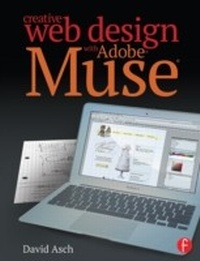
Creative Web Design with Adobe Muse
1st Edition
Published on 30. May 2014
208 pages
978-1-135-94358-5 (ISBN)
Description

You've found your Muse; now learn how to create with it
Creative Web Design with Adobe Muse is a step-by-step guide to creating fully-featured websites using Adobe Muse. Adobe Muse can be a complicated program, and web design itself is no easy task, although your clients might think so. This book takes you from the initial design and layout stage right up to helping you publish your beautifully designed and richly developed site. Each chapter covers a different section of the website and, in turn, introduces the tools and features of the program, accompanied by useful tips and tricks that help you speed up your workflow. Follow along as a website is created from concept to execution and rich content such as slideshows, galleries, and social media are incorporated. See how each aspect of a website is created with Muse; watch as it's published; and visit the final version after learning how it was made. If seeing a website created start to finish wasn't enough, this book also features:
Tips on how to incorporate Photoshop into Muse
A companion website that was created with Muse where you can get up-to-the-minute coverage on Muse and other tutorials to help you design the perfect website
Through this perfect blend of instruction and inspiration, you'll be up and running with Adobe Muse in no time.
Creative Web Design with Adobe Muse is a step-by-step guide to creating fully-featured websites using Adobe Muse. Adobe Muse can be a complicated program, and web design itself is no easy task, although your clients might think so. This book takes you from the initial design and layout stage right up to helping you publish your beautifully designed and richly developed site. Each chapter covers a different section of the website and, in turn, introduces the tools and features of the program, accompanied by useful tips and tricks that help you speed up your workflow. Follow along as a website is created from concept to execution and rich content such as slideshows, galleries, and social media are incorporated. See how each aspect of a website is created with Muse; watch as it's published; and visit the final version after learning how it was made. If seeing a website created start to finish wasn't enough, this book also features:
Tips on how to incorporate Photoshop into Muse
A companion website that was created with Muse where you can get up-to-the-minute coverage on Muse and other tutorials to help you design the perfect website
Through this perfect blend of instruction and inspiration, you'll be up and running with Adobe Muse in no time.
More details
Language
English
Place of publication
London
United Kingdom
Publishing group
Taylor & Francis Ltd
Target group
Professional and scholarly
Illustrations
600 farbige Abbildungen
600 Illustrations, color
File size
31,60 MB
ISBN-13
978-1-135-94358-5 (9781135943585)
Copyright in bibliographic data and cover images is held by Nielsen Book Services Limited or by the publishers or by their respective licensors: all rights reserved.
Schweitzer Classification
Other editions
Additional editions
David Asch
Creative Web Design with Adobe Muse
Book
07/2017
1st Edition
Routledge
€221.50
Shipment within 10-20 days
David Asch
Creative Web Design with Adobe Muse
Book
05/2014
1st Edition
Routledge
€50.50
Shipment within 15-20 days
Person
David Asch is a freelance author, photographer and designer. He has written three titles on Photoshop Elements along with numerous articles on Photoshop and Elements for magazines and websites. He also has a strong grounding in web development and ICT.
Content
Chapter 1: Introducing Muse
The main user interface
Tools
Panels
Chapter 2: Design and layout.
Creating a new site in Muse
Master pages: an explanation of the concept of using templates for the site
Site structure: how to add pages and sub-pages to the site
Chapter 3: Designing the Master page template
Styling the background
Working with the page guides, headers and footers
Adding fixed images and text (site consistency)
Creating navigation with the built-in menu system
Chapter 4: Working with individual pages
Adding text content
Creating a text box & pasting from the clipboard
The character panel
Creating character and paragraph styles
Adding images
Placing images from a file & pasting from the clipboard
The fill panel
Creating image styles
Creating manual hyperlinks (text and graphic)
Creating site-wide link styles
Adding Photoshop buttons
Using Muse's widget library
Composition widgets
Menu widgets
Panel widgets
Slideshow widgets
Chapter 5: Advanced techniques
Chapter 6: Publishing the site. This chapter will focus on uploading the completed site to the web
Preparatory work: adding metadata (page descriptions, keywords, etc.)
Exporting the site as HTML (for manual publishing to a pre-existing domain)
Publishing to a Business Catalyst hosted site from within Muse
The main user interface
Tools
Panels
Chapter 2: Design and layout.
Creating a new site in Muse
Master pages: an explanation of the concept of using templates for the site
Site structure: how to add pages and sub-pages to the site
Chapter 3: Designing the Master page template
Styling the background
Working with the page guides, headers and footers
Adding fixed images and text (site consistency)
Creating navigation with the built-in menu system
Chapter 4: Working with individual pages
Adding text content
Creating a text box & pasting from the clipboard
The character panel
Creating character and paragraph styles
Adding images
Placing images from a file & pasting from the clipboard
The fill panel
Creating image styles
Creating manual hyperlinks (text and graphic)
Creating site-wide link styles
Adding Photoshop buttons
Using Muse's widget library
Composition widgets
Menu widgets
Panel widgets
Slideshow widgets
Chapter 5: Advanced techniques
Chapter 6: Publishing the site. This chapter will focus on uploading the completed site to the web
Preparatory work: adding metadata (page descriptions, keywords, etc.)
Exporting the site as HTML (for manual publishing to a pre-existing domain)
Publishing to a Business Catalyst hosted site from within Muse
