

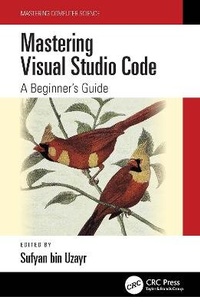
Mastering Visual Studio Code
A Beginner's Guide
1st Edition
Published on 5. December 2022
Book
Hardback
246 pages
978-1-032-31906-3 (ISBN)
Description
Mastering Visual Studio Code empowers the readers to get the most out of VS Code, an extremely popular and powerful code editor.
Microsoft's Visual Studio Code (VS Code) is a free and open-source code and text editor. Despite its modest size, VS Code includes numerous significant features that have made it one of the most popular code editors in recent years.
VS Code is compatible with various programming languages, including Java, C++, Python, CSS, Go, and Docker files. VS Code also lets you add and create new extensions, such as code linkers, debuggers, and support for cloud and web development. Compared to other text editors, the VS Code user interface allows for a lot of interactivity.
Some of the major advantages of Visual Studio Code are:
Cross-stack development using an open technology platform * Huge repository of plug-ins produced by the community and professionals
Debug tools for generic usage
Cross-platform support, including Linux, Mac, and Windows
A good and powerful code editor is a vital part of any developer's toolkit. VS Code has all the features any developer might need. As such, learning Visual Studio Code and understanding its various offerings and features is a good idea.
With Mastering Visual Studio Code, using VS Code will become a breeze, regardless of the language that you are coding in, thereby boosting your productivity.
The Mastering Computer Science series is edited by Sufyan bin Uzayr, a writer and educator with more than a decade of experience in the computing field.
Microsoft's Visual Studio Code (VS Code) is a free and open-source code and text editor. Despite its modest size, VS Code includes numerous significant features that have made it one of the most popular code editors in recent years.
VS Code is compatible with various programming languages, including Java, C++, Python, CSS, Go, and Docker files. VS Code also lets you add and create new extensions, such as code linkers, debuggers, and support for cloud and web development. Compared to other text editors, the VS Code user interface allows for a lot of interactivity.
Some of the major advantages of Visual Studio Code are:
Cross-stack development using an open technology platform * Huge repository of plug-ins produced by the community and professionals
Debug tools for generic usage
Cross-platform support, including Linux, Mac, and Windows
A good and powerful code editor is a vital part of any developer's toolkit. VS Code has all the features any developer might need. As such, learning Visual Studio Code and understanding its various offerings and features is a good idea.
With Mastering Visual Studio Code, using VS Code will become a breeze, regardless of the language that you are coding in, thereby boosting your productivity.
The Mastering Computer Science series is edited by Sufyan bin Uzayr, a writer and educator with more than a decade of experience in the computing field.
More details
Series
Language
English
Place of publication
London
United Kingdom
Publishing group
Taylor & Francis Ltd
Target group
Professional and scholarly
Professional
Illustrations
70 s/w Photographien bzw. Rasterbilder, 32 s/w Tabellen, 70 s/w Abbildungen
32 Tables, black and white; 70 Halftones, black and white; 70 Illustrations, black and white
Dimensions
Height: 234 mm
Width: 156 mm
Weight
498 gr
ISBN-13
978-1-032-31906-3 (9781032319063)
Copyright in bibliographic data and cover images is held by Nielsen Book Services Limited or by the publishers or by their respective licensors: all rights reserved.
Schweitzer Classification
Other editions
Additional editions
Book
12/2022
1st Edition
CRC Press
€50.94
Article exhausted; check different version
Person
Sufyan bin Uzayr is a writer, coder, and entrepreneur with more than a decade of experience in the industry. He has authored several books in the past, pertaining to a wide variety of topics, ranging from history to computers/IT.
Sufyan is the Director of Parakozm, a multinational IT company specializing in EdTech solutions. He also runs Zeba Academy, an online learning and teaching vertical with a focus on STEM fields.
Sufyan specializes in a wide variety of technologies, such as JavaScript, Dart, WordPress, Drupal, Linux, and Python. He holds multiple degrees, including ones in management, IT, literature, and political science.
Sufyan is a digital nomad, dividing his time between four countries. He has lived and taught in universities and educational institutions around the globe. Sufyan takes a keen interest in technology, politics, literature, history, and sports, and in his spare time enjoys teaching coding and English to young students.
Learn more at sufyanism.com
Sufyan is the Director of Parakozm, a multinational IT company specializing in EdTech solutions. He also runs Zeba Academy, an online learning and teaching vertical with a focus on STEM fields.
Sufyan specializes in a wide variety of technologies, such as JavaScript, Dart, WordPress, Drupal, Linux, and Python. He holds multiple degrees, including ones in management, IT, literature, and political science.
Sufyan is a digital nomad, dividing his time between four countries. He has lived and taught in universities and educational institutions around the globe. Sufyan takes a keen interest in technology, politics, literature, history, and sports, and in his spare time enjoys teaching coding and English to young students.
Learn more at sufyanism.com
Content
Chapter 1
INTRODUCTION TO VS CODE
Chapter 2
EXPLORING THE USER INTERFACE
Chapter 3
FILES, FOLDERS, AND PROJECTS
Chapter 4
EDITING CODE IN YOUR LANGUAGE
Chapter 5
INTEGRATING WITH SOURCE CONTROL
Chapter 6
DEBUGGING CODE
Chapter 7
VS CODE EXTENSIONS
INTRODUCTION TO VS CODE
Chapter 2
EXPLORING THE USER INTERFACE
Chapter 3
FILES, FOLDERS, AND PROJECTS
Chapter 4
EDITING CODE IN YOUR LANGUAGE
Chapter 5
INTEGRATING WITH SOURCE CONTROL
Chapter 6
DEBUGGING CODE
Chapter 7
VS CODE EXTENSIONS