

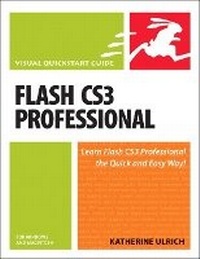
Flash CS3 Professional for Windows and Macintosh
Visual QuickStart Guide
Published on 9. August 2007
Book
Paperback/Softback
576 pages
978-0-321-50291-9 (ISBN)
Description
With Adobe's acquisition of Macromedia, millions of Photoshop users may be installing Flash for the first time and Flash CS3 Professional for Windows and Macintosh: Visual QuickStart Guide is there to show them what to do. From basic first steps, such as exploring the drawing tools, including Flash CS3's new Pen tool, to frame-by-frame animation, motion tweening, and shape tweening, this book serves as the beginner's guide to Flash. But it doesn't stop there: sections on interactivity, sound, and video have been fully updated to demonstrate best practices in ActionScript 3.0, as well as the latest in Flash's video technology.
More details
Language
English
Place of publication
Berkeley
United States
Publishing group
Pearson Education (US)
Target group
College/higher education
Dimensions
Height: 228 mm
Width: 179 mm
Thickness: 30 mm
Weight
890 gr
ISBN-13
978-0-321-50291-9 (9780321502919)
Copyright in bibliographic data and cover images is held by Nielsen Book Services Limited or by the publishers or by their respective licensors: all rights reserved.
Schweitzer Classification
Other editions
New editions
Book
07/2010
Peachpit Press Publications
€27.22
Article exhausted; check for reprint
Book
12/2008
Peachpit Press Publications
€28.46
Article exhausted; check for reprint
Person
Katherine Ulrich is a writer and editor specializing in graphics, publishing and multimedia software. Her career includes 12 years at Macworld magazine. Katherine wrote all previous best-selling editions, including Macromedia Flash 8 for Windows and Macintosh: Visual QuickStart Guide.
Content
Introduction
About Flash
Chapter 1. The Flash Authoring Tool
Chapter 2. Creating Simple Graphics
Chapter 3. Working with Text
Chapter 4. Modifying Simple Graphics
Chapter 5. Complex Graphics on a Single Layer
Chapter 6. Graphics on Multiple Layers
Chapter 7. Working with Symbols
Chapter 8. Frame- by-Frame Animations
Chapter 9. Animation with Motion Tweening
Chapter 10. Animation with Shape Tweening
Chapter 11. More-Complex Animation Tasks
Chapter 12. Building Buttons for Interactivity
Chapter 13. Basic Interactivity
Chapter 14. Using Non-Flash Graphics
Chapter 15. Adding Sound
Chapter 16. Adding Video
Chapter 17. Delivering Movies to Your Audience
About Flash
Chapter 1. The Flash Authoring Tool
Chapter 2. Creating Simple Graphics
Chapter 3. Working with Text
Chapter 4. Modifying Simple Graphics
Chapter 5. Complex Graphics on a Single Layer
Chapter 6. Graphics on Multiple Layers
Chapter 7. Working with Symbols
Chapter 8. Frame- by-Frame Animations
Chapter 9. Animation with Motion Tweening
Chapter 10. Animation with Shape Tweening
Chapter 11. More-Complex Animation Tasks
Chapter 12. Building Buttons for Interactivity
Chapter 13. Basic Interactivity
Chapter 14. Using Non-Flash Graphics
Chapter 15. Adding Sound
Chapter 16. Adding Video
Chapter 17. Delivering Movies to Your Audience