

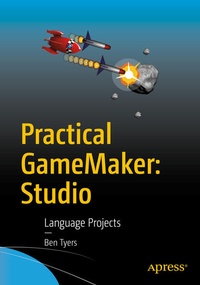
Practical GameMaker: Studio
Language Projects
Published on 19. December 2016
Book
Paperback/Softback
XL, 313 pages
978-1-4842-2372-7 (ISBN)
Description
Gain the skills required to create fun and compelling games using GameMaker: Studio, and its GML programming language. In this full-color book you'll learn 24 practical programming elements that are important when creating any game. Each section includes an introduction to a new programming element, some examples, a worksheet, and mini projects to allow you to test your new knowledge. After completing all elements, you will put into action what you have learned in a classic arcade style game.
In Practical GameMaker: Studio , you will create a fully featured game, with guidance and in color, using version 1.4. After each section you'll see how you'll apply what you've learned to the final game, and discover additional projects to try. These mini projects include a separate scoring guide, and a working example for each, which is useful if you're using this book in an educational environment. Similarly, the book also contains a number of assignments, which you may include as part of any associated coursework in your classes.
What You Will Learn
Experienced game developers new to GameMaker or for those with at least some prior exposure or experience with GameMaker: Studio but who are new to GML.
In Practical GameMaker: Studio , you will create a fully featured game, with guidance and in color, using version 1.4. After each section you'll see how you'll apply what you've learned to the final game, and discover additional projects to try. These mini projects include a separate scoring guide, and a working example for each, which is useful if you're using this book in an educational environment. Similarly, the book also contains a number of assignments, which you may include as part of any associated coursework in your classes.
What You Will Learn
-
Use GameMaker: Studio and GameMaker Language (GML) to create games
-
Work with GML variables, conditionals, drawing, keyport I/O, objects, and events
-
Create GML sprites, health/lives, alarms, collisions, and rooms
- Improve your game with GML backgrounds, sound and music, splash screens and menus, and effects<
-
Include GML random and AI movements in your game
-
Use GML loops, arrays, ds_lists, paths, and scripts
Experienced game developers new to GameMaker or for those with at least some prior exposure or experience with GameMaker: Studio but who are new to GML.
More details
Edition
1st ed.
Language
English
Place of publication
Berkeley
United States
Target group
Professional and scholarly
Product notice
Paperback (trade)
Unsewn / adhesive bound
Illustrations
107 farbige Abbildungen
XL, 313 p. 107 illus. in color.
Dimensions
Height: 254 mm
Width: 178 mm
Thickness: 19 mm
Weight
677 gr
ISBN-13
978-1-4842-2372-7 (9781484223727)
DOI
10.1007/978-1-4842-2373-4
Schweitzer Classification
Other editions
Additional editions
E-Book
12/2016
APress
€56.99
Available for download
Person
Ben Tyers is an expert GameMaker: Studio user, developer, coder, expert and IT trainer. He has authored a number of small books on GameMaker for game application developers and runs a popular GameMaker resources web site.
Content
0. Introduction.- 1. Variables.- 2. Conditionals.- 3. Drawing.- 4. Drawing Continued.- 5. Keyboard Input & Simple Movement.- 6. Objects & Events.- 7. Sprites.- 8. Health, Lives & Score.- 9. Mouse.- 10. Alarms.- 11. Collisions.- 12. Rooms.- 13. Backgrounds.- 14. Sounds & Music.- 15. Splash Screens & Menu.- 16. Random.- 17. More Movement (Basic AI).- 18. INI Files.- 19. Effects.- 20. Loops.- 21. Arrays.- 22. ds_lists.- 23. Paths.- 24. Scripts.- 25. Hints & Tips.- 26. Creating A Game - Outline.- 27 . Creating A Game -Sprites.- 28. Creating A Game -Sounds.- 29. Creating A Game -Backgrounds.- 30. Creating A Game -Paths.- 31. Creating A Game -Scripts.- 32. Creating A Game -Fonts.- 33. Creating A Game -Objects - Introduction.- 34. Creating A Game -Parent Objects.- 35. Creating A Game -Objects.- 36. Creating A Game -Rooms.- 37. Progress Sheet.- 38. Marking Guide.- 39. End Of Project Assignment.- 40. End Of Project Test.