

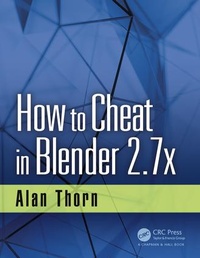
How to Cheat in Blender 2.7x
1st Edition
Published on 3. May 2017
Book
Paperback/Softback
269 pages
978-1-4987-6451-3 (ISBN)
Description
Blender is a vast and customizable 3D-modeling application used by many artists across creative industries, from television to games. This newest book, in Alan Thorn's How to Cheat series, offers insightful and bite-sized power-tips to help you develop Blender mastery. More than five hundred figures illustrate interesting shortcuts and clever ways to improve your Blender workflow. A companion website at http://www.alanthorn.net provides bonus content, including videos and resources to help sharpen your skills further. How to Cheat in Blender 2.7x is for Blender users of all levels, offering time-saving tips and powerful techniques to increase your productivity.
Key Features
Bite-sized tips and tricks that can be read in any order
Illustrated examples and step-by-step guides for improving your workflow
Explores practical applications and real-world contexts
Demonstrates "lesser-known" and unconventional tips
Improves your efficiency and workflow
Key Features
Bite-sized tips and tricks that can be read in any order
Illustrated examples and step-by-step guides for improving your workflow
Explores practical applications and real-world contexts
Demonstrates "lesser-known" and unconventional tips
Improves your efficiency and workflow
More details
Series
Language
English
Place of publication
Bosa Roca
United States
Publishing group
Taylor & Francis Inc
Target group
Professional and scholarly
Professional Practice & Development
Illustrations
5 s/w Zeichnungen, 521 farbige Zeichnungen
521 Line drawings, color; 5 Line drawings, black and white
Dimensions
Height: 229 mm
Width: 178 mm
Weight
553 gr
ISBN-13
978-1-4987-6451-3 (9781498764513)
Copyright in bibliographic data and cover images is held by Nielsen Book Services Limited or by the publishers or by their respective licensors: all rights reserved.
Schweitzer Classification
Other editions
Additional editions
Alan Thorn
How to Cheat in Blender 2.7x
Book
05/2017
1st Edition
CRC Press
€200.74
Shipment within 10-20 days
Alan Thorn
How to Cheat in Blender 2.7x
E-Book
03/2017
1st Edition
CRC Press
€63.49
Available for download
Alan Thorn
How to Cheat in Blender 2.7x
E-Book
03/2017
1st Edition
CRC Press
€63.49
Available for download
Person
Alan Thorn is a multidisciplinary game developer, author and educator with 16 years' industry experience. He makes games for PC desktop, Mobile and VR. He founded the indie studio Wax Lyrical Games, and created the award-winning game Baron Wittard: Nemesis of Ragnarok. He has written twenty-two technical books on game development and presented eighteen video training courses from Lynda.com and 3DMotive.com. He has worked in game development education as a Senior Lecturer at Teesside University and as a Lead Teacher for Uppingham School. He is currently a Visiting Lecturer for the National Film and Television School and an Associate Lecturer for London South Bank University. His website is: http://www.alanthorn.net
Content
Author
1 Interface Cheats
1.1 Factory Reset
1.2 Last-Session Recovery
1.3 Recovering
Overwritten Files
1.4 Start-Up Files
1.5 Multiple Scenes
1.6 Asset Sharing and Reusing
1.7 User Preferences
1.8 Multimonitor Setup
1.9 First-Person Controls
1.10 Align Camera to Viewport
1.11 MatCap
1.12 Text Editing
1.13 Scroll Editing
1.14 Hide the Splash Screen
1.15 Dual Outliners
1.16 Viewport Visibility
2 Selections
2.1 Edit Selection Modes
2.2 Layers and Selections
2.3 Layer Management
2.4 Groups
2.5 Vertex Groups
2.6 Selecting NGons
2.7 Edge Loops and
Shortest Path Selections
2.8 Selecting Perimeter
Edges
2.9 Selecting UV Seams
and Linked Selection
2.10 Selecting Objects from
Patterns
2.11 Random Selection
2.12 Selection and Visibility
2.13 Lasso Selection
2.14 Selective Texture
Painting
2.15 Vertex Weights and
Selection
3 Modeling3.1 Modeling from
References
3.2 Nondestructive
Deformations
3.3 One-Sided Polygons
3.4 Duplication and
"Multiple Modeling"
3.5 Water, Waves, and
Oceans
3.6 Quads and Triangles
3.7 Bending
3.8 Meshes from Edges
3.9 Spline Modeling
3.10 Rebuilding Meshes:
Retopology
3.11 Grease Pencil Modeling
4 UV Mapping Cheats
4.1 The UV Image Editor
4.2 Smart UV Project
4.3 Manual Mapping
4.4 Diagnosing and Fixing
Map Distortions
4.5 Camera Mapping
4.6 Atlas Texturing
4.7 Packing and Layout
4.8 Copying UVs
4.9 Overlapping UVs
4.10 Breaking Islands
4.11 Exporting UV Layouts
4.12 The 0-1 Space
4.13 Pinning and
Unwrapping
5 Texturing and
Materials
5.1 Blender Render versus
Cycles
5.2 Viewport Rendering
5.3 Layered Painting:
Blender Internal
5.4 Flattening Layer
Painting
5.5 Camera Project Painting
5.6 Flat Projection
5.7 UV Cloning
5.8 Configuring a
Stencil Brush
5.9 Node Wrangler
5.10 Stroke Methods
6 Rigging and
Animation Cheats
6.1 Keyframing, Auto-Key,
and Optimization
6.2 Motion Paths: Following
and Clamping
6.3 Curves and Colors
6.4 Animation Baking
6.5 Squash and Stretch
6.6 Hierarchical Rigging
6.7 Selection Controls
6.8 Hooks
6.9 Grease Pencil
Referencing and
Animation
6.10 Rigify
7 Rendering Cheats
7.1 Rendering Wireframes
7.2 Texture Baking
7.3 Progressive Refine
7.4 Tiles and Bounces
7.5 Render Selections
7.6 Manual Culling
7.7 Comparative Renders
7.8 Render Layers
7.9 Render Layers and
Image Files
7.10 Combining
Render Layers
7.11 Light Portals
8 Add-Ons
8.1 More Objects!
8.2 Image Planes
8.3 F2 Add-On
8.4 Landscape Tool
8.5 Trees and More Trees!
8.6 Pie Menus
8.7 Camera Navigation
8.8 Scene Information
8.9 Layer Management
8.10 Blend File Packaging
8.11 Dynamic Space Bar
8.12 OpenStreetMap
8.13 Easy FX-Special
Effects
8.14 Books
9 Game Development
Cheats
9.1 Standardize Units
9.2 Normals and Backface
Culling
9.3 Real-Time Rendering
9.4 Modeling for Games:
Information and
Auto-Merging
9.5 UV Seams: Visualization
9.6 UV Seams: Combining
Islands
9.7 Object Combining and
Modularity
9.8 Exporting: Native
versus Nonnative
9.9 Exporting Animations
9.10 Collision Meshes
9.11 Lightmap UVs
9.12 Empties and
Hierarchies
9.13 Blender Export
Limitations
10 Interoperability
10.1 SVG and Inkscape
10.2 Blend Swap
10.3 Free Images and
Textures
10.4 Blender Cloud and
Texture Library
10.5 Working with Colors
and Color Palettes
10.6 Maps and Terrain
Displacement
10.7 MakeHuman
10.8 Renderers: V-Ray and
RenderMan
Index
1 Interface Cheats
1.1 Factory Reset
1.2 Last-Session Recovery
1.3 Recovering
Overwritten Files
1.4 Start-Up Files
1.5 Multiple Scenes
1.6 Asset Sharing and Reusing
1.7 User Preferences
1.8 Multimonitor Setup
1.9 First-Person Controls
1.10 Align Camera to Viewport
1.11 MatCap
1.12 Text Editing
1.13 Scroll Editing
1.14 Hide the Splash Screen
1.15 Dual Outliners
1.16 Viewport Visibility
2 Selections
2.1 Edit Selection Modes
2.2 Layers and Selections
2.3 Layer Management
2.4 Groups
2.5 Vertex Groups
2.6 Selecting NGons
2.7 Edge Loops and
Shortest Path Selections
2.8 Selecting Perimeter
Edges
2.9 Selecting UV Seams
and Linked Selection
2.10 Selecting Objects from
Patterns
2.11 Random Selection
2.12 Selection and Visibility
2.13 Lasso Selection
2.14 Selective Texture
Painting
2.15 Vertex Weights and
Selection
3 Modeling3.1 Modeling from
References
3.2 Nondestructive
Deformations
3.3 One-Sided Polygons
3.4 Duplication and
"Multiple Modeling"
3.5 Water, Waves, and
Oceans
3.6 Quads and Triangles
3.7 Bending
3.8 Meshes from Edges
3.9 Spline Modeling
3.10 Rebuilding Meshes:
Retopology
3.11 Grease Pencil Modeling
4 UV Mapping Cheats
4.1 The UV Image Editor
4.2 Smart UV Project
4.3 Manual Mapping
4.4 Diagnosing and Fixing
Map Distortions
4.5 Camera Mapping
4.6 Atlas Texturing
4.7 Packing and Layout
4.8 Copying UVs
4.9 Overlapping UVs
4.10 Breaking Islands
4.11 Exporting UV Layouts
4.12 The 0-1 Space
4.13 Pinning and
Unwrapping
5 Texturing and
Materials
5.1 Blender Render versus
Cycles
5.2 Viewport Rendering
5.3 Layered Painting:
Blender Internal
5.4 Flattening Layer
Painting
5.5 Camera Project Painting
5.6 Flat Projection
5.7 UV Cloning
5.8 Configuring a
Stencil Brush
5.9 Node Wrangler
5.10 Stroke Methods
6 Rigging and
Animation Cheats
6.1 Keyframing, Auto-Key,
and Optimization
6.2 Motion Paths: Following
and Clamping
6.3 Curves and Colors
6.4 Animation Baking
6.5 Squash and Stretch
6.6 Hierarchical Rigging
6.7 Selection Controls
6.8 Hooks
6.9 Grease Pencil
Referencing and
Animation
6.10 Rigify
7 Rendering Cheats
7.1 Rendering Wireframes
7.2 Texture Baking
7.3 Progressive Refine
7.4 Tiles and Bounces
7.5 Render Selections
7.6 Manual Culling
7.7 Comparative Renders
7.8 Render Layers
7.9 Render Layers and
Image Files
7.10 Combining
Render Layers
7.11 Light Portals
8 Add-Ons
8.1 More Objects!
8.2 Image Planes
8.3 F2 Add-On
8.4 Landscape Tool
8.5 Trees and More Trees!
8.6 Pie Menus
8.7 Camera Navigation
8.8 Scene Information
8.9 Layer Management
8.10 Blend File Packaging
8.11 Dynamic Space Bar
8.12 OpenStreetMap
8.13 Easy FX-Special
Effects
8.14 Books
9 Game Development
Cheats
9.1 Standardize Units
9.2 Normals and Backface
Culling
9.3 Real-Time Rendering
9.4 Modeling for Games:
Information and
Auto-Merging
9.5 UV Seams: Visualization
9.6 UV Seams: Combining
Islands
9.7 Object Combining and
Modularity
9.8 Exporting: Native
versus Nonnative
9.9 Exporting Animations
9.10 Collision Meshes
9.11 Lightmap UVs
9.12 Empties and
Hierarchies
9.13 Blender Export
Limitations
10 Interoperability
10.1 SVG and Inkscape
10.2 Blend Swap
10.3 Free Images and
Textures
10.4 Blender Cloud and
Texture Library
10.5 Working with Colors
and Color Palettes
10.6 Maps and Terrain
Displacement
10.7 MakeHuman
10.8 Renderers: V-Ray and
RenderMan
Index