

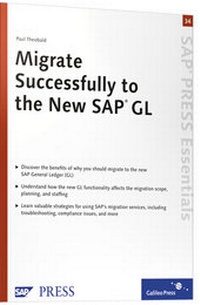
Migrate Successfully to the New SAP GL
SAP PRESS Essentials 34
1st Edition
Published on 28. November 2007
Book
Hardback
93 pages
978-1-59229-166-3 (ISBN)
Description
If you are looking for hands-on guidance for your company's migration to the new General Ledger, this tightly focused Essentials guide is for you. Written for IT decision-makers, project managers, team members, and consultants, this resource targets crucial areas of any GL upgrade project, from the initial planning stages through migration, testing, and go-live. In addition to the strategies and steps necessary for migration, you'll learn about critical accounting standards issues, including foreign valuation, the use of parallel ledgers, local GAAP accounting, and more.
More details
Other editions
New editions

Paul Theobald
Migrate Successfully to the SAP General Ledger
Implementing the SAP New G/L with the Migration Cockpit
Book
05/2009
2nd Edition
SAP PRESS
€68.00
Article is exhausted, reprint undefined
Person
Author
Paul Theobald, CFO of CAPE Consulting, Inc. has worked with SAP since 1993. He has been a
Financials consultant for 14 years. Paul specializes in Foreign Currency Valuation, the General
and Special ledgers, local GAAP reporting, etc. He has worked in two major international SAP Financials
projects and has been lead consultant in various projects, focused on GL, Accounts Receivable and
Payable, and Banking, Fixed Assets and the Special Ledger. A qualified chartered accountant (should get
from the UK, Paul has lived and worked in the US for 12 years
making him uniquely qualified to understand the problems that arise in large, global implementations.
Content
1 Upgrade to SAP ERP 2004/2005 ... 7
... 1.1 SAP ERP Key Components ... 7
... 1.2 Benefits of Upgrading ... 9
....... Benefits of SAP NetWeaver ... 9
....... Functional Benefits ... 9
....... Benefits of Upgrading from Legacy Systems ... 10
....... Finance Benefits ... 10
... 1.3 Upgrade Approaches ... 12
....... Upgrade Reasons ... 12
....... Technical Upgrade ... 12
....... Functional Upgrade ... 14
....... Strategic Business Improvement Upgrade ... 14
... 1.4 Best Practices ... 15
....... Planning ... 15
....... Building ... 16
....... Running ... 16
... 1.5 Future Release Strategy ... 16
... 1.6 Summary ... 16
2 Why Migrate to the New G/L? ... 19
... 2.1 Upgrade and Migration as Separate Projects ... 20
... 2.2 New Functionality ... 21
....... Segment Reporting ... 21
....... Document Splitting ... 23
....... Parallel Ledgers ... 25
... 2.3 Possible Migration Scenarios ... 27
....... Migrating From Systems That Used Parallel Accounting ... 28
....... Summary of Possible Migration Scenarios ... 28
... 2.4 Potential Benefits and Risks ... 29
....... Benefits of Migrating ... 29
....... Risks of Migrating ... 30
... 2.5 Summary ... 31
3 Migration Phases ... 33
... 3.1 Phase 0: Planning ... 33
... 3.2 Phase 1: Migration and Testing ... 34
... 3.3 Phase 2: Go Live ... 34
... 3.4 SAP Migration Service ... 35
... 3.5 Summary ... 36
4 Planning Phase ... 37
... 4.1 Scope of Project ... 37
... 4.2 Initial Situations in the Classic G/L ... 38
....... Use of Profit Center Accounting ... 40
....... Use of Business Areas ... 40
....... Use of Cost-of-Sales Accounting ... 40
....... Use of Special-Purpose Ledgers ... 40
....... Use of Additional Currencies in Special Ledgers ... 41
....... Use of Interfaces to External Systems ... 41
....... How Consolidation Is Performed ... 41
....... Status of Existing Transaction and Master Data ... 41
....... Company Codes and Cross-Company Code Clearings ... 42
....... Use of Parallel Valuation .......................... 42
... 4.3 Target Migration Scenarios ... 43
....... Migration without Document Splitting or Parallel Valuation ... 44
....... Migration with Document Splitting ... 45
....... Migration with Parallel Valuation ... 49
....... Migration with Document Splitting and Parallel Valuation ... 53
... 4.4 Timing ... 53
... 4.5 Staffing and Training ... 54
....... Staffing ... 54
....... Training ... 54
... 4.6 IMG Migration Tasks ... 55
... 4.7 Initial Customizing ... 56
........ Document Splitting Customization ......... 57
........ Parallel Ledgers Customization ... 60
5 SAP Migration Service ... 61
... 5.1 Summary ... 65
6 Migration and Testing Phase ... 67
... 6.1 Complete Customizing ... 67
....... Ledgers Customizing ... 67
....... Segment Reporting ... 69
... 6.2 IMG Migration Activities ... 70
... 6.3 Testing ... 78
....... Validation of Document Splitting Customizing ... 78
....... Check Business Transaction Assignment for Migration Documents ... 80
....... Validation of Migration Activities ............. 81
... 6.4 Evaluation of Migration ... 81
... 6.5 Summary ... 82
7 Go-Live Phase ... 83
... 7.1 Testing ... 83
... 7.2 IMG Migration Activities ... 84
....... Analyze Migration Status ... 84
....... Migration Successful ... 85
....... Migration Was Not Successful ... 86
... 7.3 Training ... 87
... 7.4 Technical Facts about Migration ... 89
... 7.5 Summary ... 89
... 1.1 SAP ERP Key Components ... 7
... 1.2 Benefits of Upgrading ... 9
....... Benefits of SAP NetWeaver ... 9
....... Functional Benefits ... 9
....... Benefits of Upgrading from Legacy Systems ... 10
....... Finance Benefits ... 10
... 1.3 Upgrade Approaches ... 12
....... Upgrade Reasons ... 12
....... Technical Upgrade ... 12
....... Functional Upgrade ... 14
....... Strategic Business Improvement Upgrade ... 14
... 1.4 Best Practices ... 15
....... Planning ... 15
....... Building ... 16
....... Running ... 16
... 1.5 Future Release Strategy ... 16
... 1.6 Summary ... 16
2 Why Migrate to the New G/L? ... 19
... 2.1 Upgrade and Migration as Separate Projects ... 20
... 2.2 New Functionality ... 21
....... Segment Reporting ... 21
....... Document Splitting ... 23
....... Parallel Ledgers ... 25
... 2.3 Possible Migration Scenarios ... 27
....... Migrating From Systems That Used Parallel Accounting ... 28
....... Summary of Possible Migration Scenarios ... 28
... 2.4 Potential Benefits and Risks ... 29
....... Benefits of Migrating ... 29
....... Risks of Migrating ... 30
... 2.5 Summary ... 31
3 Migration Phases ... 33
... 3.1 Phase 0: Planning ... 33
... 3.2 Phase 1: Migration and Testing ... 34
... 3.3 Phase 2: Go Live ... 34
... 3.4 SAP Migration Service ... 35
... 3.5 Summary ... 36
4 Planning Phase ... 37
... 4.1 Scope of Project ... 37
... 4.2 Initial Situations in the Classic G/L ... 38
....... Use of Profit Center Accounting ... 40
....... Use of Business Areas ... 40
....... Use of Cost-of-Sales Accounting ... 40
....... Use of Special-Purpose Ledgers ... 40
....... Use of Additional Currencies in Special Ledgers ... 41
....... Use of Interfaces to External Systems ... 41
....... How Consolidation Is Performed ... 41
....... Status of Existing Transaction and Master Data ... 41
....... Company Codes and Cross-Company Code Clearings ... 42
....... Use of Parallel Valuation .......................... 42
... 4.3 Target Migration Scenarios ... 43
....... Migration without Document Splitting or Parallel Valuation ... 44
....... Migration with Document Splitting ... 45
....... Migration with Parallel Valuation ... 49
....... Migration with Document Splitting and Parallel Valuation ... 53
... 4.4 Timing ... 53
... 4.5 Staffing and Training ... 54
....... Staffing ... 54
....... Training ... 54
... 4.6 IMG Migration Tasks ... 55
... 4.7 Initial Customizing ... 56
........ Document Splitting Customization ......... 57
........ Parallel Ledgers Customization ... 60
5 SAP Migration Service ... 61
... 5.1 Summary ... 65
6 Migration and Testing Phase ... 67
... 6.1 Complete Customizing ... 67
....... Ledgers Customizing ... 67
....... Segment Reporting ... 69
... 6.2 IMG Migration Activities ... 70
... 6.3 Testing ... 78
....... Validation of Document Splitting Customizing ... 78
....... Check Business Transaction Assignment for Migration Documents ... 80
....... Validation of Migration Activities ............. 81
... 6.4 Evaluation of Migration ... 81
... 6.5 Summary ... 82
7 Go-Live Phase ... 83
... 7.1 Testing ... 83
... 7.2 IMG Migration Activities ... 84
....... Analyze Migration Status ... 84
....... Migration Successful ... 85
....... Migration Was Not Successful ... 86
... 7.3 Training ... 87
... 7.4 Technical Facts about Migration ... 89
... 7.5 Summary ... 89