

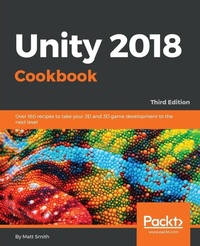
Unity 2018 Cookbook
Over 160 recipes to take your 2D and 3D game development to the next level
3rd Edition
Published on 31. August 2018
Book
Paperback/Softback
794 pages
978-1-78847-190-9 (ISBN)
Description
Develop quality game components and solve common gameplay problems with various game design patterns
Key Features
Become proficient at traditional 2D and 3D game development
Build amazing interactive interfaces with Unity's UI system
Develop professional games with realistic animation and graphics, materials and cameras, and AI with Unity 2018
Book DescriptionWith the help of the Unity 2018 Cookbook, you'll discover how to make the most of the UI system and understand how to animate both 2D and 3D characters and game scene objects using Unity's Mecanim animation toolsets.
Once you've got to grips with the basics, you will familiarize yourself with shaders and Shader Graphs, followed by understanding the animation features to enhance your skills in building fantastic games. In addition to this, you will discover AI and navigation techniques for nonplayer character control and later explore Unity 2018's newly added features to improve your 2D and 3D game development skills. This book provides many Unity C# gameplay scripting techniques.
By the end of this book, you'll have gained comprehensive knowledge in game development with Unity 2018.What you will learn
Get creative with Unity's shaders and learn to build your own shaders with the new Shader Graph tool
Create a text and image character dialog with the free Fungus Unity plugin
Explore new features integrated into Unity 2018, including TextMesh Pro and ProBuilder
Master Unity audio, including ducking, reverbing, and matching pitch to animation speeds
Work with the new Cinemachine and timeline to intelligently control camera movements
Improve ambiance through the use of lights and effects, including reflection and light probes
Create stylish user interfaces with the UI system, including power bars and clock displays
Who this book is forUnity 2018 Cookbook is for you if you want to explore a wide range of Unity scripting and multimedia features and find ready-to-use solutions for many game features. This book also helps programmers explore multimedia features. It is assumed that you already know basics of Unity and have some programming knowledge of C#.
Key Features
Become proficient at traditional 2D and 3D game development
Build amazing interactive interfaces with Unity's UI system
Develop professional games with realistic animation and graphics, materials and cameras, and AI with Unity 2018
Book DescriptionWith the help of the Unity 2018 Cookbook, you'll discover how to make the most of the UI system and understand how to animate both 2D and 3D characters and game scene objects using Unity's Mecanim animation toolsets.
Once you've got to grips with the basics, you will familiarize yourself with shaders and Shader Graphs, followed by understanding the animation features to enhance your skills in building fantastic games. In addition to this, you will discover AI and navigation techniques for nonplayer character control and later explore Unity 2018's newly added features to improve your 2D and 3D game development skills. This book provides many Unity C# gameplay scripting techniques.
By the end of this book, you'll have gained comprehensive knowledge in game development with Unity 2018.What you will learn
Get creative with Unity's shaders and learn to build your own shaders with the new Shader Graph tool
Create a text and image character dialog with the free Fungus Unity plugin
Explore new features integrated into Unity 2018, including TextMesh Pro and ProBuilder
Master Unity audio, including ducking, reverbing, and matching pitch to animation speeds
Work with the new Cinemachine and timeline to intelligently control camera movements
Improve ambiance through the use of lights and effects, including reflection and light probes
Create stylish user interfaces with the UI system, including power bars and clock displays
Who this book is forUnity 2018 Cookbook is for you if you want to explore a wide range of Unity scripting and multimedia features and find ready-to-use solutions for many game features. This book also helps programmers explore multimedia features. It is assumed that you already know basics of Unity and have some programming knowledge of C#.
More details
Edition
3rd Revised edition
Language
English
Place of publication
Birmingham
United Kingdom
Edition type
Revised edition
Dimensions
Height: 235 mm
Width: 191 mm
Thickness: 43 mm
Weight
1453 gr
ISBN-13
978-1-78847-190-9 (9781788471909)
Copyright in bibliographic data and cover images is held by Nielsen Book Services Limited or by the publishers or by their respective licensors: all rights reserved.
Schweitzer Classification
Other editions
Additional editions

Matt Smith | Chico Queiroz | Jate Wittayabundit
Unity 2018 Cookbook
Over 160 recipes to take your 2D and 3D game development to the next level
E-Book
09/2024
3rd Edition
Packt Publishing Limited
€42.49
Available for download
Persons
Matt Smith is computing academic at TUDublin (Technological University of Dublin) Ireland, where he leads the DRIVE Research Group (Digital Realities, Interaction, and Virtual Environments). Matt started computer programming on a brand new ZX80 and submitted 2 games for his computing O-level exam. After nearly 10 years as a full-time student on a succession of scholarships, he gained several degrees in computing, including a Ph.D. in computational musicology. In 1985, Matt wrote the lyrics and was in the band whose music appeared on the audio cassette carrying the computer game Confuzion. Matt is a documentation author for the open-source Unity Fungus visual scripting and dialogue system. Chico Queiroz is a digital media designer from Rio de Janeiro, Brazil. Chico started his career back in 2000, soon after graduating in Communications/Advertising (PUC-Rio), working with advergames and webgames using Flash and Director at LocZ Multimedia, where he contributed to the design and development of games for clients, such as Volkswagen and Parmalat, along with some independent titles.
Chico has a master's degree in Digital Game Design (University for the Creative Arts, UK). His final project was exhibited at events and festivals such as London Serious Games Showcase and FILE. Chico has also published articles for academic conferences and websites such as http://www.gameology.org, http://www.gamasutra.com, and http://www.gamecareerguide.com.
He curated and organized an exhibition held at SBGames 2009, which explored the connections between video games and art. SBGames is the annual symposium of the Special Commission of Games and Digital Entertainment of the Computing Brazilian Society.
Chico currently works as a digital designer at the Tecgraf/PUC-Rio Institute for Technical-Scientific Software Development, where he, among other responsibilities, uses Unity to develop interactive presentations and concept prototypes for interactive visualization software. He also works as a lecturer at PUC-Rio, teaching undergraduate design students 3D modeling and technology/CG for games, in which Unity is used as the engine for the students' projects. Additionally, Chico is a PhD student in design at the same institution. Jate was born in Bangkok, Thailand in 1980 and has a passion for both arts and mathematics. He received a Bachelor's Degree of Architecture in 2003 and used to be an interior architect for several companies. Then,he came to Ottawa, Canada in 2005 and graduated from the Game Development program at Algonquin College in 2008. Since he graduated from the Game Development program, he started working at Launchfire Interactive Inc. (http://www.launchfire.com) as a Flash Actionscript Programmer and developed many games and interactive contents (for the client such as Dell, Alaska Airline, etc.). In 2009, he decided to move to Toronto, bigger city, to get more chances to work in Game industry. He started a new position as a Game Developer & 3D Artist at Splashworks.com Inc. (http://www.splashworks.com). At Splashworks, he had a great chance to work with many different games and clients (such as, Shockwave, Swiss Chalet, and so on). It also gave him a chance to get to know Unity3D and love just how friendly UI is and how fast the workflow is. The first video game he ever played was "Super Mario Bros." and he has loved playing games ever since. He believes that being an Architect is also his strength; it supports his concepts and ideas of how the real world could apply in the virtual world. In his spare time, he loves to work on 3D software, such as Zbrush, or 3D Studio Max. He also loves painting and drawing. Currently, he's trying to marry his architectural and 3D skills with his game development skills to create the next innovation game. His website - http://www.jatewit.com His Zbrush Character - http://www.zbrushcentral.com/showthread ... ight=tyris
Chico has a master's degree in Digital Game Design (University for the Creative Arts, UK). His final project was exhibited at events and festivals such as London Serious Games Showcase and FILE. Chico has also published articles for academic conferences and websites such as http://www.gameology.org, http://www.gamasutra.com, and http://www.gamecareerguide.com.
He curated and organized an exhibition held at SBGames 2009, which explored the connections between video games and art. SBGames is the annual symposium of the Special Commission of Games and Digital Entertainment of the Computing Brazilian Society.
Chico currently works as a digital designer at the Tecgraf/PUC-Rio Institute for Technical-Scientific Software Development, where he, among other responsibilities, uses Unity to develop interactive presentations and concept prototypes for interactive visualization software. He also works as a lecturer at PUC-Rio, teaching undergraduate design students 3D modeling and technology/CG for games, in which Unity is used as the engine for the students' projects. Additionally, Chico is a PhD student in design at the same institution. Jate was born in Bangkok, Thailand in 1980 and has a passion for both arts and mathematics. He received a Bachelor's Degree of Architecture in 2003 and used to be an interior architect for several companies. Then,he came to Ottawa, Canada in 2005 and graduated from the Game Development program at Algonquin College in 2008. Since he graduated from the Game Development program, he started working at Launchfire Interactive Inc. (http://www.launchfire.com) as a Flash Actionscript Programmer and developed many games and interactive contents (for the client such as Dell, Alaska Airline, etc.). In 2009, he decided to move to Toronto, bigger city, to get more chances to work in Game industry. He started a new position as a Game Developer & 3D Artist at Splashworks.com Inc. (http://www.splashworks.com). At Splashworks, he had a great chance to work with many different games and clients (such as, Shockwave, Swiss Chalet, and so on). It also gave him a chance to get to know Unity3D and love just how friendly UI is and how fast the workflow is. The first video game he ever played was "Super Mario Bros." and he has loved playing games ever since. He believes that being an Architect is also his strength; it supports his concepts and ideas of how the real world could apply in the virtual world. In his spare time, he loves to work on 3D software, such as Zbrush, or 3D Studio Max. He also loves painting and drawing. Currently, he's trying to marry his architectural and 3D skills with his game development skills to create the next innovation game. His website - http://www.jatewit.com His Zbrush Character - http://www.zbrushcentral.com/showthread ... ight=tyris
Content
Table of Contents
Displaying Data with Core UI Elements
Responding to User Events for Interactive UIs
Inventory UIs
Playing and Manipulating Sounds
Creating Textures, Maps, and Materials
Shader Graphs and Video Players
Using Cameras
Lights and Effects
2D Animation
3D Animations
Webserver Communication and Online Version-Control
Controlling and Choosing Positions
Navigation Meshes and Agents
Design Patterns
Editor Extensions and Immediate Mode GUI (IMGUI)
Displaying Data with Core UI Elements
Responding to User Events for Interactive UIs
Inventory UIs
Playing and Manipulating Sounds
Creating Textures, Maps, and Materials
Shader Graphs and Video Players
Using Cameras
Lights and Effects
2D Animation
3D Animations
Webserver Communication and Online Version-Control
Controlling and Choosing Positions
Navigation Meshes and Agents
Design Patterns
Editor Extensions and Immediate Mode GUI (IMGUI)