

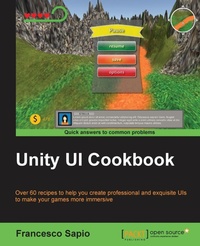
Unity UI Cookbook
Over 60 recipes to help you create professional and exquisite UIs to make your games more immersive
Published on 29. December 2015
Book
Paperback/Softback
284 pages
978-1-78588-582-2 (ISBN)
Description
Over 60 recipes to help you create professional and exquisite UIs to make your games more immersive
Key Features
[*] Design and develop interactive and professional user interfaces (UIs) for games in Unity
[*] Discover how to implement and deal with various in-game UI elements that will impress your players
[*]This practical recipe guide will help you to efficiently create powerful and remarkable UIs using C# code
Book DescriptionWith the increasing interest in game development, it's essential to design and implement a UI that reflects the game settings and shows the right information to the player. The Unity system is used to create complex and aesthetically pleasing user interfaces in order to give a professional look and feel to a game. Although the new Unity UI system is powerful and quite easy to use, by integrating it with C# scripts, it's possible to realize the potential of this system and bring an impressive UI to games.
This guide is an invaluable collection of recipes if you are planning to use Unity to develop a game. Starting with the basic concepts of the UI components, we'll take you all the way through to creating complex interfaces by including animations and dynamics elements.
Based on real-world problems, these recipes will start by showing you how to make common UI elements such as counters and healthbars. You will then get a walkthrough of how to manage time using timers, and will learn how to format them. You will move on to decorating and animating the UI elements to vivify them and give them a professional touch. Furthermore, you will be guided into the 3D UI world and into HUD scripting. Finally, you will discover how to implement complex minimaps in the interface.
What you will learn
[*] Implement different kinds of counters and healthbars
[*] Deal with timers and find out how to format them
[*] Animate and vivify UI elements
[*] Handle runtime customizations
[*] Add complex Head-up displays (HUDs)
[*] Design and implement 3D UIs
[*] Integrate minimaps in the UI
Who this book is forIf you are a game developer with some experience in Unity and C# and want to create the best interactive experience fast and intuitively, then this book is for you. If you are an intermediate game developer or an expert, these recipes will help you bring out the power of the new UI Unity system.
Key Features
[*] Design and develop interactive and professional user interfaces (UIs) for games in Unity
[*] Discover how to implement and deal with various in-game UI elements that will impress your players
[*]This practical recipe guide will help you to efficiently create powerful and remarkable UIs using C# code
Book DescriptionWith the increasing interest in game development, it's essential to design and implement a UI that reflects the game settings and shows the right information to the player. The Unity system is used to create complex and aesthetically pleasing user interfaces in order to give a professional look and feel to a game. Although the new Unity UI system is powerful and quite easy to use, by integrating it with C# scripts, it's possible to realize the potential of this system and bring an impressive UI to games.
This guide is an invaluable collection of recipes if you are planning to use Unity to develop a game. Starting with the basic concepts of the UI components, we'll take you all the way through to creating complex interfaces by including animations and dynamics elements.
Based on real-world problems, these recipes will start by showing you how to make common UI elements such as counters and healthbars. You will then get a walkthrough of how to manage time using timers, and will learn how to format them. You will move on to decorating and animating the UI elements to vivify them and give them a professional touch. Furthermore, you will be guided into the 3D UI world and into HUD scripting. Finally, you will discover how to implement complex minimaps in the interface.
What you will learn
[*] Implement different kinds of counters and healthbars
[*] Deal with timers and find out how to format them
[*] Animate and vivify UI elements
[*] Handle runtime customizations
[*] Add complex Head-up displays (HUDs)
[*] Design and implement 3D UIs
[*] Integrate minimaps in the UI
Who this book is forIf you are a game developer with some experience in Unity and C# and want to create the best interactive experience fast and intuitively, then this book is for you. If you are an intermediate game developer or an expert, these recipes will help you bring out the power of the new UI Unity system.
More details
Language
English
Place of publication
Birmingham
United Kingdom
Dimensions
Height: 235 mm
Width: 191 mm
Thickness: 15 mm
Weight
536 gr
ISBN-13
978-1-78588-582-2 (9781785885822)
Copyright in bibliographic data and cover images is held by Nielsen Book Services Limited or by the publishers or by their respective licensors: all rights reserved.
Schweitzer Classification
Other editions
Additional editions
Francesco Sapio
Unity UI Cookbook
Over 60 recipes to help you create professional and exquisite UIs to make your games more immersive
E-Book
01/2025
1st Edition
Packt Publishing Limited
from
€39.59
Available for download
Person
Francesco Sapio received his Master of Science in Engineering in Artificial Intelligence and Robotics degree from Sapienza University, Rome, Italy, a couple of semesters in advance, graduating with summa cum laude; he is currently a researcher at the same university. He is an Unreal and Unity 3D expert, skilled game designer, and an experienced user of major graphics programs. He helped the development of many games (both educational and commercial). He is also an active writer on the topic of game development. Finally, Francesco loves math, philosophy, logic, and puzzle solving, but most of all, creating video gamesthanks to his passion for game designing and programming.
Content
Table of Contents
UI Essentials
Implementing Counters and Healthbars
Implementing Timers
Creating Menus and Panels
Decorating the UI
Animating the UI
Applying Runtime Customization
Implementing Advance HUDs
Diving into 3D UI
Creating Minimaps
UI Essentials
Implementing Counters and Healthbars
Implementing Timers
Creating Menus and Panels
Decorating the UI
Animating the UI
Applying Runtime Customization
Implementing Advance HUDs
Diving into 3D UI
Creating Minimaps