

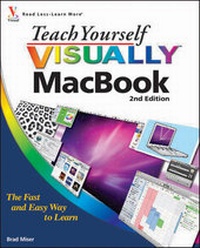
Teach Yourself VISUALLY MacBook
2nd Edition
Published on 22. January 2010
Book
Paperback/Softback
400 pages
978-0-470-56519-3 (ISBN)
Description
Like the MacBook itself, Teach Yourself VISUALLY MacBook, Second Edition is designed to be visually appealing, while providing excellent functionality at the same time. By using this book, MacBook users will be empowered to do everyday tasks quickly and easily. From such basic steps as powering on or shutting down the MacBook, working on the Mac desktop with the Dashboard and its widgets to running Windows applications, Teach Yourself VISUALLY MacBook, Second Edition covers all the vital information and provides the help and support a reader needs--in many ways it's like having a Mac Genius at their side helping tackle questions that may arise. Teach Yourself VIUSALLY MacBook, Second Edition will cover Snow Leopard, MobileMe and iLife '09.
More details
Series
Edition
2., Auflage
Language
English
Place of publication
Chichester
United Kingdom
Publishing group
John Wiley and Sons Ltd
Edition type
Revised edition
Illustrations
col. Illustrations
Dimensions
Height: 23.3 cm
Width: 18.7 cm
Thickness: 20 mm
Weight
907 gr
ISBN-13
978-0-470-56519-3 (9780470565193)
Schweitzer Classification
Other editions
Additional editions
Brad Miser
Teach Yourself VISUALLY MacBook
E-Book
08/2011
2nd Edition
Visual
€27.30
Available for download
Brad Miser
Teach Yourself VISUALLY MacBook
E-Book
12/2009
2nd Edition
Visual
€27.30
Available for download
Previous edition
Brad Miser
Teach Yourself VISUALLY MacBook
Book
03/2008
1st Edition
Wiley
€24.90
Article exhausted; check for reprint
Person
Brad Miser has written more than 40 books, with his favorite topics being anything related to Macintosh computers. In addition to Teach Yourself VISUALLY MacBook, Brad has written MacBook Pro Portable Genius, Teach Yourself VISUALLY MacBook Air, iPhoto '09 Portable Genius, MobileMe for Small Business Portable Genius, and MacBook Portable Genius. He has also been a co-author, development editor, or technical editor on more than 50 other titles. In addition to his passion for silicon-based technology, Brad enjoys steel-based technology, riding his motorcycle whenever and wherever possible. A native of California, Brad now lives in Indiana with his wife Amy; their three daughters, Jill, Emily, and Grace; a rabbit named Bun-Bun; and a sometimes-inside cat. Brad would love to hear about your experiences with this book (the good, the bad, and the ugly). You can write to him at bradmiser@me.com.
Content
Chapter 1. Exploring MacBook. Chapter 2. Looking Through Mac OS X Finder Windows. Chapter 3. Using the Dock, Espose, Spaces, and the Dashboard. Chapter 4. Working on the Mac Desktop. Chapter 5. Working with Mac Applications. Chapter 6. Personalizing MacBook. Chapter 7. Connecting to a Network and the Internet. Chapter 8. Traveling with MacBook. Chapter 9. Connecting MacBook to Other Devices. Chapter 10. Using MobileMe Online Services. Chapter 11. Using MobileMe Online Services. Chapter 12. E-mailing. Chapter 13. Chatting. Chapter 14. Printing on Paper or Electronically. Chapter 15. Managing Contacts. Chapter 16. Managing Calendars. Chapter 17. Maintaining and Troubleshooting MacBook. Chapter 18. Listening to Music and Watching Video with iTunes. Chapter 19. Creating Photo Books and Other Projects with iPhoto. Chapter 20. Creating Movies with iMovie.