

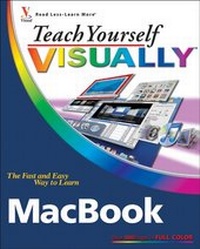
Teach Yourself VISUALLY MacBook
1st Edition
Published on 28. March 2008
Book
Paperback/Softback
400 pages
978-0-470-22459-5 (ISBN)
Description
Teach Yourself Visually
Are you a visual learner? Do you prefer instructions that show you how to do something -- and skip the long-winded explanations? If so, then this book is for you. Open it up and you'll find clear, step-by-step screen shots that show you how to tackle more than 160 MacBook tasks. Each task-based spread includes easy, visual directions for performing necessary operations, including:
*
Using the Dock and Dashboard
*
Managing Exposé and Spaces
*
Video chatting with iChat
*
Setting up a.Mac account
*
Creating albums and photos in iPhoto
*
Protecting your system and data
*
Helpful sidebars offer practical tips and tricks
*
Full-color screen shots demonstrate each task
*
Succinct explanations walk you through step by step
*
Two-page lessons break big topics into bite-sized modules
Are you a visual learner? Do you prefer instructions that show you how to do something -- and skip the long-winded explanations? If so, then this book is for you. Open it up and you'll find clear, step-by-step screen shots that show you how to tackle more than 160 MacBook tasks. Each task-based spread includes easy, visual directions for performing necessary operations, including:
*
Using the Dock and Dashboard
*
Managing Exposé and Spaces
*
Video chatting with iChat
*
Setting up a.Mac account
*
Creating albums and photos in iPhoto
*
Protecting your system and data
*
Helpful sidebars offer practical tips and tricks
*
Full-color screen shots demonstrate each task
*
Succinct explanations walk you through step by step
*
Two-page lessons break big topics into bite-sized modules
More details
Series
Edition
1., Auflage
Language
English
Place of publication
Chichester
United Kingdom
Publishing group
John Wiley and Sons Ltd
Target group
Professional and scholarly
Illustrations
illustrations
Dimensions
Height: 23.3 cm
Width: 18.8 cm
Thickness: 20 mm
Weight
907 gr
ISBN-13
978-0-470-22459-5 (9780470224595)
Schweitzer Classification
Other editions
New editions
Brad Miser
Teach Yourself VISUALLY MacBook
Book
01/2010
2nd Edition
Wiley
€28.90
Article exhausted; check different version
Additional editions
Person
Brad Miser has written more than 25 books, his favorite topics being anything related to Mac computers or products starting with "i," such as iTunes, iPhones, and iPods. In addition to Teach Yourself Visually MacBook, Brad has written My iPhone, Absolute Beginner's Guide to iPod and iTunes; Sleeping with the Enemy: Running Windows on a Mac; and Special Edition Using Mac OS X, v10.5 Leopard. He has also been a co-author, development editor, or technical editor on more than 50 other titles.
In addition to his passion for silicon-based technology, Brad enjoys steel-based technology and rides his motorcycle whenever and wherever possible. A native of California, Brad now lives in Indiana with his wife Amy; their three daughters, Jill, Emily, and Grace; and a rabbit named Bun-Bun.
Brad would love to hear about your experiences with this book (the good, the bad, and the ugly). You can write to him at bradmacosx@mac.com.
In addition to his passion for silicon-based technology, Brad enjoys steel-based technology and rides his motorcycle whenever and wherever possible. A native of California, Brad now lives in Indiana with his wife Amy; their three daughters, Jill, Emily, and Grace; and a rabbit named Bun-Bun.
Brad would love to hear about your experiences with this book (the good, the bad, and the ugly). You can write to him at bradmacosx@mac.com.
Content
Chapter 1: Explore the MacBook.
Chapter 2: Look Through Mac OS X Finder Windows.
Chapter 3: Manage the Desktop with the Dock, Exposé, Spaces, and the Dashboard.
Chapter 4: Work on the Mac Desktop.
Chapter 5: Work with Mac Applications.
Chapter 6: Personalize Your MacBook.
Chapter 7: Connect to a Network and the Internet.
Chapter 8: Surf the Web.
Chapter 9: E-mail.
Chapter 10: Use.Mac.
Chapter 11: Listen to Music and Watch Video with iTunes.
Chapter 12: Create Photo Books and Other Projects with iPhoto.
Chapter 13: Chat.
Chapter 14: Manage Contacts.
Chapter 15: Manage Calendars.
Chapter 16: Print on Paper or Electronically.
Chapter 17: Travel with a MacBook.
Chapter 18: Connect a MacBook to Other Devices.
Chapter 19: Maintain and Troubleshoot MacBook.
Chapter 2: Look Through Mac OS X Finder Windows.
Chapter 3: Manage the Desktop with the Dock, Exposé, Spaces, and the Dashboard.
Chapter 4: Work on the Mac Desktop.
Chapter 5: Work with Mac Applications.
Chapter 6: Personalize Your MacBook.
Chapter 7: Connect to a Network and the Internet.
Chapter 8: Surf the Web.
Chapter 9: E-mail.
Chapter 10: Use.Mac.
Chapter 11: Listen to Music and Watch Video with iTunes.
Chapter 12: Create Photo Books and Other Projects with iPhoto.
Chapter 13: Chat.
Chapter 14: Manage Contacts.
Chapter 15: Manage Calendars.
Chapter 16: Print on Paper or Electronically.
Chapter 17: Travel with a MacBook.
Chapter 18: Connect a MacBook to Other Devices.
Chapter 19: Maintain and Troubleshoot MacBook.