

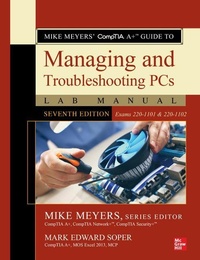
Mike Meyers' CompTIA A+ Guide to Managing and Troubleshooting PCs Lab Manual, Seventh Edition (Exams 220-1101 & 220-1102)
7th Edition
Published on 13. January 2023
Book
Paperback/Softback
672 pages
978-1-264-71109-3 (ISBN)
Description
Bestselling CompTIA A+ author Mark E. Soper and Series Editor Mike Meyers provide a comprehensive update to this hands-on lab manual that covers the 2022 update to the exams
This practical workbook contains more than 140 labs that challenge you to solve real-world problems by applying key concepts. Thoroughly revised for the 220-1101 and 220-1102 exam objectives, this book maps directly to Mike Meyers' CompTIA A+ (TM) Guide to Managing and Troubleshooting PCs, Seventh Edition. You will get complete materials lists, setup instructions, and start-to-finish lab scenarios. "Hint" and "Warning" icons guide you through tricky situations, and post-lab questions measure your knowledge.
Mike Meyers' CompTIA A+ Guide to Managing and Troubleshooting PCs Lab Manual, Seventh Edition covers:
Hardware and OS Troubleshooting
Professional Behavior
Windows 10/11 Configuration and Maintenance
macOS and Linux Configuration and Maintenance
CPUs and RAM
BIOS and UEFI Firmware
Motherboards, Expansion Cards, and Ports
Power Supplies and Mass Storage
PC Assembly and Configuration
Users, Groups, and Permissions
Display Technologies
Local Area and Wi-Fi Networking
The Internet
Virtualization
Portable and Mobile Device Configuration and Management
Printers and Peripherals
Computer Security
Operational Procedures
This practical workbook contains more than 140 labs that challenge you to solve real-world problems by applying key concepts. Thoroughly revised for the 220-1101 and 220-1102 exam objectives, this book maps directly to Mike Meyers' CompTIA A+ (TM) Guide to Managing and Troubleshooting PCs, Seventh Edition. You will get complete materials lists, setup instructions, and start-to-finish lab scenarios. "Hint" and "Warning" icons guide you through tricky situations, and post-lab questions measure your knowledge.
Mike Meyers' CompTIA A+ Guide to Managing and Troubleshooting PCs Lab Manual, Seventh Edition covers:
Hardware and OS Troubleshooting
Professional Behavior
Windows 10/11 Configuration and Maintenance
macOS and Linux Configuration and Maintenance
CPUs and RAM
BIOS and UEFI Firmware
Motherboards, Expansion Cards, and Ports
Power Supplies and Mass Storage
PC Assembly and Configuration
Users, Groups, and Permissions
Display Technologies
Local Area and Wi-Fi Networking
The Internet
Virtualization
Portable and Mobile Device Configuration and Management
Printers and Peripherals
Computer Security
Operational Procedures
More details
Edition
7th edition
Language
English
Place of publication
OH
United States
Product notice
Paperback (trade)
Unsewn / adhesive bound
Illustrations
140 Illustrations
Dimensions
Height: 274 mm
Width: 210 mm
Thickness: 36 mm
Weight
1497 gr
ISBN-13
978-1-264-71109-3 (9781264711093)
Copyright in bibliographic data and cover images is held by Nielsen Book Services Limited or by the publishers or by their respective licensors: all rights reserved.
Schweitzer Classification
Other editions
Additional editions
Mike Meyers | Mark Edward Soper
Mike Meyers' CompTIA A+ Guide to Managing and Troubleshooting PCs Lab Manual, Seventh Edition (Exams 220-1101 & 220-1102)
E-Book
01/2023
1st Edition
McGraw Hill LLC
€112.99
Available for download
Persons
Michael Meyers, MCP, CompTIA A+, CompTIA Network+, CompTIA Security+ (Houston, TX), is one of the industry's leading authorities on CompTIA certification. He is the president and founder and Total Seminars, LLC, a major provider of PC and network repair seminars for thousands of organizations including IBM, Lucent Technologies, GE, the FBI, the FAA and the United Nations. Mike is the best-selling author of the A+ Certification All-in-One Exam Guide.
Content
CH 1 Safety and Professionalism
CH 2 The Visible Computer
CH 3 CPUs
CH 4 RAM
CH 5 Firmware
CH 6 Motherboards
CH 7 Power Supplies
CH 8 Mass Storage Technologies
CH 9 Implementing Mass Storage
CH 10 Essential Peripherals
CH 11 Installing and Upgrading Operating Systems
CH 12 Operating System Operations
CH 13 Users, Groups, and Permissions
CH 14 Maintaining and Optimizing Operating Systems
CH 15 Command Line Interface
CH 16 Troubleshooting Operating Systems
CH 17 Display Technologies
CH 18 Networking Essentials
CH 19 Local Area Networking
CH 20 Wireless Networking
CH 21 The Internet
CH 22 Virtualization
CH 23 Portable Computing
CH 24 Mobile Devices
CH 25 Securing Mobile Devices
CH 26 Printers and Multifunction Devices
CH 27 Securing Computers
CH 28 Operational Procedures
App A Mapping to the CompTIA A+ Objectives
App B About the Online Content
GL Glossary
CH 2 The Visible Computer
CH 3 CPUs
CH 4 RAM
CH 5 Firmware
CH 6 Motherboards
CH 7 Power Supplies
CH 8 Mass Storage Technologies
CH 9 Implementing Mass Storage
CH 10 Essential Peripherals
CH 11 Installing and Upgrading Operating Systems
CH 12 Operating System Operations
CH 13 Users, Groups, and Permissions
CH 14 Maintaining and Optimizing Operating Systems
CH 15 Command Line Interface
CH 16 Troubleshooting Operating Systems
CH 17 Display Technologies
CH 18 Networking Essentials
CH 19 Local Area Networking
CH 20 Wireless Networking
CH 21 The Internet
CH 22 Virtualization
CH 23 Portable Computing
CH 24 Mobile Devices
CH 25 Securing Mobile Devices
CH 26 Printers and Multifunction Devices
CH 27 Securing Computers
CH 28 Operational Procedures
App A Mapping to the CompTIA A+ Objectives
App B About the Online Content
GL Glossary