

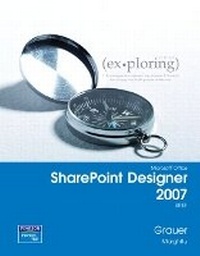
Exploring with Microsoft SharePoint Designer 2007, Brief
Published on 19. February 2008
Book
Spiral bound
448 pages
978-0-13-235051-8 (ISBN)
Description
For introductory courses in Microsoft Office SharePoint Designer.
The goal of the Exploring series has been to move students beyond the point and click, helping them understand the why and how behind each skill.
The goal of the Exploring series has been to move students beyond the point and click, helping them understand the why and how behind each skill.
More details
Language
English
Place of publication
United States
Publishing group
Pearson Education (US)
Target group
Professional and scholarly
Dimensions
Height: 221 mm
Width: 278 mm
Thickness: 14 mm
Weight
830 gr
ISBN-13
978-0-13-235051-8 (9780132350518)
Copyright in bibliographic data and cover images is held by Nielsen Book Services Limited or by the publishers or by their respective licensors: all rights reserved.
Schweitzer Classification
Other editions
New editions
Daniela Marghitu | Robert T. Grauer
Exploring Microsoft SharePoint 2010
Book
04/2012
Pearson
€75.51
Article is exhausted; no reprint
Daniela Marghitu | Robert T. Grauer
Exploring Getting Started with SharePoint 2010
Book
02/2012
Pearson
€27.22
Article is exhausted; no reprint
Previous edition
Book
09/2005
Pearson
€9.89
Article exhausted; check for reprint
Content
CONTENTS
CHAPTER ONE Introduction to Microsoft Office SharePoint
Designer 2007: What Is a Web Site?
Objectives 1
Case Study: Can Someone Help Me Create My Personal Web Site, Please? 2
Introduction to the Internet, World Wide Web, Web Sites, and SharePoint Designer 2007 3
Getting Started with the Internet and the World
Wide Web 3
Understand the Internet 3
Understand the World Wide Web 5
Understanding Web Browsers and Markup
Languages: Hypertext Markup Language
(HTML), Extensible Hypertext Markup
Language (XHTML), and Extensible Markup
Language (XML) 7
Get Started with Web Browsers 7
Get Started with Hypertext Markup
Language (HTML) 8
Get Started with Extensible Hypertext
Markup Language (XHTML) 13
Get Started with Extensible Markup
Language (XML) 13
Using Cascading Style Sheets (CSS) 15
Defining Web Sites 18
Define Internet Resources: URLs, URIs,
and URNs 19
The Core Types of Web Sites: Intranets,
Extranets, and Portals 21
Describe Web Applications 22
Understand How Search Engines Work 23
Understand the Internet Copyright Laws 24
Getting Started with SharePoint
Designer 2007 25
Identify SharePoint Designer 2007 Interface
Components 26
Customize the SharePoint Designer 2007
Interface 35
Use SharePoint Designer 2007 Help 42
HANDS-ON EXERCISE 1: Identifying SharePoint
Designer 2007 Interface Components
and Using Help 45
Introduction to Web Sites 49
Identifying SharePoint Designer 2007 Tools
for Creating Web Sites 49
Opening and Closing a Web Site 54
Describing Web Site Views 54
HANDS-ON EXERCISE 2:
Introduction to SharePoint Designer 2007
Tools for Creating Web Sites 57
Introduction to Web Pages 60
Opening and Closing a Web Page 60
Describing Web Page Views 60
Describing Basic Web Page Elements 62
Identifying SharePoint Designer 2007 for
Creating Web Pages 64
Understand the Principles of Good Web
Page Design 71
Learn About Working with Colors 73
Design for Usability 79
Design for Compatibility 82
Design for Accessibility 85
Saving Work and Exiting SharePoint
Designer 2007 90
HANDS-ON EXERCISE 3: Exploring Basic Web
Page Elements and SharePoint Designer
2007 Tools for Creating Web Pages 91
SUMMARY 95
KEY TERMS 96
MULTIPLE CHOICE 97
PRACTICE EXERCISES 99
MID-LEVEL EXERCISES 103
CAPSTONE EXERCISE 107
MINI CASES 109
CHAPTER ONE Introduction to Microsoft Office SharePoint
Designer 2007: What Is a Web Site?
Objectives 1
Case Study: Can Someone Help Me Create My Personal Web Site, Please? 2
Introduction to the Internet, World Wide Web, Web Sites, and SharePoint Designer 2007 3
Getting Started with the Internet and the World
Wide Web 3
Understand the Internet 3
Understand the World Wide Web 5
Understanding Web Browsers and Markup
Languages: Hypertext Markup Language
(HTML), Extensible Hypertext Markup
Language (XHTML), and Extensible Markup
Language (XML) 7
Get Started with Web Browsers 7
Get Started with Hypertext Markup
Language (HTML) 8
Get Started with Extensible Hypertext
Markup Language (XHTML) 13
Get Started with Extensible Markup
Language (XML) 13
Using Cascading Style Sheets (CSS) 15
Defining Web Sites 18
Define Internet Resources: URLs, URIs,
and URNs 19
The Core Types of Web Sites: Intranets,
Extranets, and Portals 21
Describe Web Applications 22
Understand How Search Engines Work 23
Understand the Internet Copyright Laws 24
Getting Started with SharePoint
Designer 2007 25
Identify SharePoint Designer 2007 Interface
Components 26
Customize the SharePoint Designer 2007
Interface 35
Use SharePoint Designer 2007 Help 42
HANDS-ON EXERCISE 1: Identifying SharePoint
Designer 2007 Interface Components
and Using Help 45
Introduction to Web Sites 49
Identifying SharePoint Designer 2007 Tools
for Creating Web Sites 49
Opening and Closing a Web Site 54
Describing Web Site Views 54
HANDS-ON EXERCISE 2:
Introduction to SharePoint Designer 2007
Tools for Creating Web Sites 57
Introduction to Web Pages 60
Opening and Closing a Web Page 60
Describing Web Page Views 60
Describing Basic Web Page Elements 62
Identifying SharePoint Designer 2007 for
Creating Web Pages 64
Understand the Principles of Good Web
Page Design 71
Learn About Working with Colors 73
Design for Usability 79
Design for Compatibility 82
Design for Accessibility 85
Saving Work and Exiting SharePoint
Designer 2007 90
HANDS-ON EXERCISE 3: Exploring Basic Web
Page Elements and SharePoint Designer
2007 Tools for Creating Web Pages 91
SUMMARY 95
KEY TERMS 96
MULTIPLE CHOICE 97
PRACTICE EXERCISES 99
MID-LEVEL EXERCISES 103
CAPSTONE EXERCISE 107
MINI CASES 109