

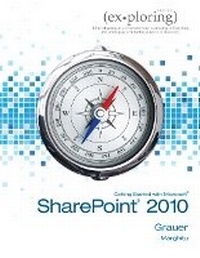
Exploring Getting Started with SharePoint 2010
Published on 10. February 2012
Book
Spiral bound
96 pages
978-0-13-288208-8 (ISBN)
Description
The goal of the Exploring series has been to move students beyond the point and click, helping them understand the why and how behind each skill. The Exploring series for Office 2010 also enables students to extend the learning beyond the classroom.
** This is a one-chapter supplement **
** This is a one-chapter supplement **
More details
Language
English
Place of publication
United States
Publishing group
Pearson Education (US)
Target group
Professional and scholarly
Dimensions
Height: 276 mm
Width: 216 mm
Weight
202 gr
ISBN-13
978-0-13-288208-8 (9780132882088)
Copyright in bibliographic data is held by Nielsen Book Services Limited or its licensors: all rights reserved.
Schweitzer Classification
Other editions
Previous edition
Daniela Marghitu | Robert T. Grauer
Exploring with Microsoft SharePoint Designer 2007, Brief
Book
02/2008
Pearson
€68.08
Article exhausted; check for reprint
Content
** This is a one-chapter supplement **
Chapter title: SHAREPOINT TECHNOLOGIES
Introduction to SharePoint 2010
Objectives:
1. Explore SharePoint 2010 capabilities
2. Work with the SharePoint 2010 Ribbon user interface
3. Prepare to install a SharePoint Foundation 2010 environment
4. Use SharePoint Foundation site templates
5. Use SharePoint collections and permission levels
6. Work with site templates
7. Identify SharePoint Site layouts
8. Understand the relationship between SharePoint Foundation and SharePoint Server
9. Explore SharePoint Designer 2010 capabilities
10. Identify the SharePoint Designer default interface components and tools
11. Customize the SharePoint Designer UI
12. Learn how to use Master Pages
13. Work with SharePoint pages
Chapter title: SHAREPOINT TECHNOLOGIES
Introduction to SharePoint 2010
Objectives:
1. Explore SharePoint 2010 capabilities
2. Work with the SharePoint 2010 Ribbon user interface
3. Prepare to install a SharePoint Foundation 2010 environment
4. Use SharePoint Foundation site templates
5. Use SharePoint collections and permission levels
6. Work with site templates
7. Identify SharePoint Site layouts
8. Understand the relationship between SharePoint Foundation and SharePoint Server
9. Explore SharePoint Designer 2010 capabilities
10. Identify the SharePoint Designer default interface components and tools
11. Customize the SharePoint Designer UI
12. Learn how to use Master Pages
13. Work with SharePoint pages