

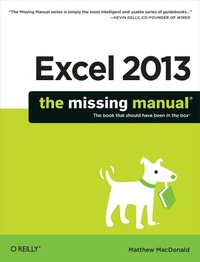
Excel 2013: The Missing Manual
1st Edition
Published on 28. May 2013
Book
1017 pages
978-1-4493-5727-6 (ISBN)
Description
The world's most popular spreadsheet program is now more powerful than ever, but it's also more complex. That's where this Missing Manual comes in. With crystal-clear explanations and hands-on examples, Excel 2013: The Missing Manual shows you how to master Excel so you can easily track, analyze, and chart your data. You'll be using new features like PowerPivot and Flash Fill in no time.
The important stuff you need to know:
* Go from novice to ace. Learn how to analyze your data, from writing your first formula to charting your results.
* Illustrate trends. Discover the clearest way to present your data using Excel's new Quick Analysis feature.
* Broaden your analysis. Use pivot tables, slicers, and timelines to examine your data from different perspectives.
* Import data. Pull data from a variety of sources, including website data feeds and corporate databases.
* Work from the Web. Launch and manage your workbooks on the road, using the new Excel Web App.
* Share your worksheets. Store Excel files on SkyDrive and collaborate with colleagues on Facebook, Twitter, and LinkedIn.
* Master the new data model. Use PowerPivot to work with millions of rows of data.
* Make calculations. Review financial data, use math and scientific formulas, and perform statistical analyses.
More details
Other editions
Additional editions
Person
Matthew MacDonald is a science and technology writer with well over a dozen books to his name. Web novices can tiptoe out onto the Internet with him in Creating a Website: The Missing Manual. HTML fans can learn about the cutting edge of web design in HTML5: The Missing Manual. And human beings of all description can discover just how strange they really are in the quirky handbooks Your Brain: The Missing Manual and Your Body: The Missing Manual.
Content
- The Missing Credits
- Introduction
-
Part 1: Worksheet Basics
- Chapter 1: Creating Your First Spreadsheet
- Chapter 2: Adding Information to Worksheets
- Chapter 3: Moving Data
- Chapter 4: Managing Worksheets
- Chapter 5: Formatting Cells
- Chapter 6: Smart Formatting Tricks
- Chapter 7: Viewing and Printing Worksheets
-
Part 2: Formulas and Functions
- Chapter 8: Building Basic Formulas
- Chapter 9: Math and Statistical Functions
- Chapter 10: Financial Functions
- Chapter 11: Manipulating Dates, Times, and Text
- Chapter 12: Lookup, Reference, and Information Functions
- Chapter 13: Advanced Formula Writing and Troubleshooting
-
Part 3: Organizing Your Information
- Chapter 14: Tables: List Management Made Easy
- Chapter 15: Grouping and Outlining Data
- Chapter 16: Templates
-
Part 4: Charts and Graphics
- Chapter 17: Creating Basic Charts
- Chapter 18: Formatting and Perfecting Charts
- Chapter 19: Inserting Graphics
- Chapter 20: Visualizing Your Data
-
Part 5: Sharing Data with the Rest of the World
- Chapter 21: Protecting Your Workbooks
- Chapter 22: Worksheet Collaboration
- Chapter 23: Using Excel on the Web
- Chapter 24: Exchanging Data with Other Programs
-
Part 6: Advanced Data Analysis
- Chapter 25: Scenarios and Goal Seeking
- Chapter 26: Pivot Tables
- Chapter 27: Analyzing Databases
- Chapter 28: Analyzing XML and Web Data
-
Part 7: Programming Excel
- Chapter 29: Automating Tasks with Macros
- Chapter 30: Programming Spreadsheets with VBA
-
Part 8: Appendix
- Customizing the Ribbon