

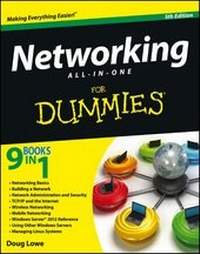
Networking All-in-One For Dummies
5th Edition
Published on 28. November 2012
Book
Paperback/Softback
912 pages
978-1-118-38098-7 (ISBN)
Description
The bestselling guide for network administrators, fully updated for Windows 8
If you're responsible for a network, large or small, this book is your one-stop resource for all the essential details you need to know. Fully updated to cover Windows 8 and Windows Server 2012, it features the latest on broadband technologies, storage, backup procedures, and all the current networking trends. Nine handy minibooks cover the basics, building a network, administration and security, TCP/IP and the Internet, wireless networking, mobile networking, Windows Server 2012, using other Windows servers, and managing Linux systems.
* A proven bestseller, with more than 111,000 copies sold in four previous editions
* Written by veteran IT expert Doug Lowe, who has more than 50 technology books to his credit
* Provides one-stop shopping for everything networking professionals need to keep large or small networks functioning efficiently
* Updated with the latest information on building and administering a network, security, wireless and mobile networking, using Windows servers, working with Linux systems, and much more
Networking All-in-One For Dummies, 5th Edition provides what network administrators need to know in a handy, easy-to-use reference.
If you're responsible for a network, large or small, this book is your one-stop resource for all the essential details you need to know. Fully updated to cover Windows 8 and Windows Server 2012, it features the latest on broadband technologies, storage, backup procedures, and all the current networking trends. Nine handy minibooks cover the basics, building a network, administration and security, TCP/IP and the Internet, wireless networking, mobile networking, Windows Server 2012, using other Windows servers, and managing Linux systems.
* A proven bestseller, with more than 111,000 copies sold in four previous editions
* Written by veteran IT expert Doug Lowe, who has more than 50 technology books to his credit
* Provides one-stop shopping for everything networking professionals need to keep large or small networks functioning efficiently
* Updated with the latest information on building and administering a network, security, wireless and mobile networking, using Windows servers, working with Linux systems, and much more
Networking All-in-One For Dummies, 5th Edition provides what network administrators need to know in a handy, easy-to-use reference.
More details
Other editions
New editions
Doug Lowe
Networking All-in-One For Dummies
Book
02/2016
6th Edition
Wiley
€35.90
Article exhausted; check for reprint
Previous edition
Doug Lowe
Networking All-in-One For Dummies
Book
10/2010
4th Edition
Wiley
€35.90
Article exhausted; check for reprint
Person
Doug Lowe is an IT director who has been managing corporate networks for more than 20 years. He has written more than 50 books that demystify everything from Microsoft Office to client/server computing to creating web pages. Among them is the perennial bestseller Networking For Dummies.
Content
Introduction 1
Book I: Networking Basics 7
Chapter 1: Understanding Networks 9
Chapter 2: Understanding Network Protocols and Standards 21
Chapter 3: Understanding Network Hardware 41
Chapter 4: Understanding Network Operating Systems 59
Book II: Building a Network 73
Chapter 1: Planning a Network 75
Chapter 2: Installing Network Hardware 93
Chapter 3: Setting Up a Network Server 107
Chapter 4: Confi guring Windows Clients 117
Chapter 5: Macintosh Networking 133
Chapter 6: Confi guring Other Network Features 141
Chapter 7: Verifying Your Network Installation 151
Chapter 8: Going Virtual 157
Chapter 9: Cloudy with a Chance of Gigabytes 169
Book III: Networking Administration and Security 179
Chapter 1: Help Wanted: Job Description for a Network Administrator 181
Chapter 2: Security 101 195
Chapter 3: Managing User Accounts 205
Chapter 4: Firewalls and Virus Protection 213
Chapter 5: Extending Your Network with VPN Access 225
Chapter 6: Managing Network Software 231
Chapter 7: Solving Network Problems 243
Chapter 8: Network Performance Anxiety 259
Chapter 9: Backing Up Your Data 269
Chapter 10: Disaster Recovery and Business Continuity Planning 281
Book IV: TCP/IP and the Internet 289
Chapter 1: Introduction to TCP/IP and the Internet 291
Chapter 2: Understanding IP Addresses 299
Chapter 3: Using DHCP 317
Chapter 4: Using DNS 331
Chapter 5: Using FTP 357
Chapter 6: TCP/IP Tools and Commands 381
Book V: Wireless Networking 405
Chapter 1: Setting Up a Wireless Network 407
Chapter 2: Securing a Wireless Network 427
Chapter 3: Hotspotting 439
Chapter 4: Troubleshooting a Wireless Network 443
Chapter 5: Wireless Networking with Bluetooth 449
Book VI: Mobile Networking 455
Chapter 1: Managing Mobile Devices 457
Chapter 2: Managing BlackBerry Devices 461
Chapter 3: Managing iOS Devices 469
Chapter 4: Managing Android Devices 477
Chapter 5: Managing Netbooks 481
Book VII: Windows Server 2012 Reference 485
Chapter 1: Installing and Confi guring Windows Server 2012 487
Chapter 2: Managing Windows Server 2012 501
Chapter 3: Dealing with Active Directory 517
Chapter 4: Managing Windows User Accounts 527
Chapter 5: Managing a File Server 549
Chapter 6: Using Group Policy 563
Chapter 7: Troubleshooting 575
Chapter 8: Windows Commands 587
Book VIII: Using Other Windows Servers 615
Chapter 1: Using Internet Information System (IIS) 617
Chapter 2: Managing Exchange Server 2010 627
Chapter 3: Using SQL Server 2012 647
Chapter 4: Using SharePoint 663
Book IX: Managing Linux Systems 677
Chapter 1: Installing a Linux Server 679
Chapter 2: Getting Used to Linux 693
Chapter 3: Basic Linux Network Configuration 701
Chapter 4: Running DHCP and DNS 713
Chapter 5: Doing the Samba Dance 723
Chapter 6: Running Apache 737
Chapter 7: Running Sendmail 749
Chapter 8: Running FTP 759
Chapter 9: Linux Commands 763
Appendix A: Directory of Useful Websites 791
Appendix B: Glossary 799
Index 825
Book I: Networking Basics 7
Chapter 1: Understanding Networks 9
Chapter 2: Understanding Network Protocols and Standards 21
Chapter 3: Understanding Network Hardware 41
Chapter 4: Understanding Network Operating Systems 59
Book II: Building a Network 73
Chapter 1: Planning a Network 75
Chapter 2: Installing Network Hardware 93
Chapter 3: Setting Up a Network Server 107
Chapter 4: Confi guring Windows Clients 117
Chapter 5: Macintosh Networking 133
Chapter 6: Confi guring Other Network Features 141
Chapter 7: Verifying Your Network Installation 151
Chapter 8: Going Virtual 157
Chapter 9: Cloudy with a Chance of Gigabytes 169
Book III: Networking Administration and Security 179
Chapter 1: Help Wanted: Job Description for a Network Administrator 181
Chapter 2: Security 101 195
Chapter 3: Managing User Accounts 205
Chapter 4: Firewalls and Virus Protection 213
Chapter 5: Extending Your Network with VPN Access 225
Chapter 6: Managing Network Software 231
Chapter 7: Solving Network Problems 243
Chapter 8: Network Performance Anxiety 259
Chapter 9: Backing Up Your Data 269
Chapter 10: Disaster Recovery and Business Continuity Planning 281
Book IV: TCP/IP and the Internet 289
Chapter 1: Introduction to TCP/IP and the Internet 291
Chapter 2: Understanding IP Addresses 299
Chapter 3: Using DHCP 317
Chapter 4: Using DNS 331
Chapter 5: Using FTP 357
Chapter 6: TCP/IP Tools and Commands 381
Book V: Wireless Networking 405
Chapter 1: Setting Up a Wireless Network 407
Chapter 2: Securing a Wireless Network 427
Chapter 3: Hotspotting 439
Chapter 4: Troubleshooting a Wireless Network 443
Chapter 5: Wireless Networking with Bluetooth 449
Book VI: Mobile Networking 455
Chapter 1: Managing Mobile Devices 457
Chapter 2: Managing BlackBerry Devices 461
Chapter 3: Managing iOS Devices 469
Chapter 4: Managing Android Devices 477
Chapter 5: Managing Netbooks 481
Book VII: Windows Server 2012 Reference 485
Chapter 1: Installing and Confi guring Windows Server 2012 487
Chapter 2: Managing Windows Server 2012 501
Chapter 3: Dealing with Active Directory 517
Chapter 4: Managing Windows User Accounts 527
Chapter 5: Managing a File Server 549
Chapter 6: Using Group Policy 563
Chapter 7: Troubleshooting 575
Chapter 8: Windows Commands 587
Book VIII: Using Other Windows Servers 615
Chapter 1: Using Internet Information System (IIS) 617
Chapter 2: Managing Exchange Server 2010 627
Chapter 3: Using SQL Server 2012 647
Chapter 4: Using SharePoint 663
Book IX: Managing Linux Systems 677
Chapter 1: Installing a Linux Server 679
Chapter 2: Getting Used to Linux 693
Chapter 3: Basic Linux Network Configuration 701
Chapter 4: Running DHCP and DNS 713
Chapter 5: Doing the Samba Dance 723
Chapter 6: Running Apache 737
Chapter 7: Running Sendmail 749
Chapter 8: Running FTP 759
Chapter 9: Linux Commands 763
Appendix A: Directory of Useful Websites 791
Appendix B: Glossary 799
Index 825