

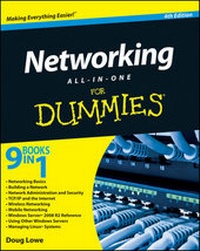
Networking All-in-One For Dummies
4th Edition
Published on 22. October 2010
Book
Paperback/Softback
912 pages
978-0-470-62587-3 (ISBN)
Description
The ultimate reference guide for network administrators
Network administrators now have a single, convenient place to turn for all the information they need. Networking All-in-One For Dummies, 4th Edition is like ten books in one, covering such topics as networking basics, network security, setting up TCP/IP and connecting to the Internet, handling mobile devices, and much more. This valuable book covers all the newest updates and trends, including Windows 7 and Windows Server 2008 R2.
* A single-source reference for network administrators
* Includes ten minibooks: Networking Basics; Building a Network; Network Administration and Security; TCP/IP and the Internet; Wireless Networking; Telecom, Convergence, and Mobile Devices; Windows Server 2008 Reference; Using Other Windows Servers; Linux Networking Reference; and Appendices
* Explores the latest technologies in broadband, storage, and back-up
* Delves into new trends in networking and includes the latest Windows Server 2008 R2 and Windows 7 updates
System administrators will want to keep this practical all-in-one guide within reach.
Network administrators now have a single, convenient place to turn for all the information they need. Networking All-in-One For Dummies, 4th Edition is like ten books in one, covering such topics as networking basics, network security, setting up TCP/IP and connecting to the Internet, handling mobile devices, and much more. This valuable book covers all the newest updates and trends, including Windows 7 and Windows Server 2008 R2.
* A single-source reference for network administrators
* Includes ten minibooks: Networking Basics; Building a Network; Network Administration and Security; TCP/IP and the Internet; Wireless Networking; Telecom, Convergence, and Mobile Devices; Windows Server 2008 Reference; Using Other Windows Servers; Linux Networking Reference; and Appendices
* Explores the latest technologies in broadband, storage, and back-up
* Delves into new trends in networking and includes the latest Windows Server 2008 R2 and Windows 7 updates
System administrators will want to keep this practical all-in-one guide within reach.
More details
Edition
4., Auflage
Language
English
Place of publication
Chichester
United Kingdom
Publishing group
John Wiley and Sons Ltd
Target group
Professional and scholarly
Edition type
Revised edition
Illustrations
Illustrations
Dimensions
Height: 23.5 cm
Width: 18.7 cm
Thickness: 46 mm
Weight
1315 gr
ISBN-13
978-0-470-62587-3 (9780470625873)
Schweitzer Classification
Other editions
New editions
Doug Lowe
Networking All-in-One For Dummies
Book
11/2012
5th Edition
Wiley
€40.90
Article exhausted; check for reprint
Previous edition
Book
03/2008
3rd Edition
Wiley
€34.90
Article exhausted; check for reprint
Person
Doug Lowe is the information technology director for a civil engineering firm and a veteran network manager. He has written several editions of this book and Networking For Dummies, both bestsellers. Doug's 50-plus books have demystified everything from Microsoft Office to creating Web pages.
Content
Introduction.
Book I: Networking Basics.
Chapter 1: Understanding Networks.
Chapter 2: Understanding Network Protocols and Standards.
Chapter 3: Understanding Network Hardware.
Chapter 4: Understanding Network Operating Systems.
Book II: Building a Network.
Chapter 1: Planning a Network.
Chapter 2: Installing Network Hardware.
Chapter 3: Setting Up a Network Server.
Chapter 4: Confi guring Windows Clients.
Chapter 5: Macintosh Networking.
Chapter 6: Confi guring Other Network Features.
Chapter 7: Verifying Your Network Installation.
Chapter 8: Going Virtual.
Book III: Network Administration and Security.
Chapter 1: Help Wanted: Job Description for a Network Administrator.
Chapter 2: Security 101.
Chapter 3: Managing User Accounts.
Chapter 4: Firewalls and Virus Protection.
Chapter 5: Extending Your Network with VPN Access.
Chapter 6: Managing Network Software.
Chapter 7: Solving Network Problems.
Chapter 8: Network Performance Anxiety.
Chapter 9: Backing Up Your Data.
Chapter 10: Disaster Recovery and Business Continuity Planning.
Book IV: TCP/IP and the Internet.
Chapter 1: Introduction to TCP/IP and the Internet.
Chapter 2: Understanding IP Addresses.
Chapter 3: Using DHCP.
Chapter 4: Using DNS.
Chapter 5: Using FTP.
Chapter 6: TCP/IP Tools and Commands.
Book V: Wireless Networking.
Chapter 1: Setting Up a Wireless Network.
Chapter 2: Securing a Wireless Network.
Chapter 3: Hotspotting.
Chapter 4: Troubleshooting a Wireless Network.
Chapter 5: Wireless Networking with Bluetooth.
Book VI: Mobile Networking.
Chapter 1: Managing Mobile Devices.
Chapter 2: Managing BlackBerry Devices.
Chapter 3: Managing iPhone Devices.
Chapter 4: Managing Android Devices.
Chapter 5: Managing Netbooks.
Book VII: Windows Server 2008 Reference.
Chapter 1: Installing and Confi guring Windows Server 2008 R2.
Chapter 2: Managing Windows Server 2008.
Chapter 3: Dealing with Active Directory.
Chapter 4: Managing Windows User Accounts.
Chapter 5: Managing a File Server.
Chapter 6: Using Group Policy.
Chapter 7: Troubleshooting.
Chapter 8: Windows Commands.
Book VIII: Using Other Windows Servers.
Chapter 1: Using Internet Information System (IIS).
Chapter 2: Managing Exchange Server 2010.
Chapter 3: Using SQL Server 2008.
Chapter 4: Using SharePoint.
Book IX: Managing Linux Systems.
Chapter 1: Installing a Linux Server.
Chapter 2: Getting Used to Linux.
Chapter 3: Basic Linux Network Confi guration.
Chapter 4: Running DHCP and DNS.
Chapter 5: Doing the Samba Dance.
Chapter 6: Running Apache.
Chapter 7: Running Sendmail.
Chapter 8: Running FTP.
Chapter 9: Linux Commands.
Appendix A: Directory of Useful Web Sites.
Appendix B: Glossary.
Index.
Book I: Networking Basics.
Chapter 1: Understanding Networks.
Chapter 2: Understanding Network Protocols and Standards.
Chapter 3: Understanding Network Hardware.
Chapter 4: Understanding Network Operating Systems.
Book II: Building a Network.
Chapter 1: Planning a Network.
Chapter 2: Installing Network Hardware.
Chapter 3: Setting Up a Network Server.
Chapter 4: Confi guring Windows Clients.
Chapter 5: Macintosh Networking.
Chapter 6: Confi guring Other Network Features.
Chapter 7: Verifying Your Network Installation.
Chapter 8: Going Virtual.
Book III: Network Administration and Security.
Chapter 1: Help Wanted: Job Description for a Network Administrator.
Chapter 2: Security 101.
Chapter 3: Managing User Accounts.
Chapter 4: Firewalls and Virus Protection.
Chapter 5: Extending Your Network with VPN Access.
Chapter 6: Managing Network Software.
Chapter 7: Solving Network Problems.
Chapter 8: Network Performance Anxiety.
Chapter 9: Backing Up Your Data.
Chapter 10: Disaster Recovery and Business Continuity Planning.
Book IV: TCP/IP and the Internet.
Chapter 1: Introduction to TCP/IP and the Internet.
Chapter 2: Understanding IP Addresses.
Chapter 3: Using DHCP.
Chapter 4: Using DNS.
Chapter 5: Using FTP.
Chapter 6: TCP/IP Tools and Commands.
Book V: Wireless Networking.
Chapter 1: Setting Up a Wireless Network.
Chapter 2: Securing a Wireless Network.
Chapter 3: Hotspotting.
Chapter 4: Troubleshooting a Wireless Network.
Chapter 5: Wireless Networking with Bluetooth.
Book VI: Mobile Networking.
Chapter 1: Managing Mobile Devices.
Chapter 2: Managing BlackBerry Devices.
Chapter 3: Managing iPhone Devices.
Chapter 4: Managing Android Devices.
Chapter 5: Managing Netbooks.
Book VII: Windows Server 2008 Reference.
Chapter 1: Installing and Confi guring Windows Server 2008 R2.
Chapter 2: Managing Windows Server 2008.
Chapter 3: Dealing with Active Directory.
Chapter 4: Managing Windows User Accounts.
Chapter 5: Managing a File Server.
Chapter 6: Using Group Policy.
Chapter 7: Troubleshooting.
Chapter 8: Windows Commands.
Book VIII: Using Other Windows Servers.
Chapter 1: Using Internet Information System (IIS).
Chapter 2: Managing Exchange Server 2010.
Chapter 3: Using SQL Server 2008.
Chapter 4: Using SharePoint.
Book IX: Managing Linux Systems.
Chapter 1: Installing a Linux Server.
Chapter 2: Getting Used to Linux.
Chapter 3: Basic Linux Network Confi guration.
Chapter 4: Running DHCP and DNS.
Chapter 5: Doing the Samba Dance.
Chapter 6: Running Apache.
Chapter 7: Running Sendmail.
Chapter 8: Running FTP.
Chapter 9: Linux Commands.
Appendix A: Directory of Useful Web Sites.
Appendix B: Glossary.
Index.