

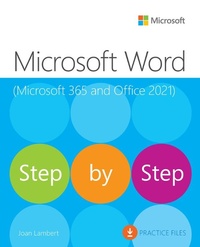
Microsoft Word Step by Step (Office 2021 and Microsoft 365)
Published on 1. June 2023
Book
Paperback/Softback
656 pages
978-0-13-752272-9 (ISBN)
Description
The quick way to learn Microsoft Word 365 and Word 2021 for Windows!
This is learning made easy. Get more done quickly with Microsoft Word. Jump in wherever you need answers- brisk lessons and detailed screenshots show you exactly what to do, step by step.
Create great-looking, well-organized, accessible documents to enhance communication
Use headings, bookmarks, and footnotes for more intuitive access to knowledge
Present complex information in diagrams and charts
Illustrate concepts by using professional stock images, 3D models, icons, and screen clippings
Collaborate with other Word and Word for the web users to create and edit documents in real time, tracking changes for review and automatically saving file versions
Enforce security and privacy in electronic documents
Quickly build tables of contents, indexes, and bibliographies
Generate personalized emails, letters, labels, envelopes, directories, and catalogs from various data sources
Supercharge efficiency with custom styles, themes, templates, and building blocks
Look up just the tasks and lessons you need
This is learning made easy. Get more done quickly with Microsoft Word. Jump in wherever you need answers- brisk lessons and detailed screenshots show you exactly what to do, step by step.
Create great-looking, well-organized, accessible documents to enhance communication
Use headings, bookmarks, and footnotes for more intuitive access to knowledge
Present complex information in diagrams and charts
Illustrate concepts by using professional stock images, 3D models, icons, and screen clippings
Collaborate with other Word and Word for the web users to create and edit documents in real time, tracking changes for review and automatically saving file versions
Enforce security and privacy in electronic documents
Quickly build tables of contents, indexes, and bibliographies
Generate personalized emails, letters, labels, envelopes, directories, and catalogs from various data sources
Supercharge efficiency with custom styles, themes, templates, and building blocks
Look up just the tasks and lessons you need
More details
Series
Language
English
Place of publication
Boston
United States
Publishing group
Pearson Education (US)
Target group
Professional and scholarly
Product notice
Paperback (trade)
Unsewn / adhesive bound
Dimensions
Height: 231 mm
Width: 188 mm
Thickness: 35 mm
Weight
1174 gr
ISBN-13
978-0-13-752272-9 (9780137522729)
Copyright in bibliographic data and cover images is held by Nielsen Book Services Limited or by the publishers or by their respective licensors: all rights reserved.
Schweitzer Classification
Other editions
Additional editions
E-Book
08/2023
1st Edition
Addison Wesley
€36.99
Available for download
E-Book
05/2023
Addison Wesley
€36.99
Available for download
Previous edition
Joan Lambert
Microsoft Word 2019 Step by Step
Book
04/2019
Microsoft Press
€37.50
Shipment within 3-4 weeks
Person
Joan Lambert is a certified expert in accessibility, training, Adobe InDesign, Intuit QuickBooks, Dynamics, Windows Server technologies, and many Microsoft applications and systems including Access, Excel, OneNote, Outlook, PowerPoint, SharePoint, Windows, and Word. A former small business owner and recovering workaholic, she has worked for over 36 years with Microsoft and Microsoft technologies and for over 26 years in the training and certification industry.
As a member of the Pearson VUE Accessibility team since 2022, Joan has gained a new perspective on computer interactions and the importance of providing equitable access to technology and content. Through her books, Joan enjoys helping people gain confidence and increase their productivity. She has written more than 50 books about Windows, Office, and SharePoint technologies, including dozens of Step by Step books and five generations of Microsoft Office Specialist certification study guides. Students who use the GO! with Microsoft Office textbook products from Pearson may overhear her cheerfully demonstrating Office features in the videos that accompany the series.
A native of the Pacific Northwest, Joan has had the good fortune to live in many parts of the world-including Germany, New Zealand, Sweden, and Denmark-and many of our United States. She currently resides with her family-one daughter, two dogs, two cats, and five chickens- in the Beehive State, where she enjoys the majestic mountain views, mostly blue skies, and occasional snowstorm.
As a member of the Pearson VUE Accessibility team since 2022, Joan has gained a new perspective on computer interactions and the importance of providing equitable access to technology and content. Through her books, Joan enjoys helping people gain confidence and increase their productivity. She has written more than 50 books about Windows, Office, and SharePoint technologies, including dozens of Step by Step books and five generations of Microsoft Office Specialist certification study guides. Students who use the GO! with Microsoft Office textbook products from Pearson may overhear her cheerfully demonstrating Office features in the videos that accompany the series.
A native of the Pacific Northwest, Joan has had the good fortune to live in many parts of the world-including Germany, New Zealand, Sweden, and Denmark-and many of our United States. She currently resides with her family-one daughter, two dogs, two cats, and five chickens- in the Beehive State, where she enjoys the majestic mountain views, mostly blue skies, and occasional snowstorm.
Content
Part 1: Get started with Microsoft Word 365
Chapter 1: Word basics
Chapter 2: Create and manage documents
Chapter 3: Enter and edit text
Part 2: Create professional documents
Chapter 4: Modify the structure and appearance of text
Chapter 5: Organize information in columns and tables
Chapter 6: Add simple graphic elements
Part 3: Enhance document content
Chapter 7: Insert and modify diagrams and 3D models.
Chapter 8: Insert and modify charts
Chapter 9: Format document elements
Chapter 10: Organize and arrange content
Part 4: Review and finalize documents
Chapter 11: Collaborate on documents
Chapter 12: Finalize and distribute documents
Part 5: Use advanced Word functions
Chapter 13: Reference content and content sources
Chapter 14: Merge data with documents and labels
Chapter 15: Create custom document elements
Chapter 16: Customize options and the user interface
Chapter 1: Word basics
Chapter 2: Create and manage documents
Chapter 3: Enter and edit text
Part 2: Create professional documents
Chapter 4: Modify the structure and appearance of text
Chapter 5: Organize information in columns and tables
Chapter 6: Add simple graphic elements
Part 3: Enhance document content
Chapter 7: Insert and modify diagrams and 3D models.
Chapter 8: Insert and modify charts
Chapter 9: Format document elements
Chapter 10: Organize and arrange content
Part 4: Review and finalize documents
Chapter 11: Collaborate on documents
Chapter 12: Finalize and distribute documents
Part 5: Use advanced Word functions
Chapter 13: Reference content and content sources
Chapter 14: Merge data with documents and labels
Chapter 15: Create custom document elements
Chapter 16: Customize options and the user interface