

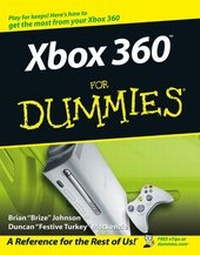
Xbox 360 For Dummies
1st Edition
Published on 31. January 2006
Book
Paperback/Softback
332 pages
978-0-471-77180-7 (ISBN)
Description
Play games globally with Xbox Live and use Xbox for your home theater system
X marks the box - the one with all the fun. And if you thought Xbox was just about games, this friendly book will surprise you! Sure, it'll get you all set up for gaming and Xbox Live, but then it will help you add music from CDs, play DVDs, go wireless, record games, hook your Xbox to others, and have fun in many more ways!
Discover how to
* Connect to the Xbox 360 community
* Back up your games
* Use the Xbox 360 blades
* Add specialized controllers
* Play games on a projection screen
* View pictures and video
X marks the box - the one with all the fun. And if you thought Xbox was just about games, this friendly book will surprise you! Sure, it'll get you all set up for gaming and Xbox Live, but then it will help you add music from CDs, play DVDs, go wireless, record games, hook your Xbox to others, and have fun in many more ways!
Discover how to
* Connect to the Xbox 360 community
* Back up your games
* Use the Xbox 360 blades
* Add specialized controllers
* Play games on a projection screen
* View pictures and video
Reviews / Votes
"...a detailed, comprehensive look at everything to do with the Xbox 360..." (Xbox 360 , March 2006)More details
Persons
Brian Johnson works for Microsoft Corporation as a content strategist for MSDN. He's an avid gamer and has been playing on the Xbox since before the release of the system. Brian is the author of a number of books including Microsoft Image Composer for Dummies, Inside Visual Studio.NET, An Insider's Guide to Microsoft OneNote, and others. Before working at MSDN, Brian was a technical editor for Microsoft Press where he worked on a number of successful titles. In the late 1990s, he was a columnist for Microsoft Visual J++ Informant Magazine and a technical editor for Microsoft Office and VBA Developer Magazine. Brian is a former Marine Corps journalist and a graduate of the University of Wisconsin.
Duncan Mackenzie is a software developer at Microsoft. When the kids go to sleep, he fires up the Xbox.
Duncan Mackenzie is a software developer at Microsoft. When the kids go to sleep, he fires up the Xbox.
Content
Introduction.
Part I: Xbox 360 Out of the Box.
Chapter 1: Meet the Xbox 360.
Chapter 2: Setting Up Your Xbox 360.
Part II: The Xbox 360 Blades.
Chapter 3: Dealing with the Dashboard.
Chapter 4: The Live Blade.
Chapter 5: The Media Blade.
Chapter 6: The System Blade.
Chapter 7: The Games Blade.
Part III: Xbox 360 in Your Entertainment System.
Chapter 8: HDTV, EDTV, Plain Old TV.
Chapter 9: Getting the Best Audio Experience.
Chapter 10: Customizing Your Console.
Part IV: Pushing the Outer Limits.
Chapter 11: Parental Control.
Chapter 12: LAN Parties.
Chapter 13: Windows Media Center Extender.
Part V: The Part of Tens.
Chapter 14: Ten Great Web Sites.
Chapter 15: More Than Ten Great Games.
Chapter 16: Ten Tips for Parents.
Chapter 17: Ten Ways to Make Friends.
Chapter 18: Ten Great Accessories.
Appendix: Original Xbox Games.
Index.
Part I: Xbox 360 Out of the Box.
Chapter 1: Meet the Xbox 360.
Chapter 2: Setting Up Your Xbox 360.
Part II: The Xbox 360 Blades.
Chapter 3: Dealing with the Dashboard.
Chapter 4: The Live Blade.
Chapter 5: The Media Blade.
Chapter 6: The System Blade.
Chapter 7: The Games Blade.
Part III: Xbox 360 in Your Entertainment System.
Chapter 8: HDTV, EDTV, Plain Old TV.
Chapter 9: Getting the Best Audio Experience.
Chapter 10: Customizing Your Console.
Part IV: Pushing the Outer Limits.
Chapter 11: Parental Control.
Chapter 12: LAN Parties.
Chapter 13: Windows Media Center Extender.
Part V: The Part of Tens.
Chapter 14: Ten Great Web Sites.
Chapter 15: More Than Ten Great Games.
Chapter 16: Ten Tips for Parents.
Chapter 17: Ten Ways to Make Friends.
Chapter 18: Ten Great Accessories.
Appendix: Original Xbox Games.
Index.